If you play while someone else is sleeping in the bedroom, prioritise a mouse with quiet clicks documented for the exact model. If having plenty of gaming commands at your fingertips matters most, compare programmable gaming mice, but don’t assume that extra buttons mean quieter clicks.
Who is this choice for?
Late-night gamer with a sleeping housemate
You click frequently while someone else is resting in the same room. Look for quiet operation described for the exact model; a quiet-looking design alone tells you nothing about click noise. Logitech, Razer and CHERRY describe quiet operation for specific models.
Builder who uses lots of shortcuts
You want to assign frequently used commands to easy-to-reach mouse buttons and accept that a gaming mouse won’t necessarily click quietly. Razer and SteelSeries document programmable controls for specific models.
Gamer with a small or shared workspace
You’re mainly concerned with size, scroll controls and a connection that suits your computer and available ports. Compare the grip, too: a compact model won’t automatically be comfortable for every hand.
What should you look for?
First decide whether quiet clicks or extra gaming commands matter more. Then check that the buttons, grip and connection suit your gaming setup.
Mouse designed for quiet clicks
A good fit if: you often play while a housemate is resting and click noise is your main concern.
Bear in mind: quiet operation varies by model; also check the other buttons and the scroll mode you want.
Gaming mouse with extra commands
A good fit if: you want to assign several gaming actions to buttons you can reach while playing.
Bear in mind: extra programmable controls don’t prove that a mouse clicks quietly; the layout should also be easy to reach.
| Consideration |
What to look for |
Who is it for? |
| Click and scroll noise |
Look for a noise claim covering the exact model and check the main buttons, any thumb buttons and the scroll wheel, too. |
If I play while someone next to me is resting, I mainly want to know which controls will make a noise. Around 36% of consumers put quiet operation first. |
| Extra gaming commands |
Make a list of the commands you want to assign and check that the buttons are easy to reach and work with your game. |
If I want to handle repeated gaming actions with my thumb, easy access and useful assignments are essential. Around 29% of consumers prioritise gaming commands. |
| Size and controls |
Compare dimensions and grip; check that the scroll wheel and any thumb buttons are comfortable to reach. |
If my workspace is limited, I want a size and layout that suit my grip. Around 21% of consumers prioritise ease of handling. |
| Connection and power |
Check the connection, included receiver, Bluetooth support and power source for the exact version. |
If I want to avoid a cable on my desk, or would rather not recharge or change batteries, the connection helps determine which version is right for me. For around 14% of consumers, connection or power is the top priority. |
Common pitfalls
-
Mistaking a tactile gaming button for a quiet switch
A description of the click feel or programmability doesn’t prove that the mouse will be quiet in a bedroom.
Look for a noise claim covering the specific model and assess the other buttons and scroll wheel, too.
-
Comparing only the number of buttons
A large side panel is only useful if the buttons are comfortable to reach and the assigned commands work in your game.
First decide which gaming actions you want to carry out with the mouse, then check how easy the buttons are to reach.
-
Assuming every wireless version includes a USB receiver
The Logi Bolt receiver isn’t included with the Logitech MX Anywhere 3S consumer version we reviewed.
Check what’s included with the exact version and whether Bluetooth is available on your computer.
Brands worth comparing
Logitech
The MX Master 3S and MX Anywhere 3S are productivity mice with different sizes and control options; that doesn’t make the entire MX range suitable for every game.
- According to Logitech, the MX Master 3S is 90% quieter than the MX Master 3 when clicking the left and right buttons, measured from a distance of one metre.
- Logitech describes the MX Anywhere 3S as a more compact option.
- The Logi Bolt receiver isn’t included with the MX Anywhere 3S consumer version we reviewed.
Razer
The Pro Click Mini focuses on quiet operation, while the Basilisk V3 X HyperSpeed offers extra gaming controls.
- Razer describes the Pro Click Mini as having quiet mechanical switches and seven programmable buttons.
- Razer lists nine programmable controls for the Basilisk V3 X HyperSpeed.
- The Basilisk’s programmable controls don’t in themselves indicate that it clicks quietly.
CHERRY
The GENTIX SILENT is a straightforward wired option if three buttons are enough.
- CHERRY describes this model as having quiet buttons and a 1.8-metre cable.
- According to CHERRY, the model has no thumb buttons for extra commands at your fingertips.
SteelSeries
The Aerox 9 Wireless is designed for gamers who want to assign lots of individual actions to mouse buttons.
- SteelSeries specifies 18 programmable buttons, including 12 on the side.
- This button specification doesn’t confirm quiet clicks; also check that the side panel is easy to reach.
Gaming mice at Joybuy
These Joybuy products focus on gaming mice with extra programmable controls; check the connection and specifications listed for each model.
 No image available
AULA SC620 wireless gaming mouse, 7 programmable buttons, 67 g, white
A gaming mouse to consider if you want to control in-game actions using programmable buttons.
The product name lists Bluetooth 5.0, 2.4G and USB-C, along with 7 programmable buttons and a weight of 67 g.
View at Joybuy
 No image available
Razer Basilisk V3 X HyperSpeed
A good fit if you’re looking for a gaming mouse with programmable controls; don’t treat these features as proof of quiet clicks.
Razer documents nine programmable controls for this model. The product description mentions HyperSpeed Wireless and Bluetooth.
View at Joybuy
 No image available
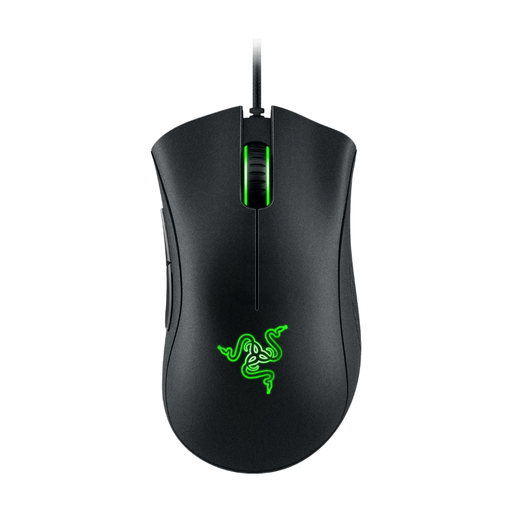
Razer DeathAdder Essential 2021, wired gaming mouse, black
A wired gaming mouse to compare if you’re looking for programmable controls and don’t need a wireless connection.
The product name lists a 6,400 DPI optical sensor.
View at Joybuy
 No image available
Razer Basilisk V3 Pro 35K, wireless gaming mouse, black
This version is a wireless gaming mouse to compare if you’re looking for an ergonomic design.
The product name lists an ergonomic design and wireless operation.
View at Joybuy
 No image available
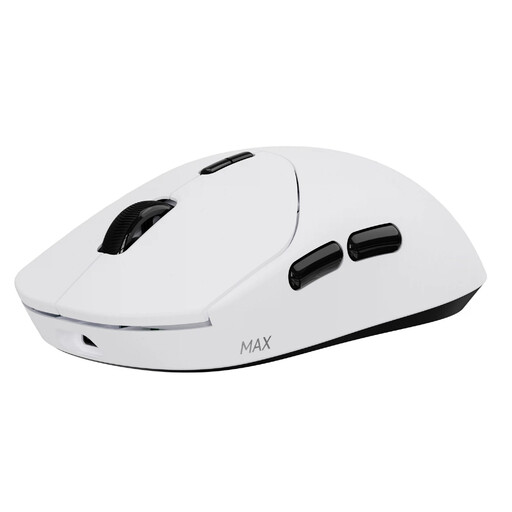
RAPOO VT2 MAX wireless gaming mouse, 10 programmable buttons, 53 g, white
A good fit if you want to assign several gaming commands to programmable buttons.
The product name lists 10 programmable buttons, a weight of 53 g and battery life of up to 750 hours.
View at Joybuy
Frequently asked questions
Is a gaming mouse with lots of buttons automatically suitable for a shared bedroom?
No. Razer and SteelSeries document extra controls for the gaming models mentioned, but the specifications we reviewed don’t confirm quiet clicks. Assess the noise and button layout separately.
How do I connect a wireless mouse?
It depends on the model: Logitech describes connecting via a USB receiver or Bluetooth. Before buying, check whether the exact version includes a receiver; it isn’t included with the MX Anywhere 3S consumer version we reviewed.
Can I unpack and assess a mouse bought online, and what if it develops a fault too soon?
According to ACM ConsuWijzer, online purchases generally come with a 14-day cooling-off period from delivery; exceptions and rules about trying out the product apply. If the product breaks too soon during normal use, the seller must provide a free remedy under Dutch statutory warranty. This is separate from any manufacturer’s warranty.
Where can I take my old mouse when I buy a new one?
According to the Dutch government, when buying a new item, consumers can return an old electrical appliance of a similar type to the retailer free of charge; this also applies to online purchases. A local council recycling centre is another option.


