If you’re reviewing match footage while your roommate is resting, check the switch option first: Keychron offers the M6 with either quiet main buttons or quiet buttons all around. If you’re mainly looking to assign lots of commands to buttons or switch between scroll modes, the Razer Basilisk V3 and Logitech G502 HERO could be suitable, but their listed control features don’t confirm that they click quietly. Check the exact version, whether your video software supports the shortcuts you need, and how the mouse fits your hand.
Who is this mouse for?
Late-night footage reviewer
You review match footage while someone else is resting in the same room. In that case, the exact switch option matters more than a high sensor specification: Keychron distinguishes between quiet main buttons and a version with quiet buttons all around.
Analyst who needs to navigate quickly
You often skip through long recordings and want to know whether different scroll modes or programmable buttons will work with your video software. Razer and Logitech describe these kinds of controls for specific models.
Gamer who also reviews footage
You want to use the same mouse for gaming and reviewing footage. Compare the controls and connection options, but don’t assume that gaming features mean the clicks are quiet.
What should you look for?
Gaming mouse with quiet switches
A good fit if: click noise is your main concern in a shared bedroom.
Keep in mind: Keychron distinguishes between quiet main buttons and a version with quiet buttons all around. Also check which sensor and scroll wheel the version you choose has.
Gaming mouse with extra controls
A good fit if: you want to assign commands while reviewing footage or regularly navigate long recordings.
Keep in mind: Razer lists two scroll modes and 11 programmable buttons for the Basilisk V3; Logitech lists 11 programmable buttons for the G502 HERO. These features say nothing about whether the clicks are quiet.
Quiet productivity mouse
A good fit if: you mainly review footage and quiet operation matters more than a specific gaming model.
Keep in mind: Razer describes the Pro Click Mini as a productivity mouse with quiet mechanical switches. That doesn’t confirm it’s suitable for the competitive games you play.
| What to consider |
What should you check? |
Who is this important to? |
| Click noise |
Check whether the quiet switches are on the main buttons only or on all the buttons. Keychron offers this distinction with the M6. |
If I use the mouse while my roommate is resting, I want to know which clicks are quieter. Around 36% of consumers put quiet operation first. |
| Navigation and commands |
Check which scroll modes and button assignments are available, and whether your video software supports the shortcuts you need. Razer and Logitech list programmable buttons for the models mentioned. |
When I want to jump quickly to moments in long recordings, I look for controls that support my workflow. Around 29% of consumers prioritise navigation. |
| Fit |
Consider the shape, dimensions and position of the thumb buttons, and check that the mouse feels comfortable in your hand. |
During longer review sessions, I want to hold and use the mouse comfortably. Around 21% of consumers consider fit the most important factor. |
| Gaming and reviewing |
Check that the connection and controls suit both tasks. According to Keychron, the M6 has 2,4 GHz, Bluetooth and USB; the Basilisk V3 and G502 HERO models mentioned are wired. |
If I want to use one mouse for both gaming and reviewing footage, I consider how well it suits each task. Around 14% of consumers put gaming and reviewing first. |
Common pitfalls
-
Assuming every Keychron M6 is quiet
Keychron distinguishes between a version with quiet main buttons and one with quiet buttons all around. The M6 model name alone doesn’t tell you which buttons are quiet.
Check the full version name and switch option for the model you’re considering.
-
Mistaking another Basilisk version for the wired Basilisk V3
The Basilisk V3 and Basilisk V3 Pro 35K are different models; the Pro 35K is described as a wireless mouse.
Compare the full model name and connection type, not just the Basilisk V3 name.
-
Confusing an extended warranty with your statutory rights
A commercial extended warranty is in addition to your statutory rights and doesn’t replace them.
Check what the extended warranty covers, and contact the retailer if the product develops a fault.
Brands to consider
Compare features by model and version: a brand name alone won’t tell you whether a mouse is quiet or right for the way you use it.
Keychron
The M6 is worth considering if you want to combine gaming and work and are looking for a version with quiet switches.
- Keychron describes versions with quiet main buttons and versions with quiet buttons all around.
- The sensor and scroll wheel vary by version, so check the full model details.
Razer
The Basilisk V3 is designed for gaming controls, while the Pro Click Mini is a separate productivity mouse.
- Razer lists 11 programmable buttons and two scroll modes for the Basilisk V3. For the Pro Click Mini, Razer lists quiet mechanical switches.
- The listed Basilisk V3 specifications don’t confirm quiet clicks; the Pro Click Mini’s features don’t automatically apply to other models.
Logitech G
The G502 HERO is a wired option if you want to assign commands to buttons.
- Logitech specifies 11 programmable buttons and profiles for the G502 HERO.
- The model specifications consulted don’t confirm that the clicks are quiet.
ASUS ROG
Some ROG models are worth considering if you want to be able to replace the switches.
- ASUS describes replaceable switches on models including the Gladius III.
- A different click feel depends on the compatible switch you choose. This doesn’t mean the standard mouse is quiet, or that every ROG model has the same connection.
Gaming mice at Joybuy
These Joybuy products are gaming mice to compare if you want to assign commands while reviewing footage or use the same mouse for gaming too. Check that the buttons and software on each version work with your video software.
 No image available
AJAZZ AJ200 AI MC wireless gaming mouse
Worth considering if you’re looking for one mouse for gaming and reviewing footage; check that the controls work with your video software.
The product name lists 2,4 GHz, Bluetooth and USB-C, a PAW3311 sensor and a charging dock.
View at Joybuy
 No image available
AULA SC620 wireless gaming mouse, white
Worth considering if you’re looking for a gaming mouse for both gaming and reviewing footage; check that it supports the shortcuts you need.
The product name lists seven programmable buttons, Bluetooth 5.0, 2,4 GHz and USB-C.
View at Joybuy
 No image available
RAPOO VT9Pro 4K wireless gaming mouse, black and purple
Worth considering if you want to use the same mouse for gaming and reviewing footage; check that the controls work with your software.
The product name lists a PAW 3398 sensor and ten programmable buttons.
View at Joybuy
 No image available
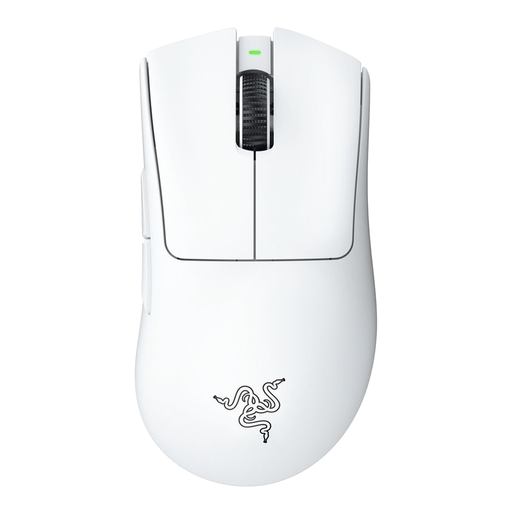
Razer DeathAdder V3 Pro, white
Worth considering if you want to use a gaming mouse for reviewing footage too; before buying, check that its shape and button controls suit the way you use it.
View at Joybuy
 No image available
Razer Basilisk V3 X HyperSpeed
Worth considering if you’re looking for a mouse for gaming and reviewing footage; check that the features of this exact version work with your video software.
View at Joybuy
Frequently asked questions
How do I set up mouse buttons for reviewing footage?
Choose commands that your video software supports as shortcuts. Logitech lists G HUB for programming the G502 HERO; Keychron describes button mapping in Launcher for supported mice. Check that your exact model is supported, then test your settings.
Can I try a mouse bought online and return it if it doesn’t fit?
For online purchases from a retailer in the Netherlands, there is generally a statutory 14-day cooling-off period from delivery. ACM ConsuWijzer explains how unpacking and trying out a product fit into this; don’t use the mouse beyond what’s necessary to assess it.
Do I have to pay return costs if I change my mind?
If you cancel your purchase within the statutory cooling-off period, you may have to pay the return postage, unless the retailer covers it or didn’t tell you about it in advance. This is separate from returning a faulty product.
Does a mouse bought in the Netherlands always have exactly two years’ statutory warranty?
No. According to the Dutch government, there is no fixed statutory warranty period in the Netherlands; a product should last as long as you can reasonably expect it to. Contact the retailer if there’s a fault. Normal wear and tear or damage caused by you doesn’t automatically entitle you to a free solution.


