For RTS gaming on a small desk, start by choosing a mouse shape that suits your hand and grip, then work out how much room you really have to move it. RTINGS.com highlights fit and grip as important considerations. Next, choose wired if you want to avoid changing or charging batteries and can route the cable out of the way, or wireless if freedom from cables matters more and you’re happy to manage the power supply. Programmable buttons are most useful when you have specific commands to assign; specifications alone can’t prove that a mouse will suit your hand or desk.
Who is this guide for?
RTS player with limited mouse space
You want the mouse’s shape and grip, as well as cursor control, to suit the limited space beside your keyboard. A compact mouse won’t necessarily suit every hand; RTINGS.com stresses the importance of fit and grip.
Player looking to free up cable space
You want to avoid a cable getting in the way, so you’re weighing up wireless play against changing or charging batteries. Logitech G, Razer and HyperX describe different connection and power options for their models.
Player who assigns RTS commands
You want to assign a few frequently used commands to accessible mouse buttons and consider whether you can use them comfortably with your grip. HyperX, Razer and RTINGS.com provide information about buttons, settings and fit.
What should you look for?
Start with fit and the space your mouse actually has. Then choose the controls and power supply that suit your desk and playing habits.
| What to consider |
What to look for |
Who should prioritise this? |
| Fit and room to move |
Measure the space beside your keyboard and compare the mouse’s shape with your hand and usual grip. A higher maximum DPI doesn’t, by itself, prove that a mouse will suit you. |
If I have little room beside my keyboard, I want to move the mouse with control without choosing a shape that feels uncomfortable in my hand. Around 36% of consumers prioritise fit and limited movement space. |
| Wireless or wired movement |
For wireless use, check the connection mode and the USB port required. Also check whether the mouse uses a replaceable battery or a rechargeable one. For a wired mouse, consider where you can route the cable. |
If a cable gets in the way on a cluttered desk, I want to play wirelessly without overlooking the power supply. Around 29% of consumers give cable-free movement top priority. |
| Buttons for RTS commands |
Decide which commands you actually want to assign, then check the number and position of the programmable buttons. Also consider whether the required software suits the way you use your mouse. |
If I want to assign specific RTS commands to my mouse, the buttons need to be within easy reach without disrupting my grip. Around 21% of consumers prioritise assignable buttons. |
| Power and maintenance |
Check whether the exact version uses a replaceable or rechargeable battery, and follow the manufacturer’s cleaning instructions. Keep your proof of purchase in case you need to make a claim. |
If I’d rather know when I need to replace or recharge batteries, I want to factor in that recurring task before choosing. Around 14% of consumers prioritise maintenance and running costs. |
Common pitfalls
-
Assuming a battery-powered mouse weighs the same in use as its stated weight
Razer lists the Orochi V2 as weighing less than 60 g without a battery. So, the mouse doesn’t weigh the stated battery-free amount when you’re using it.
Compare weights on a like-for-like basis and check which battery type is used by the exact version.
-
Taking a retailer’s Bluetooth listing at face value
The Joybuy page we checked lists Bluetooth for the Logitech G305, while Logitech G presents the mouse with LIGHTSPEED and an AA battery. The retailer listing may therefore give a misleading impression of the available connection options.
Check the connection type and full model number against the manufacturer’s information.
-
Assuming more programmable buttons mean better RTS control
Extra inputs are only useful if you can reach the buttons comfortably with your grip and want to use them for your own commands.
First, make a short list of the commands you want to assign. Then check the button positions and the software you’ll need.
-
Confusing the manufacturer’s warranty with your full statutory rights
According to ACM ConsuWijzer, your statutory rights exist alongside any warranty offered by the seller or manufacturer.
Keep your proof of purchase and, if a product is faulty, contact the seller first to make a claim.
Brands and models to consider
Razer
The compact, wired Cobra and compact, wireless Orochi V2 offer different options for a small desk. Assess each model separately for shape, connection and power supply.
- Razer describes the Cobra as having a compact shape and adjustable DPI. For the Orochi V2, the manufacturer lists 2.4 GHz via receiver and Bluetooth.
- The Orochi V2’s stated weight of under 60 g excludes the battery; the final fit depends on your hand and grip.
Logitech G
The G305 LIGHTSPEED is a wireless option for anyone who prefers a replaceable AA battery.
- Logitech G lists a range of 200 to 12,000 DPI for the HERO sensor.
- The stated 250-hour battery life from a single AA battery is the manufacturer’s estimate, not a guarantee that every player will get the same usage time.
HyperX
HyperX describes the Pulsefire Haste 2 Mini Wireless as a smaller wireless version, with rechargeable power as a consideration.
- HyperX lists 2.4 GHz, Bluetooth, six programmable buttons and the option to use it wired while charging.
- A smaller shape isn’t automatically more comfortable; check that it suits your hand and grip.
SteelSeries
The Aerox 3 Wireless is another option to compare if you’re considering a wireless mouse with a perforated shell.
- For the Wireless version we checked, SteelSeries lists a weight of 68 g and both 2.4 GHz and Bluetooth connectivity.
- Compare the exact model and its fit; the stated weight alone doesn’t determine how suitable the mouse is for your needs.
Gaming mice at Joybuy
This selection includes wired and wireless gaming mice. Compare the shape with your grip and consider whether a cable, battery or charging routine will suit your desk.
 No image available
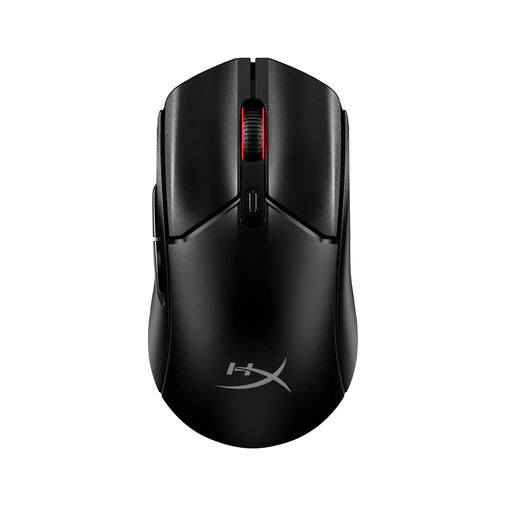
HyperX Pulsefire Haste 2 Core Wireless, black
An option if you want to play wirelessly and factor the battery into your decision.
This version uses AAA batteries, which need to be replaced periodically.
View at Joybuy
 No image available
HyperX Pulsefire Haste 2, wired, white
A wired option if you want to avoid replacing or charging batteries and can route the cable out of the way on your desk.
A wired connection means you’ll need room to route the cable along your desk.
View at Joybuy
 No image available
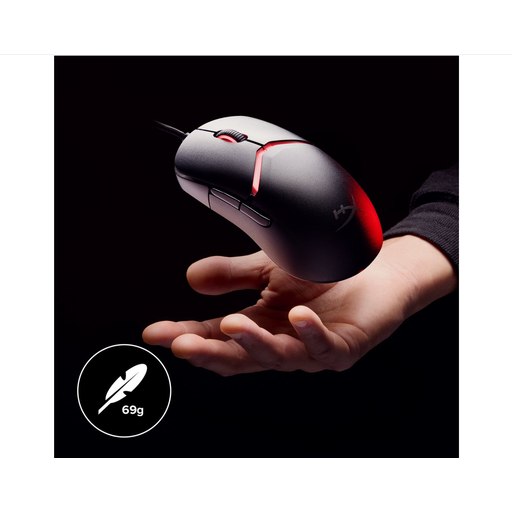
HyperX Pulsefire Saga, wired, black
A wired mouse to compare if you want to avoid batteries or charging and have room to route the cable.
The product name lists RGB lighting and 26,000 DPI. The wired connection means you’ll need room for the cable.
View at Joybuy
 No image available
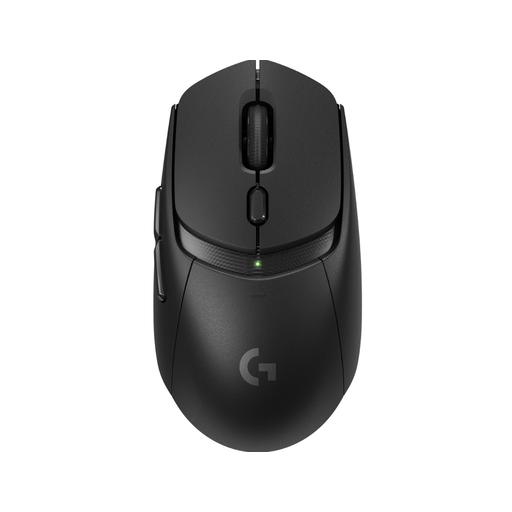
Logitech G309 LIGHTSPEED Wireless, black
A wireless option if you want to keep a cable off your desk and are happy to use a replaceable battery.
The description mentions an AA battery and POWERPLAY as an alternative power option. The AA battery needs to be replaced periodically.
View at Joybuy
 No image available
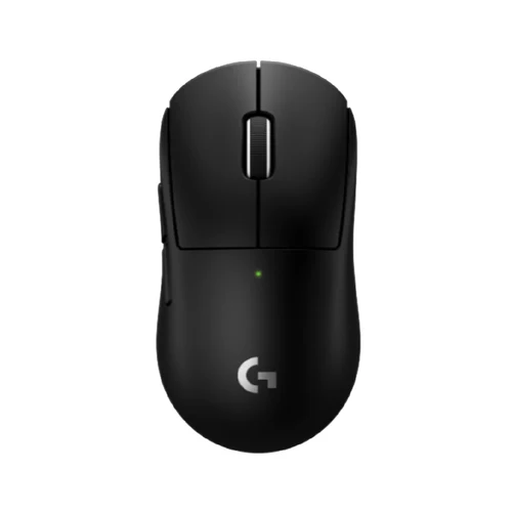
Logitech G PRO X Superlight 2c Wireless
A wireless version to compare if you don’t want a mouse cable on your desk and the model’s connection and power options suit the way you use it.
View at Joybuy
Frequently asked questions
Should I choose the highest possible DPI for RTS gaming on a small desk?
No. Start with a shape that feels comfortable in your hand, then adjust the sensitivity to suit the space you have and the level of control you prefer. A model’s maximum DPI doesn’t, by itself, prove that the mouse is right for you.
How do I connect a wireless gaming mouse and maintain its sensor?
Check which connection mode each model uses and whether you can game via the supplied 2.4GHz receiver. Switch the mouse off before cleaning it; Razer recommends using a hand blower or compressed air on the sensor. Follow the instructions for your exact model.
What cooling-off period and warranty do I get when buying online in the Netherlands?
For distance purchases from a business, you’ll often have a 14-day cooling-off period. You also have statutory rights under ACM ConsuWijzer if a product doesn’t perform as you could reasonably expect under normal use; the seller is then responsible for providing an appropriate solution. Any manufacturer’s warranty does not replace those rights.
What should I know about Dutch rules for a wireless mouse?
Check the product information and any CE marking for the exact version. The Rijksinspectie Digitale Infrastructuur explains that manufacturers apply the CE marking when radio equipment meets all applicable requirements. A listing on a sales website alone doesn’t confirm that all requirements have been met.


