For RPGs on a big screen, an MMO mouse with plenty of thumb buttons is a good choice if you want to assign lots of abilities and items to your mouse. If you have fewer commands, a simpler all-round mouse may be enough. If you play further away from your PC, weigh up the freedom of wireless play against the need to recharge or replace batteries. On a console, the game itself must support mouse input – connecting a mouse to the console isn’t enough.
Who is this for?
RPG player with lots of shortcuts
You want to control abilities and items with easy-to-reach thumb buttons, so pay attention to the button layout, shape and customisation options. RTINGS.com, Razer and SteelSeries describe mice and models with plenty of buttons.
PC player gaming by the TV
You play further away from your PC and want a connection that suits your setup, without a cable getting in the way of mouse movement. Razer and Trust describe wireless options and how they’re powered.
Console gamer considering a mouse
Before buying, you want to check whether your RPG supports mouse input. Being able to connect a mouse doesn’t automatically mean a particular game will work with it. PlayStation Support and Xbox Support explain the difference.
What should you look for?
Start with the commands you want to use while playing. Then consider how far you sit from your PC, how the mouse fits your hand and, if you’re using a console, whether the specific game supports it.
| What to consider |
What to look for |
Who is this important for? |
| Easy-to-reach thumb buttons |
Compare the physical layout and thumb position, and check what software you need to assign functions to the buttons. |
If I want to activate lots of abilities and items in an RPG, I’ll prioritise thumb buttons that are easy to reach. Around 36% of consumers would make this type of button control their top buying priority. |
| Connection and freedom of movement |
Check the distance to your PC, the connection type, the receiver and how the exact model is powered. |
If my PC is by the TV, I want to move my mouse freely with a connection that suits my setup. Around 29% of consumers would prioritise freedom of movement and connection. |
| Fit and grip |
Consider the shape, grip and thumb position, and weigh the stated weight against how easy the buttons are to reach. |
During long gaming sessions, I want a mouse that fits my hand, not just one with a low stated weight. Around 21% of consumers would make fit and easy-to-reach controls their top priority. |
| Console support |
Check whether the specific RPG supports mouse input and whether the button settings you want are available without PC software. |
If I play on a console, I want to know in advance whether my RPG supports mouse input. Around 14% of consumers would make game support their top buying priority. |
Common buying mistakes
-
Assuming a high button count means the layout will suit you
The total number of buttons doesn’t tell you whether you’ll be able to reach them comfortably with your thumb while playing. Models also differ in the physical layout of the side panel.
Check the button positions and decide which commands you really want to assign before choosing a mouse with lots of thumb buttons.
-
Choosing wireless without considering your setup and power needs
Wireless play means there’s no mouse cable to get in the way, but you’ll need to consider the receiver and how the mouse is powered. Razer lists different battery life for the Naga V2 HyperSpeed depending on the connection mode; these figures are provided by the manufacturer.
Check the connection, where you’ll place the receiver and how the exact model is powered.
-
Assuming a console recognising your mouse means the game supports mouse controls
A console may recognise a mouse even if a particular RPG doesn’t offer mouse input. PlayStation Support and Xbox Support explain that support depends on the device, game or app.
Check the input options for the console version of your RPG before buying a mouse.
Brands to consider
Razer
The Naga range is designed for control with lots of buttons. Features vary by model.
- Razer lists interchangeable side panels for the Naga V3 Pro, while the Naga V2 HyperSpeed has a fixed thumb-button panel and two wireless connection modes.
- The interchangeable side panels are a feature of the Naga V3 Pro, not the Naga V2 HyperSpeed. The stated battery life of the Naga V2 HyperSpeed varies by mode and is a manufacturer claim.
SteelSeries
The Aerox 9 Wireless is worth considering if you’re looking for plenty of thumb buttons.
- SteelSeries lists a side panel with twelve buttons and a stated weight of 89 g.
- Weight alone won’t tell you whether the mouse suits your hand. Consider its shape too, and whether you can reach the buttons with your thumb.
Logitech G
The wired G502 X is an all-round option with customisable controls, without a full MMO-style side panel.
- Logitech lists a reversible or removable DPI button and a two-mode scroll wheel.
- The cable may be a drawback if you play further away from your PC. Check which G502 X version you’re looking at too.
Corsair
The Scimitar Elite Wireless SE is an MMO mouse that Corsair describes as having plenty of customisable buttons.
- Corsair lists sixteen customisable buttons and an adjustable side panel, which may be useful if you want to position the buttons to suit your thumb’s reach.
- The model details listed are based on Corsair’s US product information and don’t confirm the features or availability of a version sold in the Netherlands.
Joybuy mice for RPGs on a big screen
This selection includes gaming mice for PC setups: wired options with programmable buttons and wireless models that give you more freedom of movement. Check which EU requirements apply to the specific model. The Dutch Authority for Digital Infrastructure points out that a CE mark alone is not independent proof that an individual product meets all requirements.
 No image available
Shark Gaming Velocity M70
A good fit for a PC setup close to where you sit if you want to use programmable buttons.
Wired USB connection; seven programmable buttons.
The cable may restrict your movement if your PC is further away.
View at Joybuy
 No image available
NAXSIR 3-in-1 Gaming Mouse, Black
An option if you want to play wirelessly or assign several in-game commands to mouse buttons.
Seven programmable macro buttons; wired, 2.4 GHz wireless and Bluetooth.
View at Joybuy
 No image available
AJAZZ AJ159 PRO Wireless Gaming Mouse, White
A good fit for a wireless PC setup if you’re weighing up connection options and weight.
56 g; 2.4 GHz, USB-C and Bluetooth; 400 mAh battery.
Keep the magnetic charging dock away from pacemakers, medical implants and payment cards.
View at Joybuy
 No image available
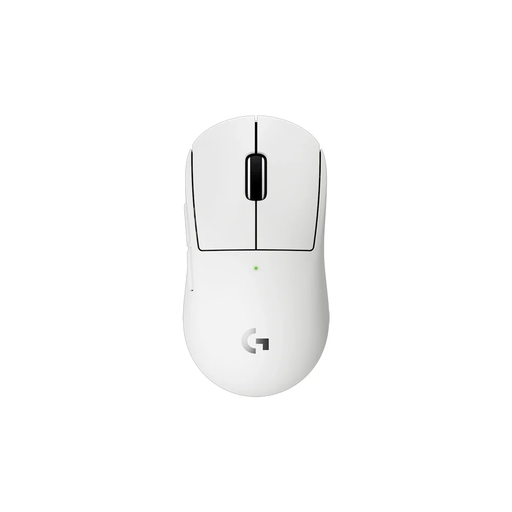
Logitech G PRO X Superlight 2c Wireless Gaming Mouse, White
A compact wireless option if a smaller shape suits your hand or grip.
The product description lists programmable thumb buttons and LIGHTSPEED wireless.
View at Joybuy
 No image available
AULA SC620 Wireless Gaming Mouse, White
A wireless option if you want to assign several in-game commands and choose between connection types.
Seven programmable buttons; Bluetooth, 2.4 GHz and USB-C; stated weight of 67 g.
View at Joybuy
Frequently asked questions
Do I always need an MMO mouse to play an RPG on a TV?
No. An MMO mouse is most useful if you want to assign lots of commands to thumb buttons. If you have fewer commands, an all-round mouse may be enough. Compare the physical button layout with your hand and the functions you actually want to use.
Will a gaming mouse automatically work in my RPG on PS5 or Xbox?
No. Mouse support also depends on the specific game. PlayStation Support explains how to connect certain USB and Bluetooth mice to PS5, and notes that not all devices work. Xbox Support lists mouse input for selected games and apps, so check whether your RPG supports it.
How do you set up extra mouse buttons?
Follow the guide for the exact model and check what setup software you need. For example, the HyperX Pulsefire Raid manual says that programmable functions require HyperX NGENUITY; this doesn’t automatically apply to other mice.
What safety requirements apply to a gaming mouse in the Netherlands?
Electrical, electronic and radio equipment sold in Europe must meet the applicable European requirements. The Dutch Authority for Digital Infrastructure states that radio equipment must have the correct CE marking and be accompanied by a declaration of conformity. A CE mark alone isn’t independent proof that an individual product meets all requirements.


