
osu! mouse aimer
You aim with the mouse and want a shape and weight that feel easy to control during repeated, fast movements. You can register hits with the mouse or with keys, as the osu! wiki explains.


If you use the mouse to aim, choose a shape and weight that let you make repeated, controlled movements. If you also click with the mouse, consider how the main buttons feel to use. According to the osu! wiki, you can aim with the mouse in osu! and, if you prefer, tap Z and X on your keyboard. If the audio in your headphones doesn’t match what you see on screen, check your audio output and offset settings first: changing your mouse won’t automatically fix the issue. A wired mouse means no battery to manage, but it does have a cable. A wireless mouse gives you more freedom to move, but you’ll need to consider its connection and power supply.
You aim with the mouse and want a shape and weight that feel easy to control during repeated, fast movements. You can register hits with the mouse or with keys, as the osu! wiki explains.
You play with headphones and notice that the music, hit sounds and visuals don’t line up. The osu! wiki recommends checking audio output and offset settings separately.
You also use the mouse buttons to register hits and want more freedom to move, as long as a receiver, battery or charging suits your setup. Logitech and SteelSeries describe different wireless connection and power options for their models.
A good fit if: you don’t want to manage a battery or wireless receiver, and can route the cable neatly across your desk.
The trade-off: the cable may affect your movement, and the shape still needs to suit your hand.
A good fit if: you want to move without a mouse cable and are happy to use an AA battery and USB receiver.
The trade-off: you’ll need an available USB port and will have to replace the battery when it runs out.
A good fit if: you want more freedom to move and use the mouse in other places too.
The trade-off: check the exact generation and connection options. Battery life isn’t a test of how it performs in your rhythm game with your headphones and PC.
| What to consider | What to look for | Who is this most important for? |
|---|---|---|
| Cursor control | Compare the shape, dimensions and weight, including the battery where applicable. Check whether the cable gets in the way of your movement. | If I often need to aim again, I want a mouse that suits my grip, not just the lightest one possible. Around 29% of consumers prioritise control over cursor movement. |
| Timing through headphones | If the audio stutters, compare the audio output. If hit sounds feel out of sync, check the game’s offset setting too. | When the music or hit sounds don’t match what I see on screen, I want to check my audio and game settings before replacing a mouse. Around 29% of consumers give audio timing top priority. |
| Registering hits with the mouse buttons | Decide whether you play with the mouse alone or with the mouse and keyboard. If possible, try out the main buttons. | If I register hits with the mouse, I want to know whether the buttons suit the way I play. osu! also supports tapping keys. Around 21% of consumers prioritise clicking with the mouse. |
| Connection and power | Check whether the model is wired, uses a USB receiver or connects via Bluetooth, and what type of power supply it uses. | If I want to move without a cable but don’t want unexpected battery maintenance or an extra connection, I check the connection and power supply for the exact version. Around 21% of consumers prioritise connectivity and running costs. |
A mismatch between the audio, hit sounds and visuals can feel like input lag, even when the mouse isn’t the cause. The osu! wiki covers audio output and offset settings separately.
Compare your audio output and check the game settings before replacing your mouse.
This helps you avoid an unnecessary hardware purchase.
These connection types can affect cable management, USB ports and power in different ways. Logitech says the G305 LIGHTSPEED uses a USB receiver and an AA battery.
Check the connection, receiver and power supply for the exact version before choosing.
A manufacturer’s maximum figure describes a setting, not how the mouse will perform with your game, PC and grip. Razer lists a maximum polling rate of 8,000 Hz for the DeathAdder V3.
Prioritise the shape and controls you need, and don’t take maximum figures as a guarantee of better rhythm game performance.
The G305 LIGHTSPEED is an example of a wireless gaming mouse with a replaceable AA battery and USB receiver.
The wired DeathAdder V3 is an example of a lightweight, right-handed ergonomic mouse for anyone who doesn’t want to manage wireless power.
SteelSeries says the Aerox 3 Wireless combines 2.4 GHz via a receiver with Bluetooth. This may suit you if you use the mouse in different places.
This Joybuy selection includes wired mice and wireless models with different connection and power options. According to the Dutch Authority for Digital Infrastructure, electrical and electronic products sold in the Netherlands must carry the applicable CE marking; wireless models are also subject to radio equipment requirements. Check the marking and relevant documentation for the exact version.
 Image unavailable
The wired connection may suit you if you don’t want to use a wireless connection.
Listed weight: 101 g. The description mentions an optical sensor and USB connection.
 Image unavailable
The multiple connection options may suit you if you want to choose between different ways to connect.
The description lists a wired USB-C connection, 2.4 GHz, Bluetooth, a 500 mAh rechargeable battery and seven programmable buttons.
 Image unavailable
The wireless connections and rechargeable power supply may suit you if you want to move without a mouse cable.
Listed weight: 56 g. The description mentions 2.4 GHz, USB-C and Bluetooth, a 400 mAh battery, a PAW3395 sensor and programmable controls. According to the product description, keep the magnetic charging dock away from pacemakers and medical implants.
 Image unavailable
The wired connection may suit you if you don’t want to manage a battery or wireless receiver.
Listed weight: 69 g. The description mentions an optical sensor, adjustable DPI settings and a flexible USB cable.
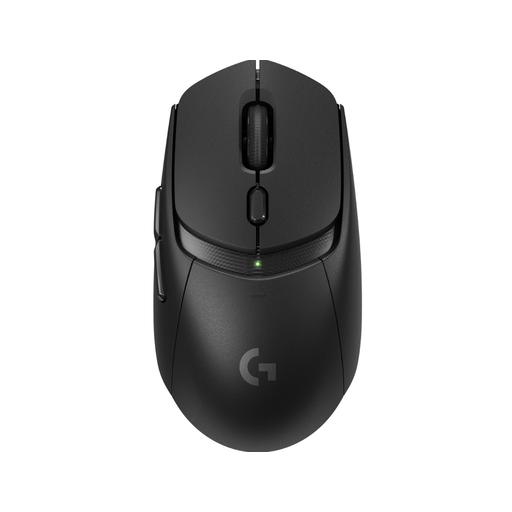 Image unavailable
The wireless setup may suit you if you want to move without a mouse cable.
The description mentions an AA battery, a LIGHTSPEED USB receiver, Bluetooth, a HERO 25K sensor and six programmable buttons.
Not before you’ve looked into the cause. The osu! wiki covers audio stuttering separately from input lag and suggests comparing it with analogue PC audio as a possible check when using a USB headset. If hit sounds feel out of sync across all beatmaps, you can also check the Offset Wizard in osu!.
No. According to the osu! wiki, you can aim with the mouse and tap Z and X on the keyboard by default. So your choice may depend on whether you also register hits with the mouse buttons.
For a standard online consumer purchase, you usually have up to 14 days after delivery to change your mind, subject to possible legal exceptions. ACM ConsuWijzer explains this period. The product must also meet what you could reasonably expect. If a fault is covered by the statutory guarantee, the seller is responsible for putting it right; a manufacturer’s guarantee does not replace this right.
Electrical and electronic equipment must have the applicable CE marking. Wireless mice are also subject to radio equipment requirements, according to the Dutch Authority for Digital Infrastructure. Check the marking and relevant documentation for the exact version. A CE marking on its own is not a performance test.