
Players who aim with a mouse
You want to control repeated cursor movements accurately and adjust the sensitivity to suit your play style. The osu! wiki covers aiming and clicking with a mouse, as well as adjusting sensitivity.


Start with a shape and adjustable sensitivity that suit the way you aim. Then decide whether a cable would get in your way and whether you want adjustable lighting. A wired mouse doesn't need battery management, while a wireless one gives you more freedom to move but does need a battery or rechargeable battery. RGB is a choice for your dark gaming setup, not a proven way to improve your score.
You want to control repeated cursor movements accurately and adjust the sensitivity to suit your play style. The osu! wiki covers aiming and clicking with a mouse, as well as adjusting sensitivity.
You want the shape, weight and choice between wired and wireless to feel comfortable during repeated movements. Stated weights and cable types are product specifications, not measures of how comfortable a mouse will feel in your hand.
You want to be able to choose the lighting without assuming that RGB improves your accuracy. Manufacturers offer adjustable lighting effects on specific models.
Start with control and a shape that suits your aiming movements. Then choose between unrestricted cable movement and wireless use, and decide whether lighting would add anything to your gaming setup.
| What to consider | What to look for | Who should consider this? |
|---|---|---|
| Aiming and clicking | Check whether the sensitivity is adjustable and whether the shape and controls suit your movements. | If I aim with a mouse, I want to be able to adjust the cursor sensitivity to suit my movements. Around 33% of consumers prioritise aiming control. |
| Comfort for repeated movements | Compare the shape and stated weight of the exact version; a lower weight doesn't predict personal comfort. | For longer sessions, I want a shape and grip that suit my hand, even if another mouse offers more lighting. Around 27% of consumers prioritise fit. |
| Lighting | Check where the lighting is positioned and which effects you can adjust; RGB isn't proof of better gaming performance. | In a dark room, I want to choose how my mouse lights up. Around 20% of consumers prioritise adjustable lighting. |
| Freedom to move without a cable | Check the connectivity options and whether the model uses a battery or needs to be recharged. | If a cable gets in my way, I want to play without a mouse cable and will take the power source into account. Around 20% of consumers prioritise freedom to move without a cable. |
A higher maximum value doesn't tell you which sensitivity will feel comfortable for your aiming movements. The osu! wiki describes adjustable sensitivity, not one mandatory maximum DPI.
Check that you can adjust the sensitivity and try a setting that works for you in your own game. Don't compromise on shape and control just to get a higher DPI number.
RGB specifications describe lighting effects, not a proven improvement in aiming or clicking.
Choose lighting if it suits your dark gaming setup, and assess the shape, controls and connection too.
A model name may refer to versions with different connections or specifications. Features of one version don't automatically apply to another.
Before you buy, check the full model name, connection and key specifications of the exact version.
In the Netherlands, the retailer remains responsible for the statutory guarantee if a product is faulty; a commercial manufacturer's warranty doesn't replace it, according to ACM ConsuWijzer.
Keep your proof of purchase and contact the retailer if there's a fault.
Razer lists the wired Cobra at 58 g, with adjustable Chroma underglow. The Cobra HyperSpeed is a separate wireless model with RGB; according to Razer, it can also be used as a wired mouse via USB-C.
According to HyperX, the wired Pulsefire Haste 2 weighs 53 g and features adjustable DPI, RGB and a flexible cable.
SteelSeries lists the wired Aerox 3 (2022 Edition) at 59 g, with a USB-C cable and three-zone RGB lighting.
According to Logitech, the G305 LIGHTSPEED is wireless and uses one AA battery. The G203 LIGHTSYNC is a separate wired mouse with adjustable RGB effects.
This Joybuy selection includes wired and wireless gaming mice, including models with RGB lighting and a range of connection options. Check the specifications of the version you choose.
 No image available
A wired version to consider if you don't want a wireless connection.
The product name lists 35,000 DPI and 11 buttons.
 No image available
A wireless option to compare if you want to move without a mouse cable.
The product name lists a PAW3335 sensor, 16,000 DPI, RGB lighting and 8 programmable buttons.
 No image available
An option to compare if you'd like to consider a wired connection as well as wireless.
The product name lists a symmetrical design, RF wireless, Bluetooth, USB Type-A and 36,000 DPI.
 No image available
A wireless version to consider if you want to compare lighting and multiple connection options.
The product name lists a PAW3395 sensor, 26K DPI, support for 2.4G, USB-C and Bluetooth, a 400 mAh battery and a weight of 56 g.
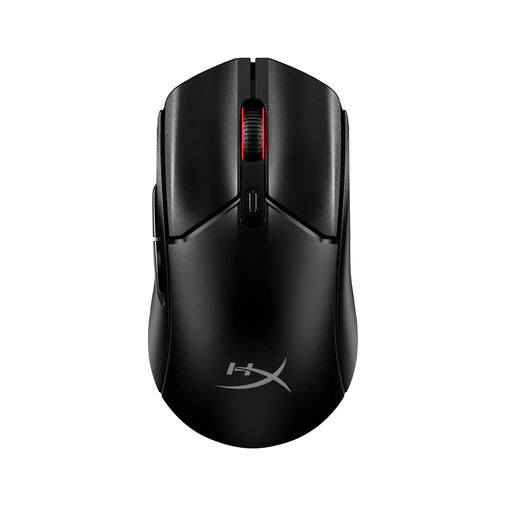 No image available
A wireless version to compare if you want to play without a cable.
The product name identifies this model as a black wireless gaming mouse.
No, the osu! wiki doesn't specify a minimum maximum DPI. You can adjust the sensitivity; try a setting that suits your movements and the game.
You can adjust the sensitivity and use raw input. If you click with the keyboard, the osu! wiki also describes an option to disable mouse buttons while playing.
It depends on the model: the Logitech G305 uses one AA battery, while according to Razer the Cobra HyperSpeed can also be used as a wired mouse via USB-C. Check which power source, cable and receiver are needed for the exact version.
For an ordinary online product purchase, you generally have a statutory 14-day cooling-off period after delivery, subject to exceptions, according to ACM ConsuWijzer. If a product is faulty, the retailer is responsible for the statutory guarantee; a commercial manufacturer's warranty doesn't replace it.
No. According to the Dutch Government, you can return an old electrical appliance in several ways, including when buying a new, similar appliance; the shop can't charge you for this take-back service. You can also use collection points and local council facilities.