For navigating replays, accessible, customisable mouse buttons are often more useful than a high maximum DPI alone. Steam Support explains how to customise hotkeys for Game Recording, but check that your replay software supports the mouse mapping you want. For long sessions, focus on shape and grip, and compare weight and connection options for competitive gaming too. Your headset doesn’t, by itself, place any special requirements on your mouse.
Who is this relevant for?
Replay analyst who repeats actions frequently
You often jump back to specific moments or use the same playback commands repeatedly. Steam Support explains how to customise hotkeys for Game Recording, while Logitech G lists customisable controls on certain G502 X versions. Check that your replay software supports the mapping you want.
Player who also reviews footage for long periods
You use the same mouse for competitive gaming and lengthy review sessions. Its shape and grip should work for both; the weights listed for Logitech G and Razer models are product specifications, not a measure of personal comfort.
User with a flexible setup
You switch between your gaming and viewing areas and want to match the connection to your setup without overlooking replay controls. SteelSeries lists both 2.4 GHz via a receiver and Bluetooth 5.0 for the Aerox 3 Wireless.
What should you look for?
| What to consider |
What should you check? |
Who is it important for? |
| Replay controls |
Check whether the buttons are programmable and whether your replay software lets you assign the shortcuts you want. |
If you repeat the same commands while reviewing footage, you’ll want them within easy reach; around 36% of consumers say replay controls are their main consideration. |
| Shape and grip |
Compare the shape and dimensions with your grip, and don’t let the listed weight alone make the decision for you. |
For long viewing and gaming sessions, you’ll want a shape that suits your hand; around 29% of consumers prioritise grip. |
| Connection |
For wireless models, check the connection and receiver used by that version, and how it’s powered. For wired models, check that the cable suits your workspace. |
If you switch between your gaming and viewing areas, you’ll want a connection that works with both setups; around 21% of consumers put this flexibility first. |
| Tracking while gaming |
Compare the specifications of the exact version, but don’t treat a high maximum DPI as proof of better replay analysis. |
If you’re choosing a mouse mainly for competitive gaming and also watch replays, consider how it performs in-game too; around 14% of consumers say this is their top priority. |
Common buying mistakes
-
Assuming the highest DPI means better replay analysis
Navigating replays depends on the available controls and software commands. A maximum sensor specification doesn’t tell you anything about this on its own.
First, check which playback commands you use and which mouse buttons you can assign them to and reach easily.
-
Assuming versions with almost identical model names are the same
A model range may include both wired and wireless versions, with different connections and specifications.
Compare the full model name, connection and specifications of the version you’re considering.
-
Assuming ‘two-year warranty’ covers all your protections in the Netherlands
The Dutch government states that there is no fixed statutory warranty period in the Netherlands. The manufacturer’s warranty is separate from your legal rights to a product that is fit for purpose.
Keep your proof of purchase and report any fault to the seller. Consider what any additional warranty offers.
Brands and models to consider
Logitech G
The models mentioned range from one with customisable controls to a lightweight wireless option.
- Logitech G lists 13 customisable controls for the G502 X LIGHTSPEED, a weight of 89 g for the wired G502 X and 60 g for the PRO X SUPERLIGHT 2.
- These features apply to the models listed and don’t automatically mean that their shape or button layout will suit your hand or software.
Razer
The DeathAdder V3 HyperSpeed and Basilisk V3 Pro put different emphasis on shape and controls.
- Razer lists a weight of 55 g and an ergonomic shape for the DeathAdder V3 HyperSpeed; for the Basilisk V3 Pro, the brand lists 10+1 programmable buttons.
- Describing a shape as ergonomic doesn’t prove that it will suit every grip.
SteelSeries
The Aerox 3 Wireless is worth considering if you’re looking for a lightweight mouse with several wireless connection options.
- SteelSeries lists a weight of 68 g, 2.4 GHz via a receiver and Bluetooth 5.0 for this version.
- Check the full model name: Aerox 3 is also used for a wired version.
HyperX
The Pulsefire Haste 2 range includes both a wired and a wireless version.
- On its US product pages, HyperX lists a weight of 53 g for the wired Pulsefire Haste 2 and 61 g for the wireless version.
- Check the exact regional version being offered; the product pages mentioned don’t confirm which version is available in the Netherlands.
Gaming mice for replay controls and gaming
This selection includes wired and wireless gaming mice to compare for replay controls and competitive gaming. For the version you’re considering, check that its listed buttons, connection and software suit your setup.
 No image available
NAXSIR 3-in-1 Gaming Mouse, 7 programmable macro buttons
An option to compare if you want to use macro buttons and choose between the listed connection options.
Wired, 2.4G Wireless or Bluetooth; 7 programmable macro buttons; 12.800 DPI.
Joybuy
 No image available
Logitech G G502 X
A wired version to compare if you don’t need a wireless connection and the cable suits your setup.
USB Type-A; optical; 25.600 DPI.
Joybuy
 No image available
RAPOO VT9Pro 4K
A wireless option to compare if you want programmable buttons alongside the listed 4K polling version.
10 programmable buttons; PAW 3398 sensor; 4K polling; battery life up to 180 hours.
Joybuy
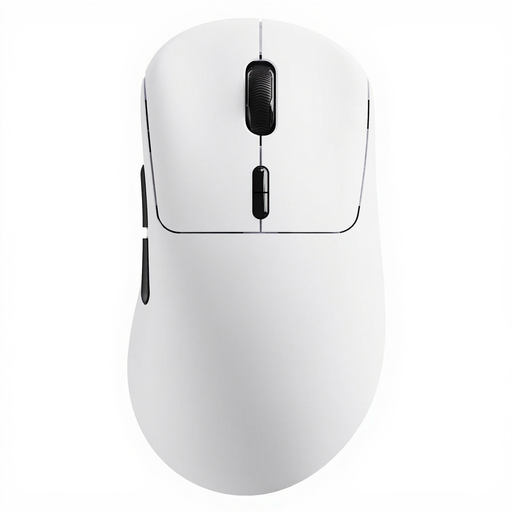 No image available
Rapoo VT3 Wireless Gaming Mouse
A wireless version to compare if a low listed weight and programmable buttons matter to you.
53 g; 10 programmable buttons; wireless polling rate up to 8K; battery life up to 750 hours.
Joybuy
 No image available
Razer Basilisk V3 Pro 35K
An ergonomically shaped wireless option to compare if its shape and connection suit your hand and setup.
35K version; wireless.
Joybuy
Frequently asked questions
Can I assign replay functions to mouse buttons?
It depends on your software and the mouse’s customisation options. Steam Game Recording lets you customise hotkeys; check separately whether your game or replay player and mouse software support the mapping you want.
Does my mouse need to be the same brand as my headset?
Not for the replay use described here. Check that the mouse works with the connections and software you need; the product information mentioned doesn’t indicate any special brand requirement for your headset.
How can I keep a wireless mouse ready to use during long review sessions?
Before you buy, check how the exact version connects and is powered. SteelSeries lists 2.4 GHz via a receiver and Bluetooth for the Aerox 3 Wireless; these connection options don’t tell you how long the mouse will last on a charge with your usage.
What are my rights when I buy a mouse online in the Netherlands?
Online consumer purchases generally come with a 14-day cooling-off period from delivery, subject to legal exceptions; ACM ConsuWijzer explains these rules. You’re also entitled to a product that is fit for purpose. The Dutch government states that there is no fixed statutory two-year warranty period in the Netherlands. Report any fault to the seller.
What should I check for a wireless mouse sold in the Netherlands?
Check the information and documentation for the exact version. The Dutch Authority for Digital Infrastructure outlines requirements for radio equipment, including a visible CE mark and a declaration of conformity. A product listing on a webshop doesn’t, by itself, prove that the specific item meets these requirements.


