Who is this for?

Replay analyst who uses lots of shortcuts

Wants to pause, play or switch camera angles regularly, and is exploring whether replay commands can be assigned to easily reached mouse buttons. Controls vary by replay software; for example, Valve describes using clicks and dragging to control the camera in Counter-Strike 2 replays.

Player who watches replays too

Wants one mouse for competitive gaming and watching replays. For this shopper, fit and the preferred button layout may matter more than the highest possible sensor setting; RTINGS notes that hand size and grip are factors when choosing a mouse.

Viewer sitting away from the PC

Uses a large screen while the PC is positioned further from where they sit. They want to check whether a cable, wireless receiver or Bluetooth suits their setup and the device’s connections.

What should you look for when buying?

Wired, with extra buttons and flexible scrolling

A good fit for: anyone who sits close to their PC and often navigates between replay moments or features.

Bear in mind: a cable limits where you can position the mouse; extra buttons are only useful if the software accepts the assigned inputs.

Lightweight mouse with a simple button layout

A good fit for: anyone who also plays competitively and does not need many extra controls.

Bear in mind: check that the accessible buttons cover the replay functions you need; a low weight does not automatically mean a better fit.

Wireless, with a choice of connections

A good fit for: anyone using a PC from further away or looking to switch between devices.

Bear in mind: check which connection your device supports and remember that the mouse will need charging.

What to consider What to look for when buying Who is this important to?
Replay controls Check how many buttons you can assign, which configuration software is available and how the scroll wheel works. Test whether your replay software accepts the commands you want to use. I want to pause, navigate or switch camera angles frequently without having to reach for the keyboard each time. Shoppers who prioritise replay controls come to around 31%.
Comfort during extended use Compare the shape, dimensions and weight, and check whether the buttons fall naturally under your fingers. A lightweight mouse is not automatically the most comfortable choice for your grip. I want a mouse that feels comfortable in my hand during long analysis sessions, with buttons that are easy to reach. Shoppers who prioritise fit and grip come to around 25%.
Connection from where you sit Check the distance to your PC, supported connections, available USB ports and charging options. Compare battery life only for the connection mode you plan to use. I want to use the mouse from my seat in front of the large screen and check whether a wired or wireless connection is practical. Shoppers who prioritise control from their seat come to around 25%.
Gaming and watching replays Decide which task matters most and compare fit and button layout alongside the stated sensor specifications. A high maximum polling rate is not, by itself, a proven benefit for replay analysis. I mainly want to use the same mouse for competitive gaming, as well as for replays, so I take gaming features into account too. Shoppers who prioritise gaming come to around 19%.

Common buying mistakes

  • Assuming a high DPI or polling rate means better replay analysis

    These figures describe the sensor’s capabilities and how it communicates with your PC, but they do not, by themselves, tell you whether pausing, navigating or controlling the camera will be easier in your software.

    Start by assessing the fit, scroll wheel behaviour and which buttons your replay software can use.

    Otherwise, you could pay for gaming-focused specifications that do nothing to improve your replay controls.

  • Comparing battery life without checking the connection mode

    SteelSeries states that the Aerox 3 Wireless offers up to 200 hours over Bluetooth and up to 80 hours over 2.4 GHz. These are stated maximums for different modes, not guaranteed battery life.

    Compare the stated battery life for the mode you actually plan to use, and recharge the mouse in good time.

    If you use a different mode, you may need to recharge more often than expected.

  • Assuming variants in the same product range are identical

    The wired and wireless HyperX Pulsefire Haste 2 have different connections and stated polling rates. Specifications for one version do not automatically apply to the other.

    Check the full model name and connections for the version you are considering.

  • Treating a retailer’s listing as the definitive product specification

    A Joybuy listing for the Logitech G PRO X SUPERLIGHT 2 mentions both RF wireless and tri-mode connectivity with 2.4 GHz, Bluetooth and wired use. This is not a reliable basis for assuming that this version supports Bluetooth.

    Check the full model name and MPN against Logitech’s documentation before relying on a specific feature.

Relevant brands for reference

Razer

The Basilisk V3 is worth considering if you want plenty of buttons and different scroll modes; the DeathAdder V3 has a different, lighter shape.

  • Razer states that the wired Basilisk V3 has 11 programmable buttons and weighs 101 g without its cable. Its scroll wheel has both a click-to-scroll mode and a free-spin mode.
  • Razer lists the DeathAdder V3 at 59 g. These are manufacturer specifications, not independent comfort measurements or proof that replay functions will work.

Logitech G

The PRO X SUPERLIGHT 2 may suit anyone looking for a lightweight wireless mouse who does not need many extra controls.

  • Logitech lists this model at 60 g. G HUB supports button assignments and profiles for compatible devices.
  • Check that the available buttons are enough for you. The stated maximum sensor and polling figures do not prove that replays will be quicker or more enjoyable to watch.

SteelSeries

The Aerox 3 Wireless (2022) is worth considering if you want a choice between 2.4 GHz and Bluetooth.

  • SteelSeries lists both connection options for this version.
  • SteelSeries states maximum battery life of 200 hours over Bluetooth and 80 hours over 2.4 GHz. Battery life also depends on the mode selected and how the mouse is used; check the exact version.

HyperX

The wired and wireless Pulsefire Haste 2 offer different connection options.

  • According to HyperX, the wired version has six buttons and a maximum polling rate of 8,000 Hz. The wireless version supports 2.4 GHz, Bluetooth 5.0 and wired use.
  • The wired and wireless models are different versions; do not assume specifications for one apply to the other.

Corsair

The Scimitar RGB Elite is a specialist option for anyone who wants to assign lots of commands to their mouse.

  • Corsair lists 17 programmable buttons and assignments through iCUE.
  • How useful it is for replays depends on the software you use. A complex button layout may not be necessary if you mainly use a few standard functions.

Gaming mice at Joybuy

This selection includes gaming mice with programmable buttons and a range of wired and wireless options. For each mouse, check that its controls suit your replay software and setup.

NAXSIR 3-in-1 gaming mouse, black

NAXSIR 3-in-1 Gaming Mouse, Black

May suit you if you want programmable macro buttons and more than one connection option; check whether your replay software accepts the assigned inputs.

The product name lists wired use, 2.4G wireless, Bluetooth and 7 programmable macro buttons.

View at Joybuy
Logitech G G502 X, right-handed version

Logitech G G502 X, Right-Hand

May suit you if you sit close to your PC and want to assign several commands to your mouse. Replay controls depend on the inputs your software accepts.

The product information lists 13 programmable buttons, a scroll wheel and a USB Type-A cable connection.

View at Joybuy
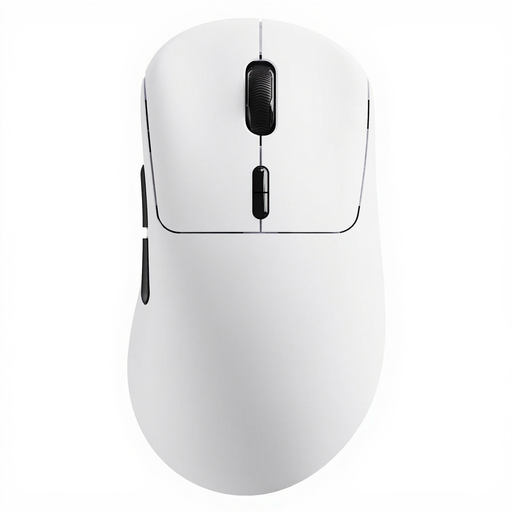
Rapoo VT3 wireless gaming mouse, white

Rapoo VT3 Wireless Gaming Mouse, White

May suit you if you are considering a wireless mouse with programmable buttons for gaming and watching replays. Check that the commands you want work in your replay software.

The product name lists 10 programmable buttons and a weight of 53 g.

View at Joybuy
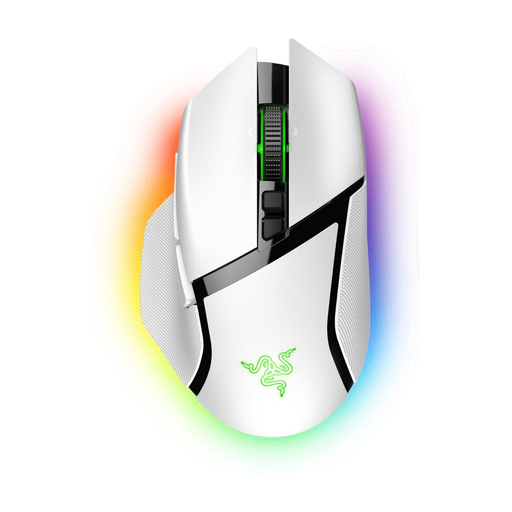
Razer Basilisk V3 Pro, white

Razer Basilisk V3 Pro, White

May suit you if you want extra assignable controls and a choice of connection options. Check whether your replay software supports the commands.

The product information lists 11 programmable buttons, a HyperScroll Tilt Wheel, and wired and wireless connection options.

View at Joybuy
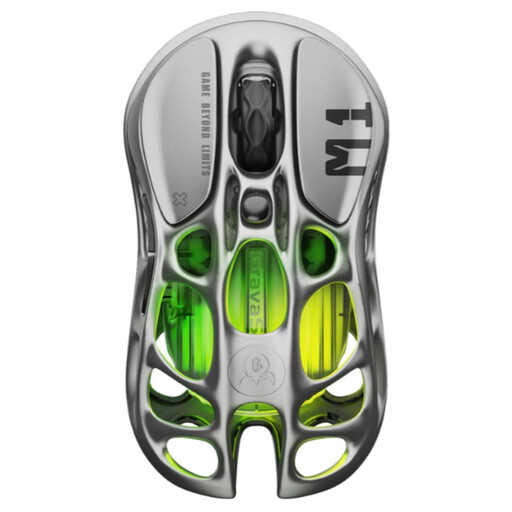
GravaStar Mercury M1 wireless gaming mouse, Gunmetal

GravaStar Mercury M1 Wireless Gaming Mouse, Gunmetal

May suit you if you want a wireless mouse with programmable buttons and a choice of connections. Whether assignments work for replays depends on the software you use.

The product name lists 5 programmable buttons; the product information mentions wired, Bluetooth and 2.4 GHz connections.

View at Joybuy

Frequently asked questions

Do extra mouse buttons automatically work as replay controls?

No. You can assign inputs to buttons on compatible mice, but whether they work for playback, camera controls or another replay action depends on the software and the command you have assigned. Test the combination after setup.

Does a large screen need a mouse with a higher maximum DPI?

Not simply because the screen is physically larger. Adjust the cursor sensitivity to suit your screen resolution, seating position and use; a high advertised maximum DPI does not, by itself, prove that replays will be easier to control.

How can I keep a wireless mouse ready to use during long analysis sessions?

Check the battery level and selected connection mode before a session. SteelSeries states that the Aerox 3 Wireless offers up to 200 hours over Bluetooth and 80 hours over 2.4 GHz; actual battery life may vary.

Can I return a mouse bought online in the Netherlands if I don’t like its shape?

For a standard online consumer purchase, you generally have a statutory withdrawal period of up to 14 days after delivery. ACM ConsuWijzer also explains exceptions and the rules on unboxing and trying out a product; check the retailer’s returns instructions too.

Is the manufacturer’s warranty my only protection if my mouse breaks early?

No. According to ACM ConsuWijzer, statutory consumer rights apply alongside any manufacturer’s or retailer’s warranty. If a product does not perform as you could reasonably expect under normal use, the retailer is responsible for providing an appropriate solution; in the Netherlands, there is no single fixed statutory warranty period of two years for every mouse.
