
Replay analyst
You want to navigate competitive footage quickly and consistently. Scroll controls, customisable buttons and shortcuts supported by your replay software are important considerations.


For replay analysis at a home desk, choose a mouse that fits your hand and works with your replay software. Extra buttons are only useful if you can assign shortcuts you’ll actually use. If you also play competitively, consider the shape, weight and connection: RTINGS recommends a dedicated USB receiver over Bluetooth for gaming, while a lightweight esports mouse isn’t necessarily the most practical choice for controlling replays.
You want to navigate competitive footage quickly and consistently. Scroll controls, customisable buttons and shortcuts supported by your replay software are important considerations.
You watch replays and work at the same desk for extended periods. That makes the mouse’s fit and varying your posture important considerations.
You use one mouse for watching replays and playing, balancing desk comfort against weight, tracking and connectivity.
| What to consider | What to check before buying | Who is this important for? |
|---|---|---|
| Replay navigation | Check the scroll wheel’s modes, how easy the buttons are to reach and whether your replay software supports the shortcuts you want to use. | I want to move quickly through replay timelines and assign buttons only to functions supported by my software. Around 36% of consumers put replay controls first when choosing a mouse. |
| Hand fit during extended use | Compare the shape and dimensions with your hand and grip, and consider the weight alongside the fit. | When watching replays for long periods, I want a shape and grip that suit my hand first—not just a low weight. Around 29% of consumers prioritise hand fit for extended desk use. |
| Playing competitively yourself | Consider shape, tracking and weight together, and check which receiver is needed for your preferred connection or polling rate. | If I also use the same mouse for competitive play, I want to choose a shape and performance that suit it, without overlooking replay controls. Around 21% of consumers put competitive play first when choosing a mouse. |
| Connectivity and power | Check the connection modes, included receiver, available ports and battery type or charging connection. | If I switch between a work device and a gaming PC, I want a connection that suits both, and I need to know how the mouse is powered. Around 14% of consumers put ease of connection first. |
Buttons are most useful when you can assign them to actions you perform regularly and your replay software supports the relevant shortcuts.
Before you buy, decide which replay actions you want to assign to easily accessible buttons.
Allow time to set up your shortcuts and button assignments.
According to Razer, the advertised 8000 Hz mode on the DeathAdder V3 HyperSpeed requires a HyperPolling dongle, sold separately.
Check what’s included in the box and decide whether you need that mode for the way you use the mouse.
According to Razer, you’ll need to buy a separate dongle to use this polling rate.
A model with an additional variant name may have different features. Checking the full model and variant name helps you compare the right version.
Before buying, check the full name, variant and specifications on the product page.
The range includes both lightweight wireless models and wired mice with controls designed for navigation.
The DeathAdder V3 HyperSpeed is a right-handed, lightweight wireless option for anyone combining replay analysis with competitive play.
The Rival 5 is a wired option with customisable controls, while the Aerox 3 Wireless (2022) offers two wireless connection modes.
This Joybuy selection focuses mainly on mice with customisable controls or scroll functions for navigating replays, alongside a lightweight wireless option for anyone who also plays competitively.
 Image unavailable
Worth considering if you want to tailor replay controls to the way you work.
The product description mentions a 4D wheel for vertical scrolling and tilting, plus customisable functions and macros.
 Image unavailable
A wired option to consider if you want to assign repeated replay actions to buttons.
The product description mentions 13 programmable buttons and a scroll wheel with a switchable scroll resistance.
 Image unavailable
A lightweight wireless option to consider if you also play competitively as well as analysing replays.
The product description lists a weight of 54 grams and eight programmable buttons.
According to the description, the mouse is right-handed and has a scroll wheel.
 Image unavailable
A wireless option to consider if you want to combine replay controls with programmable buttons.
The product description mentions 11 programmable buttons and a scroll wheel with both free-spin and notched modes.
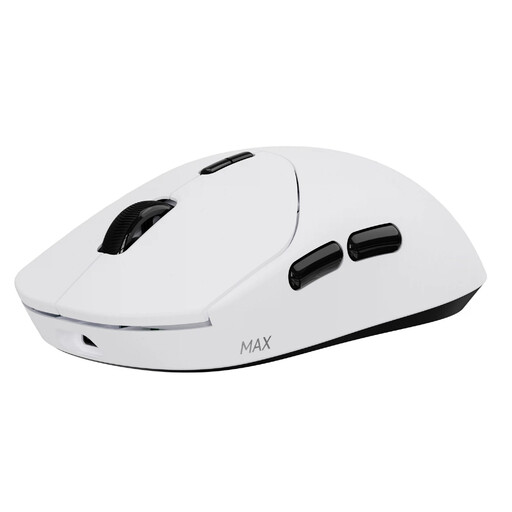 Image unavailable
A wireless option to consider if you want to combine customisable buttons with competitive play.
The product information lists 10 programmable buttons and macro support, with a stated weight of 53 grams.
Battery life is listed as up to 750 hours at 1000 Hz.
No. Start by thinking about the difference between watching replays and playing competitively yourself. For FPS use, RTINGS highlights shape, click and sensor performance, and weight; also check which receiver is needed for your preferred polling rate. Razer says the HyperPolling dongle for 8000 Hz on the DeathAdder V3 HyperSpeed is sold separately.
First, check which replay functions have keyboard shortcuts, then assign only useful commands to your mouse buttons. For prolonged screen work, Arboportaal advises varying your posture and tasks and taking regular short breaks; this doesn’t prove that a particular mouse model prevents discomfort.
No. According to the Rijksoverheid, the Netherlands has no fixed statutory warranty period; what you can expect from a product depends, among other things, on the product and the information provided at the time of sale. If a product is faulty, contact the seller; any manufacturer’s warranty is separate.
For a standard online consumer purchase, ACM ConsuWijzer says you generally have a statutory cooling-off period of up to 14 days after delivery. Check the applicable terms and any exceptions. The cooling-off period is separate from your rights if a product is faulty.