
Gamer without a charging spot
You want to practise reaction timing without using an extra power socket for a mouse charger, and are comparing an AA battery with power from your computer’s USB port.


If you want to practise wirelessly without having to charge your mouse, a model with a replaceable AA battery may suit you. A wired USB mouse is an alternative if the cable won’t get in the way of your movements and your computer has a free port. A rechargeable wireless mouse gives you freedom of movement, but you’ll need somewhere to charge it. Then choose based on your grip, the weight and your playing space: a high maximum DPI or polling rate doesn’t, by itself, improve your human reaction time.
You want to practise reaction timing without using an extra power socket for a mouse charger, and are comparing an AA battery with power from your computer’s USB port.
You make quick movements repeatedly and want to check whether the shape, weight and any cable suit your grip and the space on your playing surface.
You want freedom of movement and are weighing up replacing batteries, recharging and connecting wirelessly with or without a receiver.
When you have few power sockets, power isn’t the only thing to consider: the USB ports available, space for a cable and your grip all help determine which option will suit your setup.
| What to consider | What to look for when buying | Who is this important to? |
|---|---|---|
| No extra charging spot | Check the power source, whether a receiver is needed and whether you have a USB port available. | I don’t want to plan time to charge my mouse, so I’m considering an AA model or a mouse that works via USB; around 33% of consumers prioritise avoiding the need to charge. |
| Cable and computer connection | Check that a suitable USB port is free and that the cable can move across your mouse mat. | I don’t want to manage a battery, but the cable mustn’t get in the way of my movements; around 27% of consumers prioritise the cable and connection. |
| Weight and shape | Compare the shape with your grip and, with an AA model, check the weight with the battery fitted. | For repeated movements, I want a shape and weight that suit my grip; around 20% of consumers prioritise manoeuvrability. |
| Wireless and charging | Check whether you need Bluetooth or a receiver, and how the specific model is charged. | I want to move freely and can plan when to charge it; around 20% of consumers prioritise wireless freedom of movement. |
A wired USB mouse doesn’t need a separate mouse charger or battery, but the cable could restrict your movements.
First check which computer ports are free and how much space you have on your mouse mat. Remember that you’ll need to replace the batteries in an AA model.
Logitech G states that the G305 LIGHTSPEED lasts up to 250 hours on one AA battery; Razer states that the Viper V3 HyperSpeed lasts up to 280 hours. These are manufacturers’ figures for the specific models, not guaranteed results for every setting or use case.
Check the power source and the conditions attached to the battery life for the version you’re considering. Remember that you’ll need to replace or recharge the battery.
A maximum product specification doesn’t, by itself, tell you how well the mouse will fit your hand or how quickly you’ll respond to a training stimulus.
Assess your grip, the weight, the space for the cable and the settings separately from the maximum figures on the packaging.
The G305 LIGHTSPEED is a wireless AA option, while the G203 LIGHTSYNC is a wired alternative. These are features of these particular models, not the whole range.
Razer positions the Viper V3 HyperSpeed for claw and fingertip grips.
The wired Pulsefire Haste 2 is an option if a cable suits your setup.
According to SteelSeries, the Aerox 3 Wireless offers both 2.4 GHz wireless and Bluetooth connectivity.
The wired KATAR PRO XT is a compact model for anyone looking for a straightforward USB setup.
This selection includes wired gaming mice and wireless models. Check each version to see whether you’ll need a cable, USB receiver or charging option.
 No image available
A wired option if you don’t want to plan a separate charging session for your mouse.
USB connection, flexible cable, 101 g weight, optical sensor and up to 35,000 DPI.
The cable remains part of your gaming setup.
 No image available
An option for comparing different grip positions; the product description says it’s designed for left- and right-handed use.
The listed connection options are RF wireless, Bluetooth and USB Type-A; it has an optical sensor and a maximum DPI of 36,000.
 No image available
A wireless option that also has a wired USB mode, if you want to be able to switch between connection types while using it.
The product details list a PAW3311 sensor, up to 24,000 DPI and Bluetooth, 2.4 GHz and USB-C modes.
Wireless use requires you to plan when to charge it.
 No image available
A model with both a wired USB mode and wireless connections, for anyone weighing up these ways of using it.
The product details list a PAW3311 sensor, up to 24,000 DPI and a weight of 54 g (±3 g).
The rechargeable battery means you’ll need to plan when to charge it.
 No image available
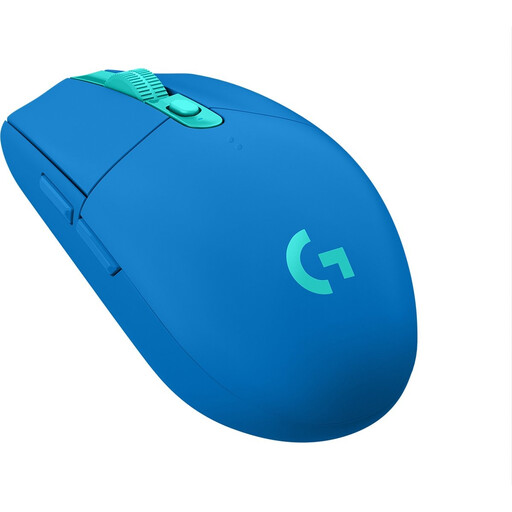
A wireless AA option if you don’t want to plan a separate charging session for your mouse.
The product details list one AA battery, a USB receiver, a weight of 99 g and up to 12,000 DPI.
The battery will eventually need replacing, and the receiver uses a USB port.
No, a wired gaming mouse can work via your computer’s USB port. Check that the port is free and that the cable won’t get in the way of your mouse movements.
According to SteelSeries, the Aerox 3 Wireless can connect to a compatible device via Bluetooth. SteelSeries positions its 2.4 GHz mode specifically as a gaming connection; check which connection is right for your computer and how you plan to use the mouse.
No, a maximum DPI or polling rate specification doesn’t prove that your human reaction time will improve. Also consider your grip, the weight, the connection and the settings that suit your exercises.
According to ACM ConsuWijzer, ordinary online consumer purchases generally come with a statutory cancellation period of up to 14 days after delivery, with some exceptions. Before buying, check the applicable returns policy, and don’t try the product beyond what’s necessary to assess it.
No. ACM ConsuWijzer explains that the legal guarantee depends on what you could reasonably expect from the product with normal use; a fixed period of exactly two years doesn’t fully reflect Dutch law. If a product is faulty, contact the seller for an appropriate remedy at no extra cost.