
Ranked player who makes lots of sweeping movements
Wants a shape that feels comfortable during repeated aim adjustments and offers plenty of room to move. Weight and wired or wireless operation come next.


First, choose a mouse shape that suits your hand and grip. Then decide whether you’d rather move without a cable or avoid having to charge a battery. The mouse specifications listed don’t show any specific advantage for playing in a bright room, so also consider how light falls on your screen and how well your mouse surface works.
Wants a shape that feels comfortable during repeated aim adjustments and offers plenty of room to move. Weight and wired or wireless operation come next.
Looking for a compact or asymmetric shape because how the mouse feels in the hand is an important factor. Logitech G describes the PRO X SUPERLIGHT 2c as compact; ZOWIE’s EC2-DW has an asymmetric shape.
Wants the option of a wired mouse, as long as the cable can move freely during big movements.
Start with fit and room to move. Then weigh up the benefits of cable-free movement against not having to charge the mouse. Don’t treat high DPI or polling figures as proof of better results in competitive play.
| What to consider | What should you check? | Who is this important for? |
|---|---|---|
| Shape and grip | Compare the dimensions and shape with your current mouse. If possible, try your usual grip and make a large sweeping movement. | If I mainly want a mouse shape that suits my hand and grip for aim adjustments, I’ll look at the shape first. Around 36% of consumers put fit and grip first. |
| Room to move | Check your mouse surface, the weight of the exact model and whether a cable can move freely. | When I make lots of sweeping movements, I want the mouse to move across my playing surface without the cable getting in the way. Around 29% of consumers give freedom of movement top priority. |
| Connection and maintenance | Check which receiver is included, how you charge the mouse and whether the cable routing suits your desk. | If I don’t want to manage a battery, I’ll consider a wired mouse; if a cable gets in the way, I’ll look at wireless options. Around 21% of consumers put connection and maintenance first. |
| Lighting and model variant | Check for reflections on your screen and whether your mouse surface works well in the lighting you usually play in. Also check the exact model and colour variant. | If I play in a bright room, I first want to know whether I can use my screen and mouse surface comfortably, and whether I’ve chosen the right variant. Around 14% of consumers put lighting and checking the details before buying first. |
A maximum figure quoted by the manufacturer doesn’t, by itself, prove that you’ll play better. TechPowerUp’s independent test discusses the Endgame Gear OP1 8K V2’s sensor performance under test conditions.
Compare grip, room to move and the exact model first. Don’t treat maximum figures as proof of better results in ranked matches.
With a wired mouse, the cable needs room to move freely; with a wireless mouse, charging is part of using it.
Make your usual sweeping movement at your playing space and decide which trade-off matters more to you.
The Logitech G PRO X SUPERLIGHT 2 and the more compact PRO X SUPERLIGHT 2c are different models. Razer also lists different weights for the black and white Viper V3 Pro.
Check the full model name and colour variant, and compare the product information with the manufacturer’s specifications.
Compare the symmetrical PRO X SUPERLIGHT 2 with the separate, more compact PRO X SUPERLIGHT 2c if size matters to you.
The symmetrical, wireless Viper V3 Pro is worth comparing if you’re looking for a lightweight model.
The EC2-DW has an asymmetric, wireless shape to compare with symmetrical models.
The wired OP1 8K V2 is worth considering if you’re happy to use a cable and want to take sensor and click measurements into account.
The wired Pulsefire Haste 2 is worth comparing if you don’t want to charge a battery.
These Joybuy products offer a range of wired and wireless connections and shapes, so you can find one to suit your grip and playing space.
 No image available
An option if you’d like to switch between wired, 2.4G and Bluetooth connections.
The product name lists 12,800 DPI and seven programmable macro buttons.
 No image available
A wireless option with several connection choices and a magnetic charging dock.
The product information lists a PAW3395 sensor, 26K DPI and a weight of 56 g. The dock contains magnets: according to the product warning, keep it at least 15 cm away from pacemakers and away from medical implants.
 No image available
A wired option if an adaptable grip matters to you and you can keep the cable moving freely.
The product information lists a weight of 69 g, a flexible cable, adjustable DPI up to 26,000 and 16 grip combinations.
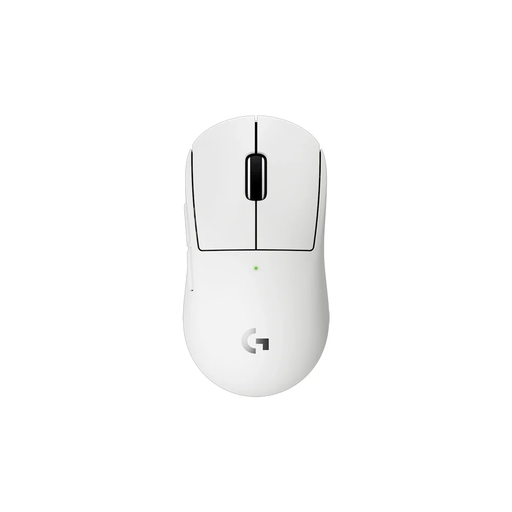 No image available
A compact wireless option if you’re looking for a smaller mouse to suit your hand size or grip.
The product information lists a HERO 2 sensor and wireless LIGHTSPEED connection. The 2c is a separate model, not another name for the PRO X SUPERLIGHT 2.
 No image available
An option with several connection choices if the stated fit for medium to large hands suits your grip.
The product name lists a weight of 63 g and a PAW3311 sensor. The product information lists Bluetooth, 2.4G and USB-C.
The mouse specifications listed don’t indicate that. First check where the light falls on your screen and playing surface, then choose a mouse based on grip and control. A maximum DPI figure hasn’t been shown to prevent problems caused by bright daylight.
Start with the sensitivity you’re used to and check that the receiver or cable is connected properly. Test aim adjustments on your own surface; with a wired mouse, the cable needs room to move freely. If you want to judge the effect, don’t change several settings at once.
For eligible distance purchases by consumers, you’ll usually have 14 days to change your mind. In the Netherlands, products are also covered by a legal guarantee that they’ll be of satisfactory quality, with no fixed statutory guarantee period. If a product is faulty, the seller must provide a solution. Check who the seller is and what return terms apply.
Wireless equipment that uses radio waves is covered by the Radio Equipment Directive when placed on the EU market. Electronic products for which EU rules require it must carry a CE marking. Check the product information, but don’t rely on an online shop description alone to determine whether the product complies.