
Players who prioritise grip
You play ranked tactical matches and are looking for a shape that suits your hand and aiming style. Compare compact and wider models for fit; a low weight alone doesn’t determine whether a mouse feels comfortable.


Start with a mouse shape that suits your hand and grip and lets you aim with precision, then choose between wireless and wired. A wireless mouse keeps its cable off your desk, but you’ll need to consider the receiver and power supply. With a wired mouse, you’ll need to make sure the cable can move freely. If you use the same mouse for work, check that it has the connections and buttons you need rather than focusing only on the maximum DPI.
You play ranked tactical matches and are looking for a shape that suits your hand and aiming style. Compare compact and wider models for fit; a low weight alone doesn’t determine whether a mouse feels comfortable.
You want to play without a mouse cable and can make room in your home setup for a receiver and charging.
You use the same setup for office work and gaming, and want to work out in advance whether you need to switch between devices.
For ranked play at a home workstation, fit is a good place to start. Cable management and the devices you use will then help you decide which connection is right for you.
| What to consider | What to look for when buying | Who is this important for? |
|---|---|---|
| Fit and aiming control | Compare the shape and dimensions of the exact model; if possible, try it with your usual grip. | If I play ranked matches, I want to know whether the shape suits my hand and grip. Around 36% of consumers prioritise fit and aiming control above all else. |
| Freedom from cables | Check the connection type, receiver, available USB port and where you can place the receiver. | I don’t want to feel a mouse cable running across my desk while I’m aiming, and I can plan for the receiver and charging. Around 29% of consumers prioritise cable-free movement and the setup it requires. |
| One mouse for work and gaming | Check whether the exact model has Bluetooth, a 2.4 GHz receiver and the buttons you need. | If I use the same mouse for work and ranked matches, I want to know whether I can switch between my devices. Around 21% of consumers prioritise using one mouse for both work and gaming. |
| No battery or receiver to manage | Check the cable length, connection to your PC and whether the cable can move freely. | I don’t want to manage a battery or wireless receiver, and I can keep the cable free to move across my desk. Around 14% of consumers prioritise playing without wireless power. |
A high technical maximum can’t make up for a poor fit. The polling rate settings available also vary by mouse model.
Start by assessing the grip and shape, then check the settings available on the exact version.
RTINGS says the Razer Viper V3 Pro doesn’t have Bluetooth or multi-device pairing. SteelSeries lists Bluetooth as well as 2.4 GHz for the Aerox 3 Wireless (2022).
Make a note of the devices and connections you need, then check that the exact model supports them.
If you have wireless connection issues, the receiver’s position may make a difference. With a wired mouse, the cable needs room to move freely.
Before you buy, check the available USB ports, where you can place a receiver and the cable route across your desk.
The Dutch government distinguishes between warranties and statutory rights, and says that the seller must provide a solution if a product is faulty. ACM ConsuWijzer explains that there is no fixed time limit for the statutory guarantee in the Netherlands.
Keep your proof of purchase and contact the seller if there’s a fault.
The Viper V3 Pro is a wireless esports mouse worth comparing if a symmetrical shape and competitive play are your priorities.
The PRO X SUPERLIGHT 2 is a wireless esports option to compare for its shape, LIGHTSPEED connection and charging.
The compact, wired OP1 8k v2 is worth considering if you don’t want to manage a battery or wireless receiver.
The Aerox 3 Wireless (2022) is worth considering if you want one mouse with different connection options.
This selection includes wired mice for those who don’t want to manage a battery or receiver, and wireless models for cable-free movement or use with multiple connections.
 Image unavailable
The wired connection suits a desk setup without a wireless receiver or mouse battery.
The product description lists a weight of 69 g, a flexible USB cable and interchangeable grip parts. The product name lists 26,000 DPI and 23 buttons.
 Image unavailable
The three connection options listed may be useful if you want to use the mouse for gaming and with other devices; check which mode suits your devices.
The product name lists a wired connection, 2.4 GHz wireless, Bluetooth, 12,800 DPI and seven programmable macro keys.
 Image unavailable
The product information describes a shape for small to medium-sized hands; compare it with your own grip before choosing.
The product name lists a weight of 56 g, 26K DPI, a PAW3395 sensor and support for 2.4 GHz, USB-C and Bluetooth. The information also mentions a magnetic charging dock and warns you to keep it away from pacemakers, medical implants and payment or ID cards.
 Image unavailable
The wired connection suits anyone who doesn’t want to manage a wireless receiver or mouse battery; interchangeable grip parts let you adjust the fit.
The product description lists a weight of 69 g, a USB cable and software-adjustable DPI. The product name lists RGB lighting and 26,000 DPI.
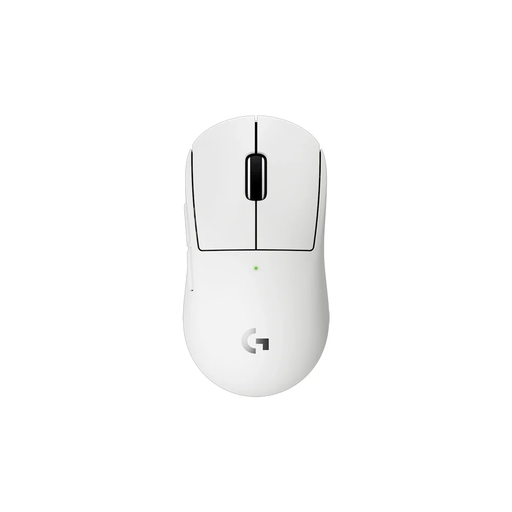 Image unavailable
The product description calls this a more compact version for smaller hands or a particular grip preference; check that the shape suits your hand.
The product information lists a weight of 53 g, rechargeable use, five programmable buttons, a HERO 2 sensor and a LIGHTSPEED receiver.
No, not just because the maximum is high. Start by choosing a shape that suits your grip, then check which settings the exact model and its software offer. Razer says the available polling rates vary between mice; a higher number alone doesn’t prove you’ll perform better in a match.
Check the power supply and try placing the receiver somewhere more suitable. For a shorter working distance, Logitech also recommends moving possible sources of interference, such as routers or phones, away from your workspace. This is the manufacturer’s troubleshooting advice, not a guarantee that every connection issue will disappear.
Razer explains how to change the setting in Synapse 4 under ‘PERFORMANCE’. The available rates vary by mouse, so first check whether your exact model supports the setting you want.
No. The Dutch government distinguishes between manufacturer’s or seller’s warranties and statutory rights, and says that the seller must provide a solution if a product is faulty. According to ACM ConsuWijzer, there is no fixed duration for the statutory guarantee in the Netherlands; what you can expect from a product depends on the circumstances.
For a standard online consumer purchase, ACM ConsuWijzer says you will generally have a statutory cooling-off period of up to 14 days after delivery. Check the conditions for trying the product and any exceptions that apply to your purchase. Any longer returns period offered by a retailer is separate from this statutory right.