
Players who reposition frequently
For repeated aiming movements, it’s important to consider a shape and grip that suit your hand. RTINGS.com highlights the importance of hand size and grip type.


Start with a shape that suits your hand and grip, and the space you have for repeated aiming movements. Then choose between cable-free movement and a wired connection. A high maximum DPI or polling rate alone doesn’t prove you’ll play better. Check the exact version and the settings that suit your game and PC.
For repeated aiming movements, it’s important to consider a shape and grip that suit your hand. RTINGS.com highlights the importance of hand size and grip type.
If your mouse moves close to your keyboard or the edge of your desk, weigh up the freedom of a wireless connection against using a wired one. A cable can cross your playing space.
When playing on a large screen, you can adjust sensitivity and mouse behaviour to suit your own set-up. Lenovo Netherlands notes that a higher polling rate can also increase the load on your PC.
Choose this option if: you want to move without a cable and the shape suits your grip.
Trade-off: check the receiver, charging, battery specifications and exact version.
Choose this option if: a cable won’t get in the way of your movements and you don’t want to charge a battery.
Trade-off: the cable and compact dimensions need to suit your grip and desk.
Choose this option if: you want to switch between different devices or connection types as well as playing ranked matches.
Trade-off: check the generation and assess the connection you’ll use while gaming.
| What to consider | What should you check? | Who is this important for? |
|---|---|---|
| Shape and grip | Compare the dimensions, shape and weight. Also consider whether you can lift and reposition the mouse comfortably. | If I aim and reposition often, I want a shape that suits my hand and grip. Around 33% of consumers put fit first. |
| Aiming and sensitivity | Check the adjustable sensitivity and available lift-off or profile settings. Adjust the sensitivity in your game. | I want to be able to make small corrections consistently and adjust the sensitivity to my set-up. Around 25% of consumers prioritise settings and predictable aiming. |
| Wired or wireless | Check the connection type and what’s included in the box. Think about where the cable or receiver will sit. | If my mouse space runs along the edge of a desk, I want to know whether a cable will get in the way. Around 17% of consumers make connection type and playing space their main priority. |
| Charging and use | For a wireless mouse, check the charging connection, included cable and the conditions behind the stated battery life. | I don’t want to have to charge my mouse in the middle of a gaming session; a wired mouse doesn’t need battery management. Around 17% of consumers prioritise uninterrupted use. |
| Version and purchase | Compare the model number, colour or generation, box contents and seller. Check the manufacturer’s warranty separately from your statutory rights. | If I’m comparing versions or need help with a problem, I want to know exactly which model I’m buying and who I can contact. Around 8% of consumers put that peace of mind first. |
A maximum specification alone doesn’t tell you how the mouse will respond to your grip, game and PC.
Choose based on fit first, then check which settings you can actually use. Only compare test results when they relate to the exact model and similar conditions.
A wireless specification doesn’t automatically tell you which components come with the exact version or how to charge the mouse during long sessions.
Check the box contents, connection and battery specifications for the version you’re considering.
Weight, connection type and included components can vary between versions.
Compare the full product name and model number with the specifications for that exact version.
A period stated by a provider doesn’t automatically limit your statutory rights against the seller.
Keep your purchase details and report suspected faults to the seller. ACM ConsuWijzer distinguishes between statutory rights and any seller’s or manufacturer’s warranty.
Logitech describes the PRO X SUPERLIGHT 2 as a wireless esports mouse with a HERO 2 sensor, USB receiver and adjustable features.
For the black version of the Viper V3 Pro, Razer lists a weight of 54 g and adjustable sensor features.
Endgame Gear describes the OP1 8k v2 as a 49,5 g wired mouse with an adjustable polling rate.
For the 2022 Aerox 3 Wireless, SteelSeries lists both a 2,4GHz connection and Bluetooth.
This selection of Joybuy products includes wired and wireless gaming mice with a range of adjustment options. For the exact version, check the product information and applicable product documentation. The Dutch government describes the relevant EU requirements, but this doesn’t establish whether an individual item offered for sale meets them.
 No image available
A wired option if you don’t want to charge a battery and want to adjust the sensitivity.
The product name lists 26.000 DPI and 23 buttons.
 No image available
An option if you want to switch between wired, 2,4G wireless and Bluetooth connections.
The product name lists 12.800 DPI and 7 programmable macro keys.
 No image available
A wireless option with several listed connection options and adjustable DPI.
The product name lists a PAW3395 sensor, 26K DPI, 2.4G, USB-C and Bluetooth, a 400 mAh battery and a weight of 56 g. The product information warns you to keep the magnetic base away from pacemakers, medical implants and payment or identity cards.
 No image available
A wired option if you want to adjust your grip and don’t want to charge a battery.
The product information lists a weight of 69 g, a HyperX 26K sensor, adjustable DPI and interchangeable components offering 16 grip combinations.
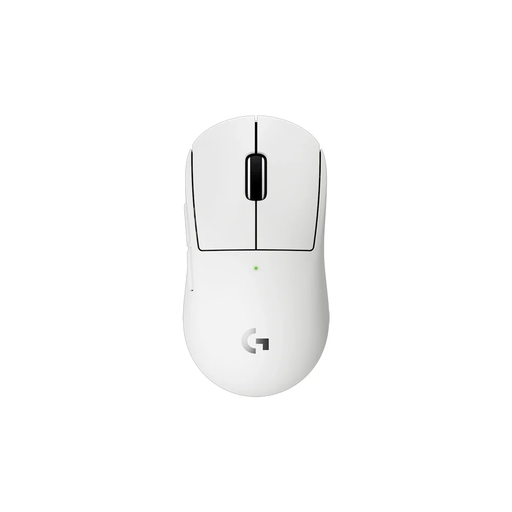 No image available
A compact wireless option if you have smaller hands or prefer a more compact grip.
The product information lists a HERO 2 sensor, adjustable DPI and programmable buttons.
No. A large screen alone doesn’t determine a minimum DPI requirement. Choose a mouse with adjustable sensitivity and tailor it to your game, screen settings and available space to move.
First, check which connection your exact version uses and whether the required receiver is included. Logitech lists a USB LIGHTSPEED receiver and USB-A-to-USB-C cable for the PRO X SUPERLIGHT 2; according to Logitech, advanced settings require G HUB. This doesn’t automatically apply to other models.
Follow the care instructions for your model and report suspected faults to the seller. ACM ConsuWijzer distinguishes between statutory rights and any seller’s or manufacturer’s warranty. The right solution depends on the circumstances and applicable terms.
For a standard online consumer purchase, there is generally a statutory 14-day cooling-off period after delivery. ACM ConsuWijzer also describes exceptions. Check what applies to your purchase and distinguish between your statutory right and any more generous voluntary returns period.
The Dutch government describes the applicable EU safety requirements, CE marking and the manufacturer’s EU declaration of conformity. A mouse with a radio-frequency module is also subject to the relevant rules for radio equipment. General product information doesn’t establish whether an individual item offered for sale meets all the requirements.