
Players looking to fine-tune their grip and aim
Compare your hand size, grip and mouse shape before weighing up maximum sensor specifications. This will help you judge whether the mouse feels comfortable to hold and adjust.


Start with the shape and grip: a mouse that feels comfortable in your hand is a more sensible starting point than choosing one based on maximum DPI or polling rate. Then check the connection and controls. If you use a wireless headset, test both receivers together and pay attention to where they’re positioned. A wired mouse is also worth considering if you’d rather not deal with a mouse battery or an extra wireless connection.
Compare your hand size, grip and mouse shape before weighing up maximum sensor specifications. This will help you judge whether the mouse feels comfortable to hold and adjust.
If you use both a wireless mouse and a wireless headset, receiver placement and testing the two devices together are worth considering. That doesn’t mean every combination will suffer from interference.
Consider charging, any separate receivers and the cable of a wired mouse alongside the type of connection you want to use. Also check which purchase and warranty rights apply to your order.
Compare fit and grip first, then consider the connection in your setup and choose response, settings and upkeep to suit your needs.
| What to consider | What to look for | Who should pay particular attention? |
|---|---|---|
| Shape, grip and control | Compare the dimensions and symmetrical or asymmetrical shape with your hand and usual grip. Check that you can reach the side buttons without adjusting your grip. | I want to hold the mouse comfortably and make precise adjustments; around 33% of consumers put fit and control at the top of their buying priorities. |
| Connection alongside a headset | Check whether your headset is wired or wireless and, if it’s wireless, test both devices at the same time. Logitech recommends moving the receiver away from possible sources of interference, using a USB extension if needed. | If you also use a wireless headset, you’ll want to know whether the two connections work well together; around 27% of consumers prioritise stable simultaneous connections. |
| Response and settings | Compare independent response tests where available and check the polling settings for the exact mouse and receiver. A higher maximum polling rate or DPI does not, on its own, guarantee better results in competition. | If response and adjustability matter more to you than other buying factors, you’ll want to compare the settings; around 20% of consumers give these factors top priority. |
| Power and aftercare | Check the battery life at your chosen polling setting, which receiver is included and whether any receiver you want is sold separately. A wired connection avoids charging but adds a cable. | If charging, purchase and aftercare are important considerations, you’ll want to know what the version you choose requires; around 20% of consumers put these factors first. |
A high quoted figure alone tells you neither how comfortable the mouse feels in your hand nor how well it works in your setup. RTINGS also highlights shape and measured latency when assessing FPS mice.
Compare the fit and independent response tests first. Then check the exact version, the receiver included and the polling settings available.
Receiver placement and nearby devices can be relevant if you experience connection problems, but that doesn’t mean every combination will suffer from interference.
Test the mouse and headset together. If the mouse stutters, try positioning the receiver somewhere less obstructed and, if needed, further from possible sources of interference using a suitable USB extension.
The Logitech G PRO X SUPERLIGHT 2 and PRO X SUPERLIGHT 2 SE have different stated standard polling capabilities. Logitech lists the SE at 1 kHz as standard and says a PRO LIGHTSPEED receiver, sold separately, supports up to 8 kHz.
Before buying, check the full model name, MPN, box contents and manufacturer details for the exact version.
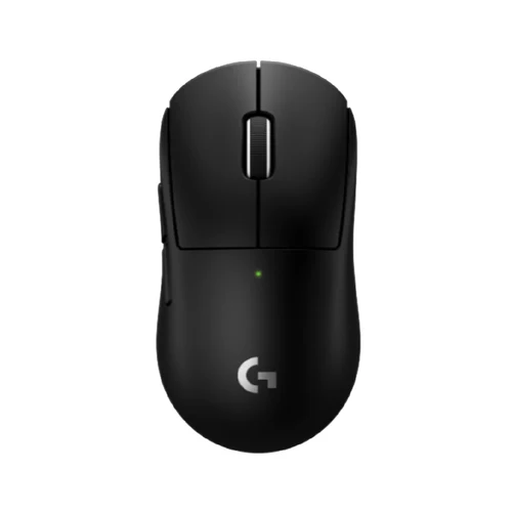
The PRO X SUPERLIGHT 2 is a symmetrical, lightweight wireless esports mouse. Be sure to compare the standard version with the separate SE version.
The Viper V3 Pro is a symmetrical wireless FPS mouse to consider if you’re looking for a lightweight model with adjustable controls.
The EC2-DW is a medium-sized, asymmetrical wireless FPS mouse to compare if that’s the shape you’re after.
The OP1 family includes wired and wireless versions. The OP1 8k v2 is the wired model to compare if you’re looking for a fixed USB connection.
The Prime Mini Wireless is a compact, wireless ergonomic esports mouse to compare with other shapes if you’re after a smaller profile.
This selection includes wired and wireless gaming mice to help you weigh up grip, connection type and controls for ranked matches.
 No image available
An option to compare if you’d like to switch between wired and wireless connections.
The title lists wired, 2.4 GHz and Bluetooth connectivity, 12,800 DPI and seven programmable macro keys.
 No image available
Compare this wireless version if you’re looking for a 56 g model with different connection options.
The title lists a PAW3395 sensor, 26K DPI, 2.4 GHz, USB-C and Bluetooth. The product information advises keeping the magnetic base at least 15 cm away from pacemakers.
 No image available
A wired option to compare if you’d rather not use a wireless mouse connection; bear in mind that it has a cable.
The product title lists RGB lighting and 26,000 DPI.
 No image available
Compare this wireless version if you’re looking for a more compact mouse for smaller hands.
The product information lists a rechargeable battery.
 No image available
A model to compare if you want to weigh up Bluetooth, 2.4 GHz and USB-C connectivity.
The title lists a PAW3311 sensor, 24,000 DPI, a charging dock and a weight of 63 g. Wireless use and the charging dock mean charging is part of its upkeep.
Not necessarily. With a wired headset, you don’t need to consider how two wireless receivers work together. If you use a wireless headset, test both devices at the same time. For connection problems, Logitech recommends, among other things, placing the receiver somewhere unobstructed or moving it further from possible sources of interference with a USB extension.
First, check the receiver’s position and look for obstacles or pairing issues. Logitech also recommends moving the receiver away from possible sources of interference and, where possible, using a less congested Wi-Fi setup if you’re having receiver problems. The results will depend on your setup.
Not necessarily. ZOWIE quotes 80 hours at 1 kHz and 24 hours at 4 kHz for the EC2-DW. These are the manufacturer’s figures for that model; don’t compare them directly with other mice unless they were measured under the same conditions.
No. Those figures alone don’t guarantee better results in competition. Also consider the shape, grip and response of the exact mouse, and check which settings are available with that version and receiver.
According to the Dutch government, when you buy from a business at a distance, you generally have a 14-day cooling-off period; this rule does not apply to purchases from a private individual. You’re also entitled to a product that meets reasonable expectations. The Dutch government states that the Netherlands has no fixed statutory warranty period; if a product is faulty, the seller is your point of contact.