
Map navigator
You zoom and move the camera frequently, so you want the scroll wheel and middle button to be easy to reach. The Transport Fever 2 Wiki describes these controls for the camera.


Start with a mouse whose scroll wheel, middle button and shape feel comfortable. According to the Transport Fever 2 Wiki, you use the wheel to zoom and hold down the middle button to rotate or tilt the camera. Extra programmable buttons are most useful if you want to assign your own frequently used commands. A wireless mouse gives you more freedom to move, but you’ll also need to consider its power supply and the exact model.
You zoom and move the camera frequently, so you want the scroll wheel and middle button to be easy to reach. The Transport Fever 2 Wiki describes these controls for the camera.
You spend long periods using the same desk for work and gaming, so the mouse’s shape and how you hold it both matter. Arboportaal points out that screen-based work can involve repetitive hand movements and static strain.
You want to assign recurring in-game actions to extra mouse buttons and are happy to set them up. Razer and Corsair describe programmable controls on specific models.
First, assess the controls you use most often while playing. Then see whether the buttons, shape and connection suit your workspace.
| What to consider | What to look for | Best suited to |
|---|---|---|
| Scroll wheel and camera | Try the scroll resistance, any wheel modes and the middle-button click on the exact mouse you’re considering. | If I zoom in and out or rotate the camera frequently, I want the wheel and middle button to feel smooth to use. Around 31% of consumers put map and camera controls first. |
| Hand fit | Check the dimensions, whether the shape is designed for left- or right-handed use, and where your thumb rests. | When sharing a space for work and play, I want to hold the mouse for long periods without constantly adjusting my grip. Around 25% of consumers prioritise how the mouse fits their hand. |
| Extra buttons | Decide which commands you really want to assign, and check the button positions and any software you’ll need. | If I use the same commands often, I want to move them to extra buttons only if they’re easy to reach and set up. Around 19% of consumers put shortcut controls first. |
| Cable and power | Check the connection, cable routing or wireless connection, and how the exact model is powered. | At a desk where I want to keep space clear, choosing between wired and wireless matters more than extra features. Around 13% of consumers prioritise desk space and connection type. |
| Operating noise | Assess the clicks, scrolling and wheel click separately. Also check the retailer’s returns policy. | If I share a quiet home-working space, I want to know in advance how audible the controls are rather than guessing from the gaming features. Around 12% of consumers prioritise a quiet workspace. |
A high maximum sensor setting doesn’t tell you how comfortable the wheel or middle button will be to use in your game.
First assess the wheel, middle button and your grip; then compare the sensor settings.
The Corsair SCIMITAR RGB ELITE has plenty of input options, but extra buttons are only useful if you really want to set them up and can reach them comfortably.
Make a list of the commands you want to assign in advance, and check that the buttons are within easy reach of your thumb.
Setting up and getting used to an extensive button layout takes time.
The Basilisk V3 and Basilisk V3 Pro 35K are different model names, so don’t assume they’re the same version without checking.
Compare the full model name and relevant specifications with the manufacturer’s information.
Programmable buttons and an adjustable wheel don’t tell you how loud the clicks or scrolling will be.
If quiet operation matters, try the controls yourself or ask for specific information about the noise made by the exact model. Also check the returns policy.
The wired G502 X is worth considering if you want to combine map navigation with a dual-mode scroll wheel.
The wired Basilisk V3 is worth considering if you’re looking for programmable controls and different scroll modes.
The Aerox 5 Wireless is a wireless option with several programmable side controls.
The wired SCIMITAR RGB ELITE is a specialist option if you want to assign lots of your own shortcuts to the mouse.
The GXT 929 Helox is a wireless option to consider if you’re looking for a lightweight mouse with adjustable sensitivity.
This selection includes gaming mice in a range of models and versions. For each one, compare the listed connection, shape and controls with your workspace and gaming habits.
 No image available
Worth considering if you’re looking for a wired gaming mouse with a right-handed shape.
The product name lists 25.600 DPI and right-handed use. Check that the cable setup works with your desk.
 No image available
Worth considering if you zoom with the wheel frequently and a wired connection suits your desk.
The product name lists USB Type-A and 25.600 DPI. Logitech says the G502 X has a scroll wheel with free-spin and click-to-click modes.
 No image available
Worth considering if you’re looking at a wireless version with programmable buttons.
The product name lists 10 programmable buttons, 26.000 DPI and up to 180 hours of battery life. Check that these details and the version meet your needs.
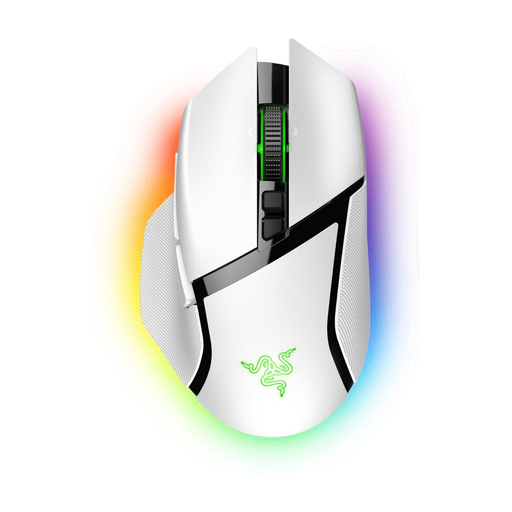 No image available
Worth considering if you have your eye on the white Basilisk V3 Pro in particular.
Check the full model name and details of this version before deciding which connection and controls suit you.
 No image available
Worth considering if the Viper V3 Pro is the type of model you’re looking for.
Check the exact version and make sure the shape, connection and controls suit your preferences.
No, not for the standard camera controls. According to the Transport Fever 2 Wiki, you use the right button, middle button and wheel, among other controls. Extra buttons are most useful if you want to assign your own frequently used keys.
First, try the standard controls for zooming, dragging and rotating. Transport Fever 2 has mouse and keyboard settings. Only assign commands to extra buttons afterwards, if your mouse software supports it.
You can’t determine that from the mouse alone. Arboportaal points out that screen-based work involves repetitive hand movements and static strain, so pay attention to your posture and vary your activities as well as choosing a mouse shape that suits you.
No. Programmable buttons don’t tell you how loud the clicks or scrolling are. Assess the controls separately or ask for information about the noise made by the exact version.
Radio equipment placed on the Dutch market must meet the applicable requirements for radio equipment. The Dutch Authority for Digital Infrastructure explains that the manufacturer applies the CE marking when all requirements have been met. A general product listing does not, by itself, prove that a specific version meets those requirements.