What should you look for when choosing?
Count your power sockets and USB ports separately. Then choose the power source and connection that suit your setup, and finally check whether your racing game supports the mouse function you want.
| What to consider |
What should you check? |
Who is this important for? |
| No need to charge |
Check whether the mouse takes AA batteries or is wired, and whether it needs a receiver. Battery life depends on the model, battery and connection mode. |
Don’t want to charge your mouse while playing? An AA model or wired mouse may suit your setup; around 33% of consumers prioritise avoiding the need to manage charging. |
| Spare USB ports |
Check the mouse’s connection modes and your computer’s available ports and Bluetooth support. |
If my computer is already using lots of USB ports, I want to know whether I can connect without a receiver. Around 27% of consumers prioritise keeping a USB port free. |
| In-game controls |
Check whether you want to control the camera, buttons or steering with the mouse, and whether your game and platform support that function. |
If I want to use mouse actions while racing, I’ll check my game’s input settings first. Game controls are the main concern for around 20% of consumers. |
| Grip and room to move |
Compare the dimensions, weight and handedness of the exact version; if it’s wired, allow for the cable when considering desk space. |
If fit and room to move the mouse matter more to me than its power source, I’ll consider its shape and cable clearance. Around 20% of consumers prioritise grip and desk layout. |
Products available at Joybuy
This selection includes wired USB gaming mice that don’t need to be charged separately, and one wireless mouse powered by an AA battery. Keep a suitable USB port free for wired models and USB receivers.
 No image available
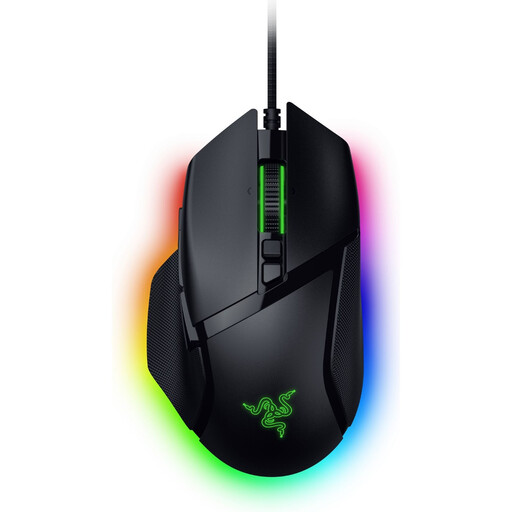
Razer Basilisk V3 35K wired gaming mouse, black
The wired connection is a good fit if you don’t want a separate charging session and have a spare USB port.
The product name specifies 35,000 DPI. The product information mentions customisable buttons; check whether your game supports the actions you want to assign.
View at Joybuy
 No image available
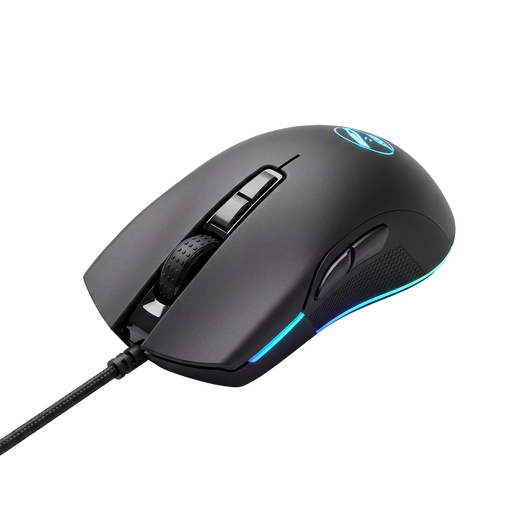
Shark Gaming Velocity M70 gaming mouse
The wired USB connection may suit you if you don’t want to manage a mouse battery or charging, and have a spare USB port.
The product information lists seven programmable buttons; how useful they are depends on which actions your game supports.
View at Joybuy
 No image available
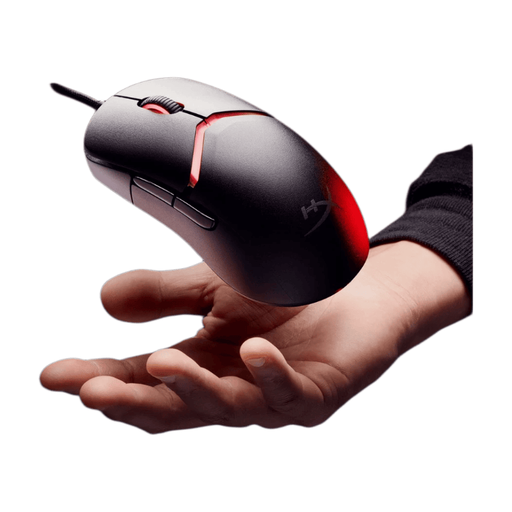
HyperX Pulsefire Saga wired gaming mouse, 26,000 DPI, black
The wired connection means no separate charging session, but you’ll need a suitable spare USB port.
The product information mentions interchangeable parts for 16 grip combinations. Check which parts are included with this version.
View at Joybuy
 No image available
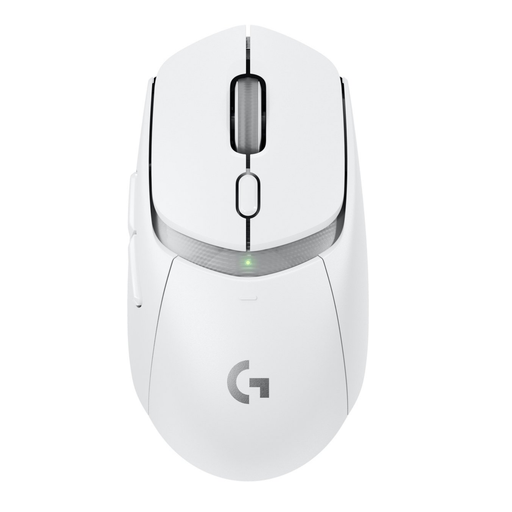
Logitech G G309 LIGHTSPEED wireless gaming mouse
AA power means no separate charging session; according to the product information, you can choose between Bluetooth and a LIGHTSPEED USB receiver.
The product information lists up to six programmable buttons. You’ll need a suitable spare USB port to use the receiver.
View at Joybuy
 No image available
Logitech G G502 X wired gaming mouse, right-handed, 25,600 DPI
The wired USB connection is a good fit if you don’t want a separate mouse charging session and have a suitable spare port.
The product information lists 13 programmable buttons. Check whether your racing game lets you assign the actions you want.
View at Joybuy
Frequently asked questions
Does a wireless mouse mean you won’t need a connection?
No. A mouse with a USB receiver uses a port on your computer. Bluetooth doesn’t use a receiver port, provided your computer supports Bluetooth and the mouse has it. Logitech describes the G305 as connecting via the LIGHTSPEED receiver; Corsair says the Katar Pro Wireless supports both Bluetooth and receiver connectivity.
Can you steer in a racing game with any gaming mouse?
No, the mouse functions available vary by game and platform. Forza Horizon 5’s documentation mentions using the mouse to control the camera while driving; Assetto Corsa’s official FAQ describes a toggleable mouse steering function. Check your game’s input settings before relying on mouse steering.
What can you do if your mouse runs out of power while you’re playing?
For a model that takes an AA battery, replace it as described in the model’s manual. HyperX says the Pulsefire Haste 2 Wireless can be used wired with its charging cable while charging; check that you have a suitable spare USB connection.
What are your rights if a mouse bought online is faulty?
According to ACM ConsuWijzer, you have a legal guarantee in addition to any manufacturer’s warranty if a product used normally fails to meet your reasonable expectations; the seller must resolve any applicable fault. For a standard online product purchase, you generally have up to 14 days from delivery to change your mind, subject to legal exceptions. This cooling-off period is separate from your rights if the product is faulty.
Where can you take used AA batteries or a discarded mouse?
According to the Dutch Government, used batteries shouldn’t go in the rubbish bin; take them to a collection point, such as a shop that sells batteries. You can take a discarded electrical mouse to an appropriate collection point. If you buy a similar new appliance as a private customer, the old-for-new take-back scheme may also apply.


