
Players who want to steer with a mouse
First, check whether your racing game supports steering with a mouse; mouse controls for the camera are a different feature. Forza Support describes mouse controls for the camera in Forza Horizon 5.


A gaming mouse is only suitable for steering if your racing game supports mouse input. If it doesn’t, a gamepad or racing wheel may be an alternative, if the game offers one. Forza Support describes mouse controls for the camera while driving in Forza Horizon 5, not a general feature for steering with a mouse. Then choose a mouse based on the buttons you’ll actually use, your grip and whether you prefer wired or wireless play.
First, check whether your racing game supports steering with a mouse; mouse controls for the camera are a different feature. Forza Support describes mouse controls for the camera in Forza Horizon 5.
If you want to assign supported actions to mouse buttons, look for a layout with buttons you can reach from your usual grip. The number of buttons varies by model.
Wireless play gives you more room to move your mouse, but you’ll need to consider the power supply and connection to your computer.
First, check your game’s settings to see whether mouse movement is intended for steering, camera control or assigned actions. Only then compare different shapes, buttons and connections.
| What to consider | What should you check? | Who is this important for? |
|---|---|---|
| Mouse control support | Check separately whether the game supports steering with a mouse, camera control and button mapping. | If I want to steer with a mouse, I first want to know whether my game supports that input. Around 36% of consumers prioritise support for the type of mouse control they need. |
| How it fits your hand | Consider the shape, the weight of the specific model and whether you can reach the important buttons with your usual grip. | For long gaming sessions, I want a mouse that feels comfortable in my hand without having to keep adjusting my grip. Around 29% of consumers put comfort in the hand first. |
| Easy-to-reach action buttons | Check whether the game lets you assign the actions you want and whether you can reach the buttons easily while playing. | If I want to assign racing actions to mouse buttons, they need to suit my grip. Around 21% of consumers prioritise useful action buttons. |
| Wired or wireless | Check which connection or receiver you need and how the mouse is powered. | A cable can restrict how freely I can move, but wireless play means managing the power supply. Around 14% of consumers prioritise playing without a cable. |
DPI changes the mouse’s sensitivity, but it can’t add an input feature that the game doesn’t offer.
Before comparing mice, check whether your game supports steering with a mouse, camera control or only assigned button actions.
Buttons that are difficult to reach with your usual grip may not be useful for the actions you use while racing.
First decide which actions you want to assign, then check whether the buttons are easy to reach.
Manufacturers quote battery life under different conditions, so these figures aren’t automatically comparable.
First compare the battery type, how it’s charged and whether you can keep playing with the mouse connected by cable.
The wired G502 X is designed for multi-button control. The wireless G305 is an option if you’re looking for a model that uses a single AA battery.
The wired Pulsefire Haste 2 is an option if a low stated weight and a limited number of extra buttons suit your needs.
The Rival 5 has a button layout for players who want to assign several actions to their mouse.
According to Trust, the wireless GXT 926 Redex II can also be used with the supplied cable while it charges.
The wired Basilisk V3 is a right-handed model with extensive button and scroll-wheel controls.
This selection includes wired and wireless gaming mice. First check which mouse inputs your racing game supports, then choose a model that suits your grip and preferred connection.
 No image available
An option if you want to play wirelessly and are looking for a choice of connection types.
The product name lists 2.4G, USB-C and BT, a 400 mAh battery, a weight of 56 g and 26K DPI. The battery needs to be charged and managed.
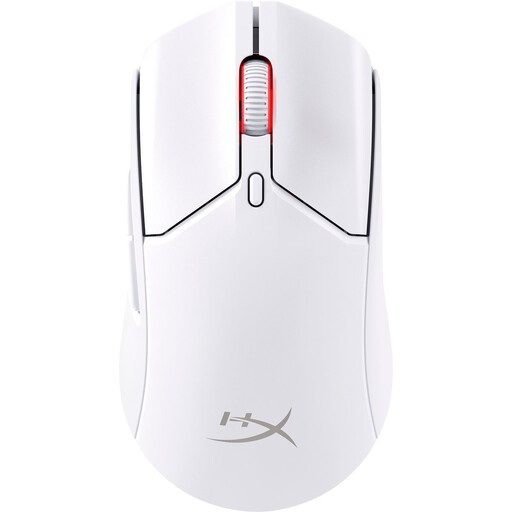 No image available
A wireless model for anyone who doesn’t want to use a mouse cable while playing.
Check that the connection and the mouse input you need are compatible with your computer and racing game.
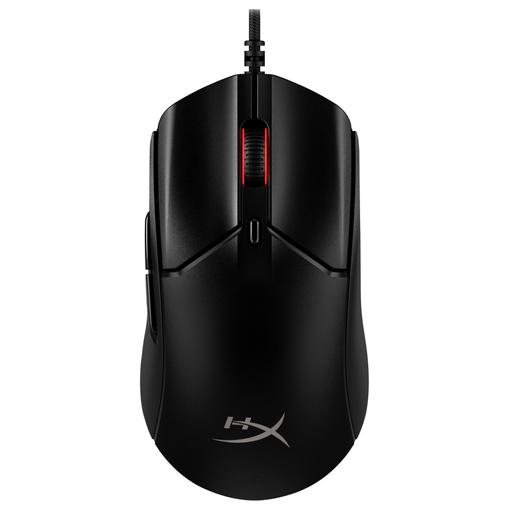 No image available
A lightweight wired model for anyone who doesn’t want to manage a battery and doesn’t need many extra controls.
HyperX specifies a weight of 53 g without the cable and six programmable buttons. The brand describes the clicks as audible; wearing a headset doesn’t make them demonstrably silent.
 No image available
A wired option for anyone who wants to use extra mouse buttons and doesn’t want to manage a battery.
The product name lists USB Type-A, an optical sensor and 25,600 DPI. Logitech lists the G502 X as weighing 89 g and having a repositionable DPI button.
 No image available
An option if you’re considering a wireless model; check that the connection and controls suit your game and computer.
No, it depends on the game’s input options and the platform. Forza Support describes mouse controls for the camera while driving in Forza Horizon 5; this documentation doesn’t confirm a general feature for steering with a mouse.
Not for the mouse functions covered here. Check the connection for your headset and the mouse inputs supported by your computer and game separately. A headset also doesn’t prove that other people won’t hear your mouse clicks.
First check whether your game lets you assign the action you want, then use the software for the exact mouse model. HyperX lists NGENUITY for the Pulsefire Haste 2; SteelSeries describes configurable buttons for the Rival 5.
Look at the connection and how each model is powered. Logitech’s stated battery life for the G305 and Trust’s stated battery life for the GXT 926 Redex II are manufacturer figures, not measurements taken under the same conditions.
In the Netherlands, when you buy remotely from a business, you’re often entitled to a 14-day cooling-off period. The Dutch Government explains that exceptions and conditions may apply; the cooling-off period is separate from your statutory rights if a product is faulty.