
Gamers with few power sockets
If you don’t want a separate mouse charger, consider whether replaceable batteries would be more practical than a rechargeable battery.


If you have few power sockets and don’t want to rely on finding time to recharge, a mouse with replaceable batteries could be a good fit; a rechargeable mouse will need charging later. If your USB ports are the main concern, look for Bluetooth and check that your computer supports it. A wired USB mouse doesn’t need its own power socket, but it does take up a USB port and leave a cable on your desk.
If you don’t want a separate mouse charger, consider whether replaceable batteries would be more practical than a rechargeable battery.
Bluetooth can eliminate the need for a USB receiver, provided your computer supports Bluetooth and the mouse you choose has this connection option.
If you navigate repeatedly, the shape of the mouse and how easily you can reach its buttons both matter. Extra programmable buttons are only useful if the game lets you assign commands to them.
A good fit if: you don’t want to charge your mouse while playing and can keep a spare battery to hand.
Bear in mind: you’ll need to replace and recycle the batteries; a 2.4GHz receiver uses a USB port.
A good fit if: you want to connect via Bluetooth without a USB receiver, or use the receiver as an alternative.
Bear in mind: the mouse will need charging later; Bluetooth only works if your computer supports it.
A good fit if: you have a spare USB port and would rather not replace batteries or recharge a mouse battery.
Bear in mind: the cable stays connected to your computer and takes up a USB port.
| Buying concern | What to look for | Which consumers? |
|---|---|---|
| No need to recharge | Check the battery type and connection mode; only compare battery life figures when they refer to the same battery and mode. | If I don’t want to use a mouse charger while playing, I’d prefer a model with replaceable batteries. Around 33% of consumers prioritise being able to play without a mouse charger. |
| Keeping a USB port free | Check that your computer supports Bluetooth and that this particular mouse has Bluetooth. | If all my laptop ports are already in use, I want to connect without a USB receiver. Around 25% of consumers prioritise having a free USB port. |
| A comfortable fit for frequent use | Compare the shape with your hand and grip, and check that the buttons and scroll wheel are easy to reach. | If I’m clicking and navigating menus a lot, I want a mouse that fits my hand, not just one with a low stated weight. Around 25% of consumers prioritise a comfortable fit. |
| Commands assigned to mouse buttons | First check whether the game lets you assign shortcuts, then compare the mouse’s programmable buttons. | If I’d rather control in-game commands with my thumb, I first want to know whether the game allows it. Around 17% of consumers prioritise customisable mouse buttons. |
A wireless receiver uses a USB port, whereas Bluetooth can work without a receiver if your computer supports it. A rechargeable mouse will still need power at some point.
Count your power sockets and USB ports separately, and check Bluetooth support before choosing a connection mode.
Manufacturers sometimes state battery life separately for each connection mode. Razer bases the Orochi V2’s maximum figure on an AA lithium battery; SteelSeries gives separate maximum figures for the Aerox 3 Wireless (2022) in Bluetooth and 2.4GHz modes.
Only compare figures that refer to the same battery and connection mode. Treat them as manufacturers’ maximum estimates, not guaranteed battery life for your game.
Corsair lists 16 programmable buttons for the Scimitar Elite Wireless, but that doesn’t prove you can assign commands from an unnamed hospital game to them.
First check which shortcuts the game offers, then choose a mouse layout.
The features mentioned apply to the specific models below and not automatically to every mouse from that brand.
The Orochi V2 combines a compact design with a replaceable battery, Bluetooth and a 2.4GHz receiver.
The G305 uses an AA battery, while the rechargeable G705 offers Bluetooth and, according to Logitech, is designed for smaller hands.
The Aerox 3 Wireless (2022) is a rechargeable mouse with Bluetooth and a 2.4GHz connection.
The Pulsefire Haste 2 Wireless offers Bluetooth, a 2.4GHz receiver and the option to use it while connected to a charging cable.
The Scimitar Elite Wireless is particularly relevant if you want to assign lots of commands to mouse buttons.
This selection includes mice with replaceable batteries, rechargeable wireless models and a wired USB mouse. You can weigh up whether a free power socket, USB port or charging time matters most to you.
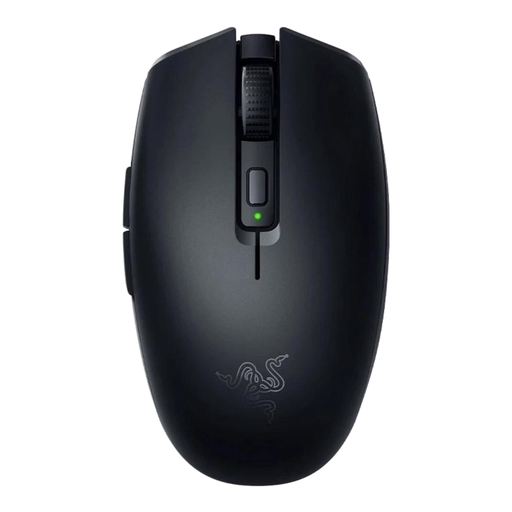 No image available
A good fit if you want a wireless mouse with a replaceable battery; the product information lists Bluetooth and an AA or AAA battery.
The battery will eventually need replacing.
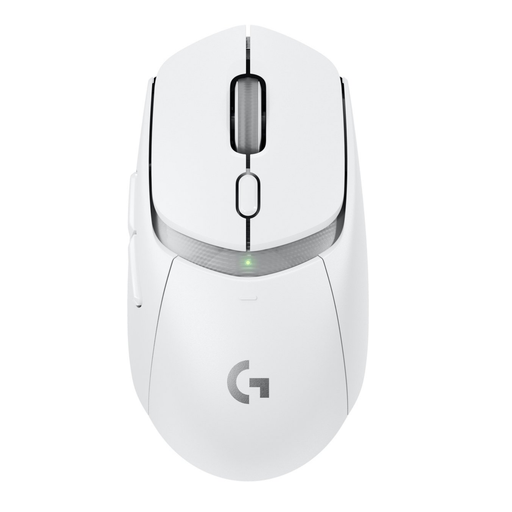 No image available
A good fit if you’re looking for a wireless mouse with Bluetooth and LIGHTSPEED connectivity.
The product information lists an AA battery mode; no battery life is given in this selection.
 No image available
A good fit if you have a free USB port and don’t want to recharge a mouse battery; this wired version is designed for right-handed use.
The product information lists a USB Type-A connection and 13 programmable buttons. The cable stays connected to your computer.
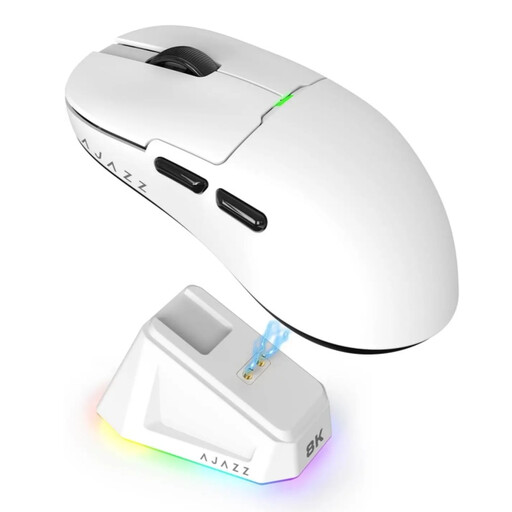 No image available
A good fit if you want Bluetooth and 2.4 GHz as wireless connection options and are happy to use a rechargeable battery.
The product name lists a 400 mAh battery and a weight of 56 g. The battery needs charging. According to the product warning, keep the magnetic charging dock at least 15 cm away from pacemakers.
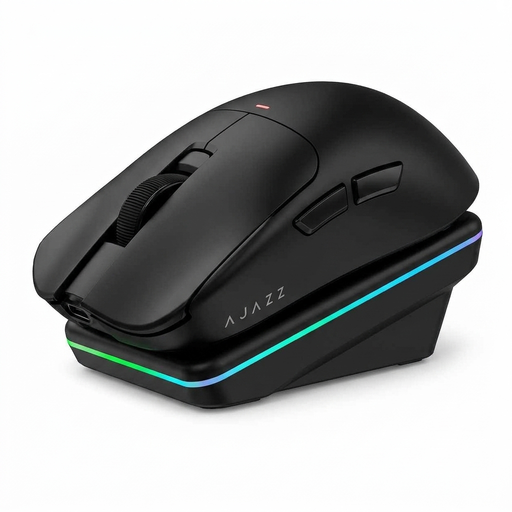 No image available
A good fit if you want to use Bluetooth and 2.4 GHz and are looking for a rechargeable mouse with a charging dock.
The product information lists USB-C, a 300 mAh battery, six buttons and a weight of 63 g. The battery needs charging.
Not necessarily while you’re playing: a mouse with replaceable batteries runs on those batteries, while a rechargeable model will need power later to charge. A USB receiver takes up a computer port, not a separate power socket. If you choose a rechargeable mouse, check how and when you can charge it.
First check that your Windows computer supports Bluetooth and switch it on. Then put a Bluetooth mouse into pairing mode and add it as a Bluetooth device. A mouse that only uses its own USB receiver won’t become a Bluetooth mouse this way.
The Dutch government says dead batteries must not be put in the bin; you can take them to shops that sell batteries, among other places. An old electric mouse should be taken to an electrical appliance recycling point. If you buy a similar new device, the Dutch government also describes a take-back scheme for the old one.
According to ACM ConsuWijzer, online purchases usually come with a statutory 14-day cooling-off period after delivery, with some exceptions. Your statutory guarantee covers what you could reasonably expect from the product and is separate from any voluntary manufacturer’s guarantee.