
Designer with few power sockets
You want to place garden features without adding another mains charger to your desk. Compare a mouse with an AA battery with a wired or USB-rechargeable option, and check which computer ports are free.


A wired USB mouse or a wireless mouse with a replaceable AA battery won’t need an extra power socket for a mouse charger; a rechargeable mouse does need a suitable charging option. Also check that your computer supports the connection you choose, and that the shape, scroll wheel and any extra buttons suit your hand and the features of your garden game or design software.
You want to place garden features without adding another mains charger to your desk. Compare a mouse with an AA battery with a wired or USB-rechargeable option, and check which computer ports are free.
You often switch between tools or views and want to know whether extra mouse buttons or a versatile scroll wheel could help. Logitech G, Razer and SteelSeries describe these kinds of controls for specific models.
You spend a lot of time placing and adjusting features, so you want to check first that the shape and grip suit your hand and posture. A low quoted weight alone doesn’t tell you whether a mouse will feel comfortable.
Choose this if: you have a suitable free port on your computer and don’t want to replace or charge batteries.
Bear in mind: the cable and the USB port used by the mouse.
Choose this if: you want to work wirelessly without having to plan time to charge the mouse.
Bear in mind: you’ll need to replace the battery; a USB receiver also uses a computer port.
Choose this if: you have a suitable USB charging option and would rather not use loose AA batteries.
Bear in mind: check how the mouse charges and whether you can use it while it’s charging. A separate charging dock isn’t necessarily needed.
The connections and features mentioned here are based on product information from Logitech G, Razer, Trust and SteelSeries. Having few power sockets doesn’t automatically mean you have few USB ports too: check both separately.
| What to consider | What should you check? | Who should consider this? |
|---|---|---|
| Power supply | Check how the mouse is powered and which cable, battery or receiver comes with it. | If you don’t want to use an extra power socket for a mouse charger, choose a suitable USB connection or an AA battery; around 33% of consumers put power supply first. |
| Controls | Check whether your game or software supports shortcuts and where the extra buttons are positioned. | When placing features repeatedly or switching between tools, you’ll want to control actions without having to hunt around; around 27% of consumers prioritise shortcuts and scroll controls. |
| Shape and grip | Consider hand orientation, size, grip and whether you can reach the buttons comfortably. | For longer design sessions, you’ll want a mouse that feels comfortable to hold and use; around 20% of consumers choose mainly for comfort and shape. |
| Computer connection | Check Bluetooth support, an available USB port, the receiver and any software requirements. | If your computer has few free ports or you need to use Bluetooth, compatibility is crucial; around 20% of consumers check this first. |
A wired mouse and a wireless USB receiver both use a computer port. Bluetooth is an alternative only if both the mouse and your computer support it.
Count your available mains sockets and suitable computer ports separately, and check which cable or receiver comes with the model you’ve chosen.
A mouse can be charged using a cable; a dock or charging puck may be a separate accessory.
Check how the model charges and whether charging through a computer suits your setup before choosing an extra accessory.
A dock or charging puck may be an extra accessory, but ordinary charging doesn’t necessarily require one.
According to the Dutch Government, there is no fixed statutory two-year warranty period in the Netherlands. If a product develops a fault, the retailer assesses what you could reasonably expect from it.
Keep your proof of purchase and report any fault to the retailer. Treat any additional warranty as extra cover, not a replacement for your statutory rights.
The G309 LIGHTSPEED and wired G502 X offer different power and control options.
The Basilisk V3 Pro is a rechargeable option with several connection methods and plenty of assignable controls.
The wired Rival 5 is worth considering if programmable controls matter more to you than freedom of movement.
According to Trust, the rechargeable GXT 931 Ybar combines Bluetooth with a 2.4 GHz USB receiver.
This selection includes wireless gaming mice with replaceable batteries, as well as models with different connection options. Check the power supply, included receiver and computer compatibility for each version.
 No image available
An option if you want to choose between different connection methods; check that they suit your computer and how you plan to use the mouse.
The product name lists RF Wireless, Bluetooth and USB Type-A, an optical sensor and 36,000 DPI. It describes the shape as ambidextrous.
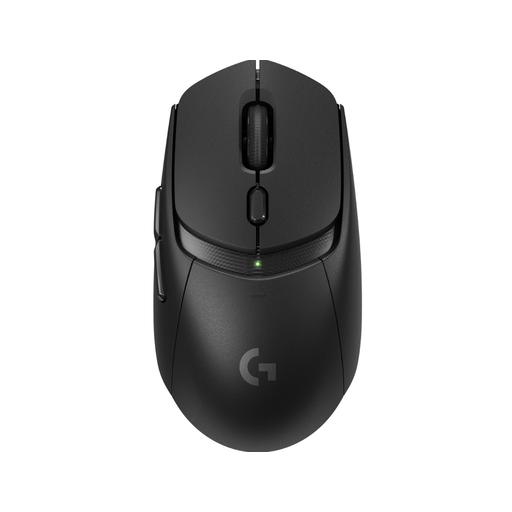 No image available
Suited to anyone who wants to use a wireless mouse without having to plan time to charge it.
Logitech lists one AA battery and connectivity via Bluetooth or a LIGHTSPEED receiver. The mouse weighs 86 grams with the AA battery; the receiver uses a USB port, and the battery will eventually need replacing.
 No image available
An option if you want to choose between wireless connections and a wired connection.
The product name lists tri-mode, a replaceable 300 mAh battery and a PAW3311 sensor. Check which connection your computer supports.
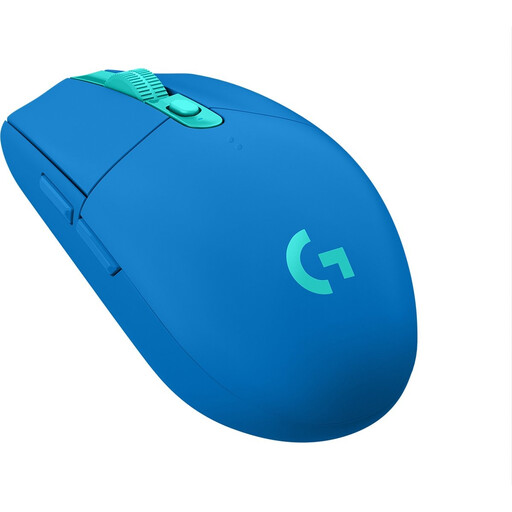 No image available
This version may suit you if you’re looking for a wireless gaming mouse; check how it’s powered and which computer port it needs before choosing.
LIGHTSPEED is included in the product name. Check that the receiver it comes with fits the available connections on your computer.
 No image available
An option if you want to use a wireless mouse and assign extra controls.
For this version, check the battery and receiver details, and whether you can configure the button functions you want in your game or software.
Not if the model you choose connects to a suitable USB port on your computer. Check that the port is free and that you can route the cable neatly around your workspace.
Only if your game or design software supports the shortcuts and button assignments you want. Check the application’s input settings before treating extra buttons as a deciding factor.
Choose a shape and grip that feel comfortable in your hand, and take breaks from prolonged screen work. The Dutch Arboportaal guidance on screen work is aimed at employers and employees and does not set a general legal limit for gaming at home.
For online purchases from a business, you’ll often have a 14-day cooling-off period. This is separate from your right to a product that meets reasonable expectations: if there’s a fault, contact the retailer, who will assess what you could reasonably expect from the product.
CE marking is compulsory for certain product groups; the requirements for a particular mouse depend on the device and the applicable rules. According to the Netherlands Enterprise Agency, the CE logo is a mark of conformity, not an independent test of comfort or performance.