What should you look for when choosing?
First choose a shape and grip that suit you, then count the commands you actually want to assign, and finally compare the lighting and connection settings.
| What to consider |
What should you check? |
Who should prioritise this? |
| Buttons and scrolling |
Check that the game and mouse software support the hotkeys you want, and that the buttons and scroll settings are easy to reach. |
If you often switch between panels while playing, you’ll want commands close at hand. In this buying context, around 36% of consumers put hotkeys first. |
| Grip and comfort |
Compare the shape, handedness and button positions; if possible, try holding the mouse. |
If you play for long sessions, you’ll want a shape that suits your hand and grip. In this buying context, around 29% of consumers put comfort first. |
| Lighting controls |
Check the settings for the exact version, whether the lighting can be switched off completely and whether your preference is saved. |
If mouse lighting bothers you in a dark room, you’ll want to control what stays visible. In this buying context, around 21% of consumers put lighting controls first. |
| Wired or wireless |
Compare the connection type, any receiver and the charging options. |
If a cable limits your workspace, you’ll want to position the mouse freely; without a cable, you’ll need to factor in charging. In this buying context, around 14% of consumers put freedom of movement first. |
Gaming mice at Joybuy
This selection includes wired and wireless gaming mice with extra buttons or adjustable lighting. Check that the controls and settings on the exact version suit the way you use it, and review the relevant conformity information before buying.
 No image available
AULA SC620 wireless gaming mouse
Suitable if you want to play wirelessly and assign commands to the mouse buttons.
The title lists Bluetooth 5.0, 2.4 GHz and USB-C, 7 programmable buttons, RGB lighting, a PixArt PAW3311 sensor, 12,000 DPI, 8 kHz, 67 g and a 400 mAh battery. Colour: white.
View at Joybuy
 No image available
Logitech G G502 X
Suitable if you want extra mouse buttons and different scroll modes without having to manage a battery.
The product description lists 13 programmable buttons. Logitech G says the scroll wheel has free-spin and stepped modes. The listed version is wired, right-handed, USB Type-A and optical, with 25,600 DPI.
View at Joybuy
 No image available
Viper V3 Pro, black
Suitable if you want to play wirelessly and don’t want mouse lighting.
The product description lists a right-handed shape, wireless connection, 8 programmable buttons and a version without lighting.
View at Joybuy
 No image available
Razer Basilisk V3 Pro 35K
Suitable if you want to play wirelessly and are looking for a scroll wheel with different modes.
The product description lists 11 programmable buttons, a scroll wheel with notched and free-spin modes, a wireless connection and Chroma RGB lighting.
View at Joybuy
 No image available
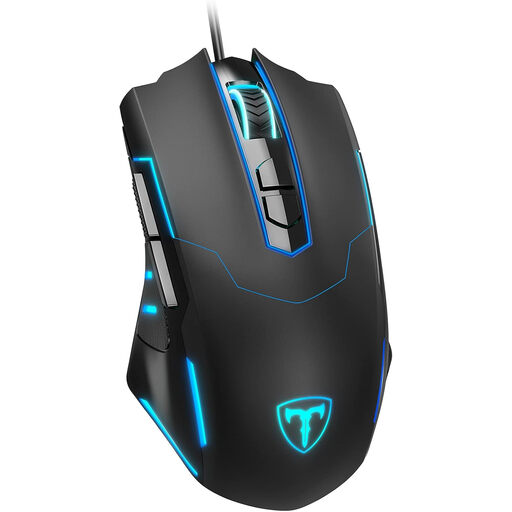
ET wired gaming mouse
Suitable if you want programmable buttons and the option to switch off the lighting in a dark room.
The title lists 7 programmable buttons and adjustable DPI up to 7,200. The product description says the RGB lighting effects can be switched off.
View at Joybuy
Frequently asked questions
Can you assign commands in a political simulation to mouse buttons?
That depends on the game and the software for the exact mouse. Paradox Interactive describes reassignable hotkeys for Victoria 3. Check which commands you want to use in your game and whether the mouse software supports those assignments.
How do you set up a gaming mouse for use in the dark?
First adjust the cursor and scroll controls to suit you, then review the available lighting settings. Trust describes adjustable lighting effects for the GXT 923 Ybar; check separately whether the version you’re considering can be left completely dark.
Can you keep playing if a wireless mouse runs out of battery?
Trust says you can play while the GXT 923 Ybar is charging. For another wireless model, check whether this is possible and which cable you’ll need.
What warranty and return rights apply to an online purchase in the Netherlands?
According to the Dutch government, you’re entitled to a product that meets the required standards and should contact the seller if there’s a fault; the Netherlands has no fixed statutory warranty period. For an eligible online purchase from a trader, Your Europe says you generally have 14 days from receipt to withdraw from the purchase. Terms and exceptions still apply.
What should you look for when checking the safety of a gaming mouse?
The Dutch government states that electronic products sold on the EU market must carry the applicable CE marking. Check the information for the exact version; a declaration for a model with a different number doesn’t prove that it applies to your purchase.


