
Player who enjoys long sessions
You want a shape that suits your hand and grip when you’re playing several matches in a row. So don’t just look for the lowest weight: RTINGS.com also identifies shape as an important factor for FPS gaming.


Start with a shape and size that suit your hand and grip. Then compare the weight, click and sensor responsiveness, and connection type. A compact, symmetrical, ergonomic or wired mouse could be a good fit, depending on your grip, available desk space and willingness to manage a battery or receiver. Manufacturer claims about comfort, weight and battery life won’t automatically tell you which model will feel best to play with.
You want a shape that suits your hand and grip when you’re playing several matches in a row. So don’t just look for the lowest weight: RTINGS.com also identifies shape as an important factor for FPS gaming.
You move and stop the mouse frequently, and want to assess its weight, shape and responsiveness without assuming that a higher DPI automatically means better performance. RTINGS.com also considers click and sensor latency relevant FPS features.
You’re weighing up the freedom of wireless play against charging and receiver management, or you’d rather use a cable so you don’t have to manage a battery.
| What to consider | What should you check? | Who should give this more weight? |
|---|---|---|
| Shape and grip | Compare the dimensions, whether the shape is designed for left- or right-handed use, and the contact points for your thumb, fingers and palm. | If I’m playing several matches in a row, I want a mouse that suits my hand and grip. Around 36% of consumers prioritise shape and comfort during long sessions. |
| Aim control | Compare the weight of the exact version and, where available, look for independent measurements of click and sensor latency. | I want to be able to move and stop the mouse repeatedly; a high DPI figure alone doesn’t tell me enough. Around 29% of consumers prioritise consistent aim control. |
| Connection and uninterrupted play | Check the connection type, charging method and the conditions used to calculate the stated battery life. | I don’t want to have to charge unexpectedly while playing, or I’d rather not manage a battery and am happy to use a cable. Around 21% of consumers prioritise a reliable connection. |
| Simplicity and features | Check which settings require software and which can be adjusted directly on the mouse. | I’m mainly looking for features I’ll actually use, without extra settings that make my choice more complicated. Around 14% of consumers prioritise simplicity and useful core features. |
A figure won’t tell you whether the shape suits your hand and grip, or how the click and sensor respond.
Assess the shape and size first. Then compare the weight of the exact version and, where available, check independent measurements that are relevant to how you’ll use it.
Manufacturers may use different conditions when testing. For example, ZOWIE states that the EC2-CW’s battery life is based on constant movement.
Read the conditions for each claim and check that the charging method works for your sessions.
A product description that combines different connection types or features isn’t enough on its own to establish which version you’re buying.
Before choosing a version, check the full model name and the features that matter to you against the manufacturer’s information.
In the Netherlands, statutory consumer rights have no fixed time limit, according to the Dutch government. They are separate from any manufacturer’s warranty.
Check what an additional warranty covers. If a product is faulty, contact the retailer.
The PRO range includes compact symmetrical and ergonomic models, as well as the PRO X2 SUPERSTRIKE with adjustable clicks.
The Viper V3 Pro is a symmetrical wireless option you can compare in terms of shape and feel when moving it.
The EC-CW range offers ergonomic wireless shapes in different sizes; the EC2-CW is the medium-sized version.
According to SteelSeries, the 2022 Aerox 3 Wireless combines a perforated shell with 2.4 GHz and Bluetooth.
The M8 Wireless is a symmetrical wireless option with a low front, as described by the manufacturer.
This selection includes wired and wireless gaming mice. First compare the shape and connection type with your play style, then check the specifications of the version you’re considering.
 No image available
The product information describes this model as suitable for both left- and right-handed users, which may be worth considering if you’re looking for an ambidextrous shape.
Listed features include RF wireless, Bluetooth, USB Type-A, an optical sensor and 36,000 DPI. A maximum DPI figure on its own won’t determine how well a mouse suits your aiming style.
 No image available
The wired connection is a good fit if you don’t want to manage a battery while playing.
The product information lists a weight of 69 g, interchangeable parts for 16 grip combinations and a polling rate of up to 8,000 Hz. The title specifies 26,000 DPI and a black finish.
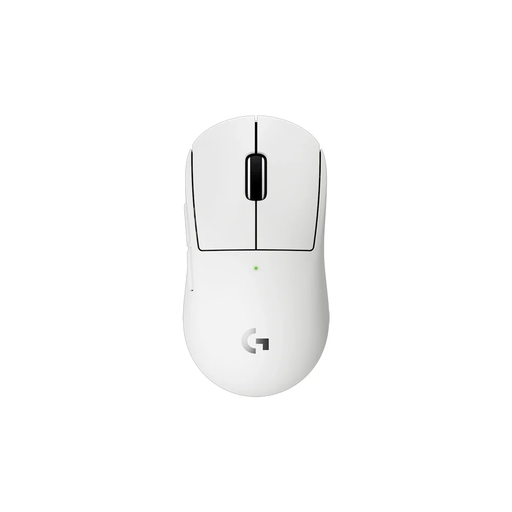 No image available
The compact wireless shape could be a good fit if you’re looking for a smaller mouse to suit your hand size or grip.
The product information lists LIGHTSPEED, a HERO 2 sensor and a polling rate of up to 8 kHz. Logitech G states that the 2c offers up to 95 hours of battery life; this is a manufacturer claim.
 No image available
The product information describes an ergonomic shape for small to medium-sized hands; check whether it suits your grip.
The title lists a weight of 63 g, a PAW3311 sensor and Bluetooth, 2.4G and USB-C connections. It also mentions a charging dock and 24,000 DPI.
 No image available
The listed connection options may be useful if you want to play wirelessly but would also like to compare a USB-C option.
The product title lists a weight of 67 g, a PAW3311 sensor, Bluetooth, 2.4G, USB-C and an 8 kHz polling rate.
No. A maximum DPI figure on its own doesn’t determine how suitable a mouse is for ranked FPS matches. Look at shape and control first; RTINGS.com also identifies weight and low click and sensor latency as relevant features.
Check the battery level, charging method and conditions behind the battery-life claim in advance. ZOWIE lists 70 hours for the EC2-CW with constant movement, while Logitech G states up to 95 hours for the PRO X SUPERLIGHT 2c. These figures weren’t measured under identical conditions.
It depends on the model. ZOWIE says the EC2-CW works without a driver, with DPI and polling rate adjustable on the device; Logitech G describes G HUB as the software for customising the HITS click on the PRO X2 SUPERSTRIKE.
If you’re a consumer buying online from a business in the Netherlands, you’ll generally have a 14-day cooling-off period, according to the Dutch government. Check the applicable terms before using the product; purchases from private sellers aren’t covered by the same distance-selling rules.
No. According to the Dutch government, statutory consumer rights in the Netherlands have no fixed time limit. They’re separate from any manufacturer’s warranty; if a product is faulty, contact the retailer.