
Gamer with few power sockets
You want to play platform games without having to plan a separate charging session at a power socket for your mouse. A wired USB mouse and a mouse with a replaceable battery handle their power supply in different ways.


If you have few power sockets, a wired USB mouse is an option for platform games if you can spare a USB port. A mouse with a replaceable battery lets you play without a charging cable, but you’ll need to replace the battery eventually. If USB ports are in short supply too, Bluetooth may be the answer, provided both your mouse and computer support it; a receiver and a cable each use a USB port.
You want to play platform games without having to plan a separate charging session at a power socket for your mouse. A wired USB mouse and a mouse with a replaceable battery handle their power supply in different ways.
You don’t want to set aside another USB port for a cable or receiver. So check whether both your computer and the exact mouse model support Bluetooth.
You want to choose between a cable, receiver and Bluetooth for repeated movements and clicks, without overlooking fit or power requirements.
First, decide whether you can spare a USB port. Then choose a connection and power option that suits your gaming setup, and check that your device and platform game support mouse controls.
| Buying concern | What should you check? | Who is this important for? |
|---|---|---|
| No charging while you play | Check the battery type or charging method, and whether you can use the mouse while it’s charging. | I don’t want to plug in a charging cable or find a separate power socket while I’m playing. Around 33% of consumers give avoiding a mouse-charging break their top priority. |
| Keeping a USB port free | Count your available ports and check that both your computer and the exact mouse model support Bluetooth. | If all my USB ports are already in use, I don’t want to give one up for a receiver as well. Around 25% of consumers prioritise keeping a USB port free. |
| Connection and in-game controls | Check that the game and device support mouse controls, and see which connection options and controls the mouse offers. | For my platform game, I want to know whether the controls work on my device and which connection mode I can use. Around 25% of consumers focus mainly on connection and controls. |
| Fit and buttons | Compare the shape, weight including any battery, and the position of the buttons you want to use. | For repeated movements and clicks, I want a shape and button layout that suit my hand and how I play. Around 17% of consumers put fit and buttons first. |
A wireless mouse with a receiver still uses a USB port, as does a wired mouse. Bluetooth can remove the need for a receiver if your computer and mouse support that mode.
Count power sockets and USB ports separately before choosing between a cable, receiver and Bluetooth.
Logitech describes the G305 as using LIGHTSPEED and one AA battery; Bluetooth isn’t confirmed in the manufacturer’s description.
Check the connection modes for the exact model with the manufacturer. If you want to keep a USB port free, don’t rely on the word ‘wireless’ alone.
Claimed battery life can vary by mode and battery type. Razer lists different battery life figures for the Orochi V2 in each mode with an AA lithium battery; SteelSeries also distinguishes between modes for the Aerox 3 Wireless.
Only compare battery life figures alongside the relevant mode, battery type and manufacturer’s conditions.
A stated manufacturer’s warranty period doesn’t automatically determine how long you have statutory rights in the Netherlands.
Keep your proof of purchase and contact the seller if you think a product may be faulty.
The G305 LIGHTSPEED is an example of a wireless mouse with a replaceable AA battery and USB receiver.
According to Razer, the Orochi V2 gives you a choice of Bluetooth or a 2.4GHz receiver.
The wired Aerox 3 and Aerox 3 Wireless illustrate the different connection options available within one product range.
The GXT 929 Helox is a rechargeable wireless mouse with a USB receiver.
According to Corsair, the HARPOON RGB WIRELESS combines Bluetooth, a 2.4GHz receiver and wired USB use.
This selection includes wired USB mice for anyone with a spare port, plus a wireless Logitech model with a replaceable AA battery and Bluetooth.
 No image available
An option if you don’t want to charge or replace a mouse battery and have a USB port available.
Wired USB connection; 35,000 DPI and 11 buttons according to the product name. The cable uses a USB port.
 No image available
An option if you don’t want to stop and charge a mouse battery and can use a USB port.
Wired USB mouse with an optical sensor, seven programmable buttons and an ergonomic shape for right-handed use. Check that the shape suits your hand.
 No image available
An option if you want a wired connection and don’t want to manage a mouse battery.
The product name lists RGB lighting, 26,000 DPI and black. The product description mentions a HyperFlex 2 cable, a weight of 69 g and interchangeable grip parts. The cable uses a USB port.
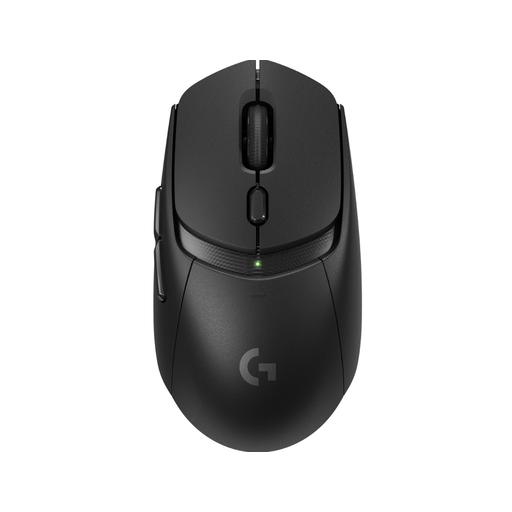 No image available
An option if you want to play wirelessly without a charging cable; Bluetooth can remove the need for a USB receiver if your computer supports this mode.
The product description lists one AA battery, LIGHTSPEED and Bluetooth. The battery will eventually need replacing; the receiver uses a USB port.
 No image available
An option if you don’t want to charge a mouse battery and have a USB port available.
Wired USB Type-A connection; the product name lists an optical sensor and 25,600 DPI. The product description mentions 13 programmable buttons. The cable uses a USB port.
Not necessarily. You plug a wired mouse into a USB port; a mouse with a replaceable battery lets you play without a charging cable. A rechargeable mouse will eventually need a suitable way to charge it. Check separately whether your computer has a free USB port.
If both your computer and mouse support Bluetooth, you can use that mode without a USB receiver. A 2.4GHz receiver and a wired mouse do need a suitable USB port. Also check that your device and the game you want to play support mouse controls.
Plan time to charge it and follow the instructions for the exact model. For the HARPOON RGB WIRELESS, Corsair says to fully charge the mouse before first use and describes an indicator light for charging status. This instruction doesn’t automatically apply to other mice.
No. According to ACM ConsuWijzer, there is no fixed period for statutory guarantees in the Netherlands: with normal use, what matters is how long you can reasonably expect the product to last. If a product is faulty, contact the seller, regardless of any manufacturer’s warranty.
The Netherlands Authority for Digital Infrastructure states that electrical and electronic equipment must have the correct CE marking. Check the marking on the product you receive; documentation about a product range isn’t a substitute for checking it.