
Players without a spare charging socket
You don't want to rely on a mouse charger during a gaming session. So compare a mouse with a replaceable battery with a rechargeable model that you can charge at another time.


A wireless mouse with a replaceable battery means you won't need a charging socket while you play. Bluetooth can also free up a USB port, as long as your computer supports it. If you don't want to replace batteries, a wired mouse is an alternative, but it will use a USB port and you'll need room for the cable. Also choose a mouse that suits your hand and has the buttons you actually use in your game.
You don't want to rely on a mouse charger during a gaming session. So compare a mouse with a replaceable battery with a rechargeable model that you can charge at another time.
You want to keep a computer port free and can use Bluetooth. Check that your computer supports Bluetooth and that the exact mouse model offers this connection.
You use assignable in-game functions, so you'll want to choose the number and position of the buttons to suit the way you play.
A good fit if: you don't want to charge your mouse while playing and have a USB port available.
Bear in mind: you'll need to replace the battery and keep a receiver plugged in; wireless doesn't automatically mean Bluetooth.
A good fit if: USB ports are in short supply and your computer supports Bluetooth.
Bear in mind: battery life may vary between connection modes; you'll still need a suitable port if you use a receiver.
A good fit if: you want to assign several in-game functions to mouse buttons and can charge it at another time.
Bear in mind: the battery will eventually need charging, and battery life figures may vary between modes.
A good fit if: you don't want to manage a mouse battery, have a spare USB port and don't mind a cable on your desk.
Bear in mind: the cable may restrict your movement and the port will remain in use.
| What to consider | What to look for when buying | Who is this most relevant to? |
|---|---|---|
| Playing without charging | Check the battery type, whether it is replaceable and the conditions under which the manufacturer quotes battery life. | If you don't want to use a charging cable during a gaming session, a replaceable battery may suit you better. Around 33% of consumers prioritise playing without charging their mouse. |
| Keeping a USB port free | Check that your computer supports Bluetooth and whether the exact model offers both Bluetooth and a receiver. | If your laptop has few spare ports, Bluetooth may mean you don't need a receiver, provided your computer supports the connection. Around 27% of consumers prioritise keeping a USB port free. |
| Useful programmable buttons | Decide which commands you want to assign, then check the button positions and configuration options on the model. | If you want to control in-game functions with your mouse, look for buttons you can actually use and reach comfortably. Around 20% of consumers choose a mouse mainly for useful programmable buttons. |
| No battery maintenance | Compare a wired connection with a battery-powered model, and check that you have a spare USB port and enough room for the cable. | If you'd rather not replace batteries or charge a mouse, a cable may be a worthwhile compromise. Around 20% of consumers prioritise avoiding battery maintenance. |
Quoted battery life can vary between Bluetooth, a low-power mode and standard 2.4 GHz use. The battery type may also affect the figures given.
Only compare figures when the battery and connection conditions match. Plan when to charge or replace the battery based on how you use the mouse.
A mouse with a USB receiver uses a computer port. Bluetooth can leave that port free, but your computer and the exact model must support it.
Before buying, check which connections the model supports and which ports are available on your computer.
Choosing between Bluetooth and a USB receiver can determine whether you need a computer port.
Before relying on Bluetooth, check the specifications for the exact version of the model.
The G305 LIGHTSPEED is an option if you're looking for a wireless mouse with a single AA battery and a USB receiver.
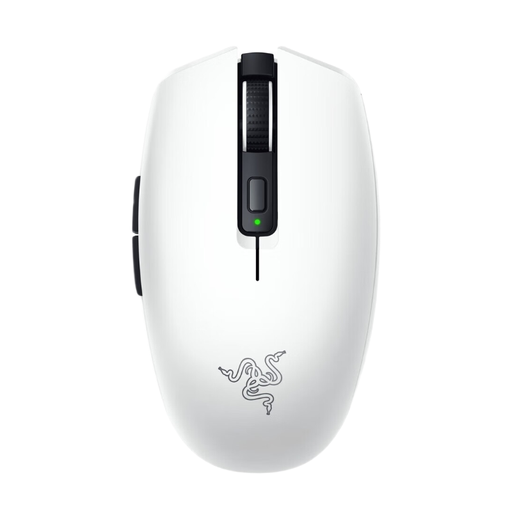
The Orochi V2 has a compact design and lets you switch between Bluetooth and a 2.4 GHz receiver.
The Aerox 5 Wireless is worth considering if you'll actually use its extra customisable buttons.
According to CORSAIR, the KATAR PRO Wireless (EU) combines an AA battery with Bluetooth and a dedicated wireless receiver.
This selection includes rechargeable wireless models with Bluetooth, as well as models with a replaceable battery and Bluetooth or a wireless receiver. Check which connection and power option suits your computer and gaming sessions.
 No image available
A rechargeable model with Bluetooth as an option if you want to keep a USB port free and your computer supports Bluetooth.
The product name lists 2.4G, USB-C and Bluetooth, a 400 mAh battery and a magnetic charging base. The built-in battery will eventually need charging.
 No image available
A rechargeable model with customisable buttons if you want to use these functions in your game.
The product name lists Bluetooth, 2.4G and USB-C. The product information lists six buttons, a 300 mAh battery and a magnetic charging base; the battery will eventually need charging.
 No image available
A rechargeable model with Bluetooth and seven programmable buttons if you want to use both features.
The product name lists Bluetooth 5.0, 2.4G and USB-C; the battery has a capacity of 400 mAh and charges via USB-C.
 No image available
A model with a replaceable battery and Bluetooth if you don't want to use a mouse charger while playing and want to keep a USB port free.
The product information lists an AA battery, Bluetooth and a LIGHTSPEED receiver. The battery will eventually need replacing.
 No image available
A wireless model with Bluetooth and a replaceable battery if you don't want to charge a mouse and would like the option of keeping a USB port free.
The product information lists Bluetooth, a wireless receiver and a choice of AA or AAA battery. It also lists six programmable buttons; the battery will eventually need replacing.
A model with a replaceable battery doesn't need a charging socket while you're using it. A rechargeable model will eventually need charging. Also check whether your computer has Bluetooth or a spare USB port for the connection you choose.
If your laptop supports Bluetooth, you can choose a mouse whose specifications list Bluetooth for the exact model. If you use the wireless receiver, you'll still need a suitable USB port.
No. Treat the quoted battery life as a figure based on the stated usage conditions. Check the battery type and connection mode: Razer bases the quoted maximum battery life for the Orochi V2 on a lithium AA battery, while SteelSeries gives different figures for the Aerox 5 Wireless in Bluetooth or low-power mode and standard 2.4 GHz use.
According to ACM ConsuWijzer, the seller must put things right at no cost if a product, when used normally, fails to do what you could reasonably expect. This could mean a repair, replacement or refund. For an ordinary online product purchase, you will generally also have a statutory 14-day cooling-off period after delivery; check which exceptions apply. This is separate from your statutory remedies for a faulty product.
The Dutch Authority for Digital Infrastructure explains that manufacturers apply the CE marking to radio equipment that meets the applicable requirements. Check the marking and documentation for the exact version; information about another model doesn't prove that this version meets the requirements.