
Players who navigate a lot
You often select parts of an expansive game world and want to tailor pointing and scrolling to your preferences.


Start with a mouse that feels comfortable in your hand, with pointer speed and scrolling that suit your game and screen setup. If you play further away from your PC, consider wireless use and where to position the receiver. If you want to use lots of shortcuts, also compare how easy the programmable buttons are to reach and what extra settings are involved.
You often select parts of an expansive game world and want to tailor pointing and scrolling to your preferences.
You play somewhere a cable or receiver position could get in the way of controlling the mouse. So, think about your own setup.
You’re looking for a mouse shape and controls that are comfortable and easy to reach. A particular shape doesn’t guarantee you’ll avoid discomfort.
First, decide what matters most for the way you play: cursor control, hand position, distance from your PC, extra commands or the practicalities of going wireless.
| What to consider | What to check before buying | Who is this important for? |
|---|---|---|
| Pointing and navigation | Check whether the sensitivity is adjustable and whether the scroll wheel suits the way you move through menus and lists. | If I often select small items, I want to be able to move the cursor with control. Around 28% of consumers prioritise pointing and navigation. |
| Hand comfort | Consider the shape and size for your hand and grip, and check whether the side buttons are comfortable to reach. | During longer sessions, I want to reach the main buttons and any side buttons without holding my hand awkwardly. Around 22% of consumers put hand comfort first. |
| Connection and playing position | For a wired mouse, check the cable length and freedom of movement. For a wireless model, look at the connection, receiver and power supply. | If I don’t play close to my PC, I want to know whether the connection suits my setup and whether a cable will get in the way. For around 22% of consumers, playing position and connection are the main concern. |
| In-game commands | Think about how many buttons you really want to customise and whether you can press them deliberately. Also check what software is required. | I only want to move commands to the mouse if I can reach them easily while playing. Around 17% of consumers value easily accessible in-game commands most. |
| Use and maintenance | Compare the features with what you’ll actually use and, for wireless models, check how they’re powered or charged. | If I don’t need many extra features, I don’t want to pay for controls I won’t use or deal with unnecessary charging. Around 11% of consumers prioritise use and maintenance. |
A high maximum figure doesn’t tell you whether the pointer speed will feel comfortable when making precise selections.
Compare the adjustment options and try different settings with your own screen and game settings.
A panel with lots of buttons is only useful if its layout and assigned commands suit your game.
First decide which commands you want to move to the mouse, then check whether you can press the buttons easily and deliberately.
Setting up buttons and profiles can take extra time.
SteelSeries Support notes that enabling extra features can drain the Aerox 9 Wireless battery faster; battery life also depends on the settings you use.
Check the conditions attached to the stated battery life for the exact model, and find out how the mouse is powered.
The Basilisk V3, Basilisk V3 Pro and Basilisk V3 Pro 35K are different versions and don’t necessarily have the same specifications.
Compare the full model name, sensor, connection and product specifications before choosing a version.
The Basilisk range includes mice with different scroll wheel and button controls. Check which version suits your preferences.
The Aerox range spans everything from straightforward wired controls to a wireless model with an extensive side panel.
The range includes wired models with a straightforward button layout, as well as wireless models with more extensive controls.
The SCIMITAR ELITE WIRELESS SE is a wireless option for anyone who wants to assign lots of commands.
The wired GXT 121 Felox+ offers customisable buttons without a large thumb panel.
These Joybuy products cater to needs around navigation and customisable controls, and offer a choice between wired and wireless use.
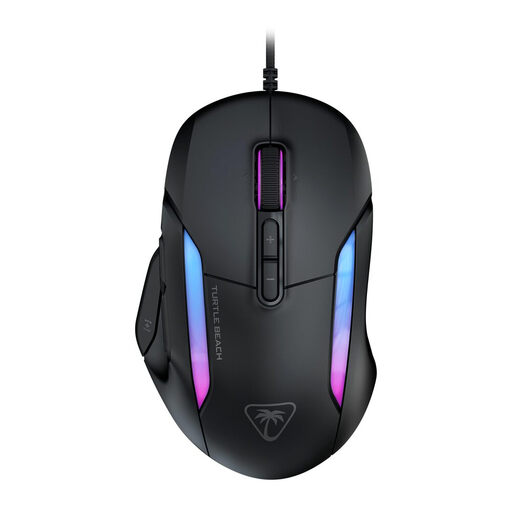 No image available
A wired option for anyone who wants lots of controls close at hand. Bear the cable in mind when choosing where to play.
The product name lists 23 buttons and 26.000 DPI.
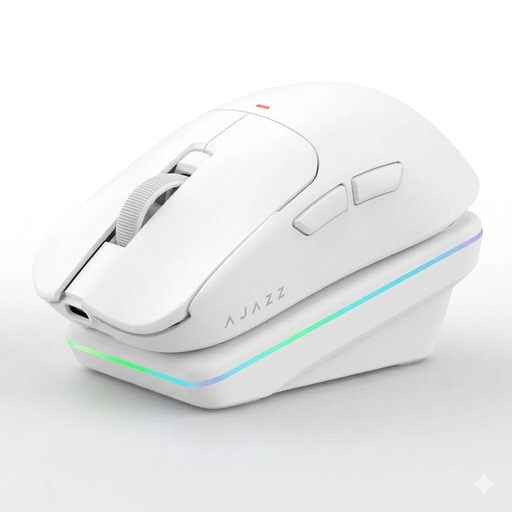 No image available
A wireless option for anyone who wants to adjust pointer speed and compare different connection options.
The product name lists Bluetooth, 2.4G and USB-C, a charging dock, and 24.000 DPI with a PAW3311 sensor.
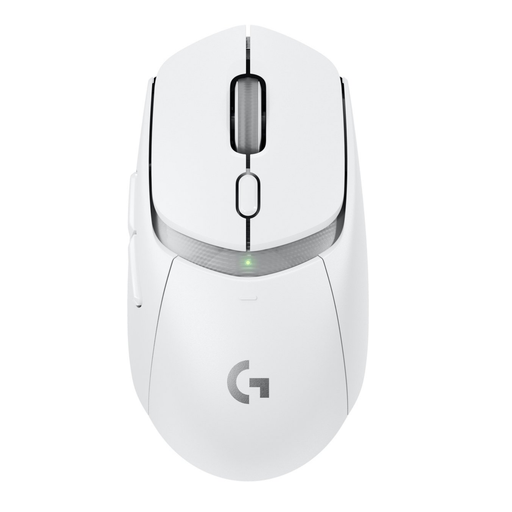 No image available
A wireless gaming mouse to consider if a cable doesn’t suit your playing position. Check which connection and power options work with your setup.
 No image available
An option to compare if you’re looking for a right-handed mouse and want to adjust the sensitivity to suit your settings.
The product name lists USB Type-A, an optical sensor and 25.600 DPI.
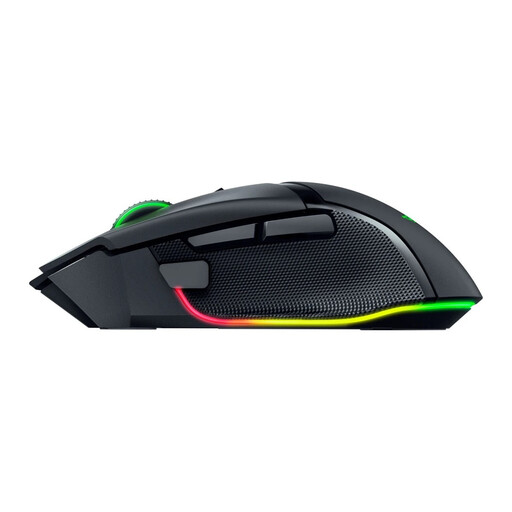 No image available
A wireless option for anyone who wants to factor scrolling and extra in-game commands into their choice.
Check that the full model name and product specifications match: the Basilisk V3, V3 Pro and V3 Pro 35K are not interchangeable.
No. Adjustable sensitivity lets you tailor pointer speed to your screen, system and game settings. The highest listed setting doesn’t automatically make precise selections more comfortable.
First, decide which commands you use often in the game and assign them only to buttons you can reach comfortably. Also check that the required configuration software and profiles work on your computer.
Before buying, check the mouse’s connection mode and power supply. SteelSeries Support notes that the Aerox 9 Wireless battery life depends on the settings you use, and that enabling extra features can drain the battery faster.
If a product is faulty, the seller in the Netherlands is responsible for providing an appropriate solution under the legal guarantee, such as a free repair or replacement. ACM ConsuWijzer explains that there isn’t automatically one fixed legal guarantee period of two years for every mouse.
For a standard online purchase by a consumer, there is generally a statutory cooling-off period of up to 14 days after delivery. ACM ConsuWijzer explains the exceptions and conditions, so check what applies to your purchase.