What should you look for when buying?
Start by assessing cursor control and fit. Then consider whether extra buttons or a wireless connection would suit your desk and game.
| What to consider |
What should you look for? |
Who is this important for? |
| Cursor and scrolling |
Check whether you can adjust the pointer speed and whether the scroll wheel feels comfortable to use with your screen, seating distance and game. |
If you often switch between moving long distances and making precise selections, you’ll want to be able to adjust the cursor and scrolling to suit you. Around 31% of consumers put cursor control first. |
| Fit in your hand |
Consider the mouse’s orientation, shape and how easy it is to reach the wheel and side buttons. If possible, try it in your usual sitting position. |
For longer sessions, you’ll want a mouse that suits your hand and grip, without having to stretch to reach the buttons. Around 25% of consumers prioritise how a mouse fits their hand. |
| Shortcuts |
Decide how many commands you actually want to assign, then check the configuration software, button placement and support in your game. |
If you want quicker access to frequently used commands, buttons within easy reach can help, provided your game supports the assignments. Around 19% of consumers put shortcuts first. |
| Wireless setup |
Check the receiver, connection and power source, and bear in mind that you may need to recharge or replace the battery. |
If a cable gets in the way on your desk, a wireless connection may be a better fit for your setup. Around 13% of consumers prioritise going cable-free. |
| Avoiding features you won’t use |
Choose the controls you need and check whether extra buttons or special scroll modes would add anything for the way you play. |
If you mainly use standard buttons and a scroll wheel, there’s no need to choose features you don’t need. Around 12% of consumers prioritise simple, purposeful controls. |
Gaming mice at Joybuy
This selection includes wired and wireless gaming mice with customisable controls for managing a virtual hospital on a large screen.
 No image available
Logitech G502 HERO wired gaming mouse
A potential choice if you’re looking for wired control and customisable buttons.
Logitech G lists 11 programmable buttons and adjustable DPI. The product name specifies 25,600 DPI and a right-handed design.
Joybuy
 No image available
Turtle Beach Kone II wired gaming mouse
A wired option to consider if you want customisable controls and extra buttons.
The product name specifies 26,000 DPI and 23 buttons. According to the product information, Swarm II software is required to adjust DPI, macros and buttons.
Joybuy
 No image available
NAXSIR 3-in-1 gaming mouse
An option to consider if you want to compare different connectivity options.
The product name specifies wired, 2.4G wireless and Bluetooth connectivity, 12,800 DPI and seven programmable buttons. The product information states that the mouse has a rechargeable battery.
Joybuy
 No image available
AULA SC620 wireless gaming mouse, white
A wireless option to consider if you want to assign commands to the mouse buttons.
The product name specifies Bluetooth, 2.4G and USB-C, a PAW3311 sensor, 12,000 DPI and seven programmable buttons. The product information lists a built-in rechargeable battery.
Joybuy
 No image available
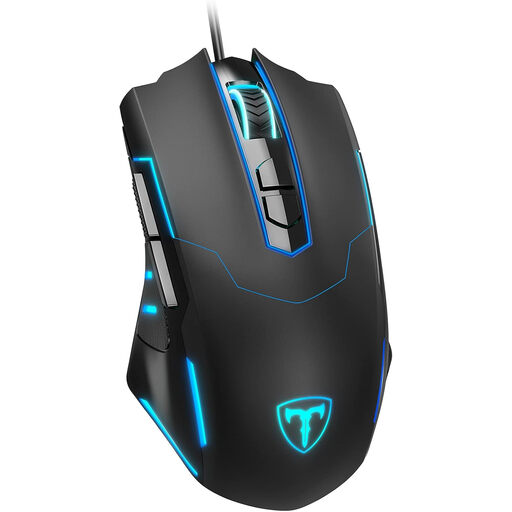
ET wired gaming mouse
A wired option to consider if you’re looking for adjustable sensitivity and programmable buttons.
The product name specifies 7,200 DPI and seven programmable buttons.
Joybuy
Frequently asked questions
Does a gaming mouse for a large screen need a very high DPI?
No, not as a requirement in its own right. Focus on whether you can adjust the pointer speed and comfortably select small items from your seating distance. Adjustable sensitivity doesn’t guarantee that a particular setting will feel right for you.
How do you configure extra mouse buttons?
Use the configuration software for your exact model and start with a command you use often. Logitech G recommends G HUB for the G502 HERO, while Corsair describes assigning buttons through iCUE for the Scimitar RGB Elite. Then check that the command works in your game.
What should you look for in a wireless gaming mouse?
Check how the exact model connects and gets its power. According to Logitech G, the G305 uses a single AA battery; Trust describes the GXT 923 Ybar as rechargeable. Bear in mind that you may need to replace or recharge the battery, and check its level before a longer session.
What are your rights when buying a gaming mouse online in the Netherlands?
According to ACM ConsuWijzer, online purchases generally come with a 14-day cooling-off period from delivery, subject to applicable exceptions. You also have statutory rights if a product used normally doesn’t meet what you could reasonably expect; the seller is responsible for this. A manufacturer’s warranty doesn’t replace those statutory rights.


