
Home worker who also builds
Uses the same mouse for desk work and designing a virtual home. Consider its shape and controls for both activities, and take breaks from prolonged use.


Start with a shape and button layout that suit your hand and working day, then check whether extra buttons can help with actions in your game. A wired mouse avoids battery management but leaves a cable on your desk, while a wireless model requires more attention to its connection and power supply.
Uses the same mouse for desk work and designing a virtual home. Consider its shape and controls for both activities, and take breaks from prolonged use.
Often selects, places and rotates objects, and wants to know whether easy-to-reach, customisable buttons can make actions in their game easier.
Switches between work and gaming devices, or wants fewer cables on the desk. So consider the connection, any receiver required and the power supply for the specific mouse.
First, choose between fit and control, then decide whether a cable or wireless connection works better for your desk. The table links these considerations to the needs that matter most in each scenario.
| Consideration | What to look for | Who should pay particular attention? |
|---|---|---|
| Fit and strain | Consider the shape, how your hand rests and how easily you can reach the buttons. Make sure your arm is supported and take breaks from prolonged screen work. | If I use the same mouse for work and gaming for long periods, I want its shape and button positions to suit my hand. Around 31% of consumers prioritise fit and strain. |
| Controls and extra buttons | Work out which actions you repeat, and check whether the buttons, software and game support the assignments you want. | When I often select, place or rotate objects, I only want extra controls that I can use in my game. Around 31% of consumers prioritise ease of use for this. |
| Connection and desk setup | Check the connection for the exact model, the ports available and whether you need a receiver or Bluetooth. | At a shared desk, I want a connection that works with my devices and no unwanted cable on my workspace. For around 23% of consumers, the connection is the top priority. |
| Features and practical considerations | Think about which features you will actually use. For a wireless model, check how it is powered and whether you will need to replace or recharge the battery. | If I mainly want to point and click, I don't need extra controls I won't use. Around 15% of consumers focus on simplicity and the practical considerations of the power supply. |
A higher adjustable maximum does not, by itself, tell you which setting will feel comfortable to use. The sensitivity ranges listed vary by model.
Consider the shape and adjustability alongside the actions you perform in your game, rather than focusing only on the highest DPI figure.
Wireless models can offer different connection and power options. You may need a receiver, and replacing or recharging the battery is also worth considering.
Before choosing, check the full model variant, the connection it supports and what you need to connect it.
Also consider the computer ports available and whether you will need to replace a battery if the model uses one.
Wired and wireless versions can differ in weight, connection and controls. Similar model names do not mean their specifications are interchangeable.
Check the product page for the full model name, connection and features of the exact variant you are considering.
According to ACM ConsuWijzer, statutory rights in the Netherlands are separate from any warranty offered by the seller or manufacturer. If a product is faulty, contact the seller.
Keep your proof of purchase and contact the seller if a fault develops. Consider any additional warranty separately.
The wired G203 LIGHTSYNC and wireless G305 LIGHTSPEED offer different setups for desks with or without a mouse cable.
The wired Basilisk V3 has customisable controls, while the wireless Basilisk V3 X HyperSpeed is a separate variant with its own features.
The wired Aerox 3 Snow and Rival 5 focus on different things: weight and programmable controls. The Aerox 3 Wireless is a separate connectivity variant.
The wired GXT 922 Ybar has a straightforward layout with side buttons, for anyone who does not necessarily need lots of extra controls.
This selection includes wired and wireless gaming mice for a home office. Compare the button layout, fit and connection with the way you use your mouse.
 No image available
A wired option if you want plenty of buttons within easy reach and don't mind having a cable on your desk.
The product name lists 23 buttons and 26000 DPI. Its wired connection means a cable will be on your desk.
 No image available
A wired option if you want to assign actions to programmable buttons and can use a cable at your regular workspace.
The description lists seven programmable buttons, software customisation and a right-handed shape. Its wired connection leaves a cable on your desk.
 No image available
A wireless option if you want to compare different connection options and find a shape that suits your hand.
The product name lists Bluetooth, 2.4G and USB-C as connection options. The description says it is designed for small to medium-sized hands, but fit is personal.
 No image available
A wired option if you want to compare grip components and are happy to use a mouse with a cable on your desk.
The product name lists a wired version, RGB lighting and 26,000 DPI. The description mentions interchangeable grip components with 16 combinations.
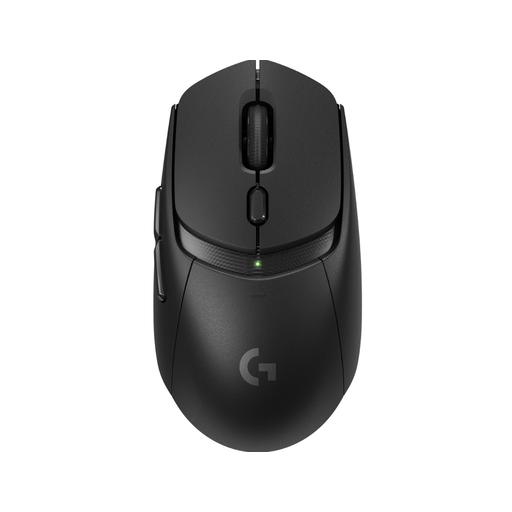 No image available
A wireless option for anyone sharing a desk who wants to choose between connection types and use extra buttons.
The description lists LIGHTSPEED and Bluetooth, six programmable buttons and power from an AA battery. Remember to factor in battery management.
No, not for the basic PC controls described by EA: with an object selected, right-clicking rotates it by 45 degrees each time. EA also describes keyboard controls; extra button assignments are only useful if your game and software support them.
Check the software for your exact mouse and assign only actions supported by your game. Razer says the Basilisk V3’s Smart-Reel feature works through Synapse; Logitech names G HUB for the G203’s advanced settings.
Make sure your arms are supported and take breaks from prolonged screen work. The Dutch Arboportaal highlights repetitive actions and a static posture as factors to consider; a mouse does not replace a suitable workspace setup or taking breaks.
For eligible online consumer purchases, there is generally a 14-day cooling-off period after delivery under Dutch rules, according to ACM ConsuWijzer. Dutch statutory rights are separate from any stated manufacturer’s warranty; if a product is faulty, contact the seller for an appropriate remedy at no cost.
Radio equipment placed on the EU market must meet European requirements. The Dutch Radiocommunications Agency states that the manufacturer applies a CE mark when the equipment meets all requirements; this does not automatically confirm that an individual listing or model variant complies.