
Vandaag of morgen in huis

Kwaliteit gegarandeerd

Welkomstaanbiedingen ontgrendelen: GRATIS bezorging | Tot 80% korting | Gratis 30 dagen JoyPlus-proefperiode
Download de app
Buying a gaming mouse seems simple, until you have to choose between a wireless model, a wired gaming mouse, high DPI and a large number of buttons. Marketing often focuses on speed and lighting, while factors such as shape, battery type and software support are just as important.
Pay particular attention to these three pitfalls:
An optical gaming mouse uses an optical sensor to register movement. As well as checking the maximum DPI, see whether the sensitivity can be adjusted and what increments are available. A mouse with high DPI offers more adjustment options, but your screen size, game type and personal preference determine which setting feels comfortable.
For fast-paced competitive games, the polling rate and connection are also relevant. A polling rate of 1000 Hz means that the mouse position is transmitted up to one thousand times per second. Higher values are listed for some models, but they require suitable hardware and software. So do not focus solely on the biggest number on the packaging.
A wired gaming mouse receives power through the USB cable. You do not need to charge a battery and the wired connection is direct, but the cable can create resistance during broad movements.
A wireless gaming mouse usually works via 2.4GHz with a USB receiver. This is practical for a tidy desk and can offer low latency according to the product specifications. However, check that your PC has a free USB-A port. A model with USB-C charging can often be used as a wired mouse while charging.
A Bluetooth mouse is useful if you use several devices or want to keep USB ports free. Check beforehand that your computer supports Bluetooth and that all functions are also available via Bluetooth.
An ergonomic mouse should suit your hand size and grip. A right-handed model often has a pronounced thumb rest or raised side; a symmetrical mouse may be suitable for both left- and right-handed use. Also consider:
RGB lighting is primarily a design choice. An RGB gaming mouse can give your desk a coordinated look, but lighting does not change the sensor’s performance.
The choices below are based on verifiable product specifications such as weight, DPI, connectivity, power supply and number of buttons.
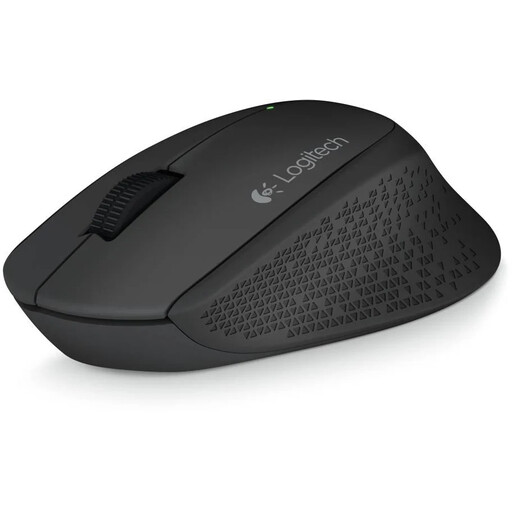
Why it suits this profile: This right-handed wireless mouse is suitable for everyday computer use, light gaming and users who do not need extensive software.
The specifications are straightforward: 1000 DPI, three buttons, an optical sensor and a 2.4GHz receiver. There are no unclear gaming features to pay for.
81 grams, range of up to 10 metres, rubber grips and one AA battery included.

Why it suits this profile: For players looking for a lightweight wireless gaming mouse with USB-C charging, advanced settings and a high adjustable sensor resolution.
The low weight of 60 grams is clearly stated. The wireless LIGHTSPEED connection and USB-C port are more concrete factors to assess than general claims about “fast performance”.
60 grams, HERO 2 optical sensor according to the product information, up to 32,000 DPI and five buttons.
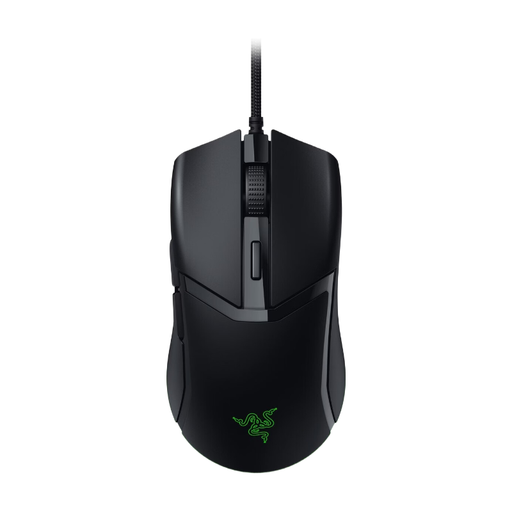
Why it suits this profile: A wired gaming mouse for users who do not want to charge a battery and value low weight, RGB and programmable buttons.
The USB cable prevents the battery from running flat during use. DPI can be adjusted in increments of 50, and the mouse has six buttons, including programmable buttons.
58 grams, optical sensor up to 8500 DPI, Razer Chroma RGB and a 1.8-metre Speedflex cable.
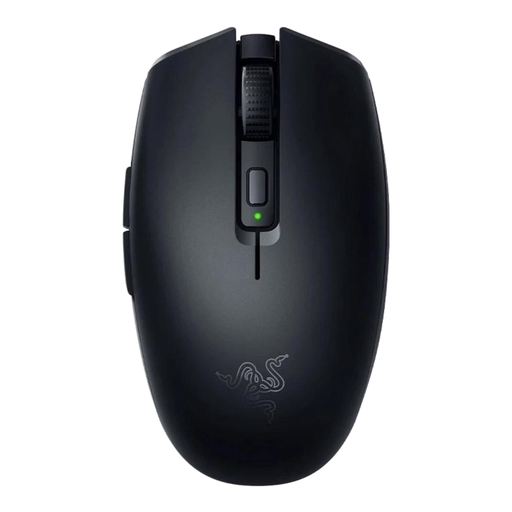
Why it suits this profile: This compact model combines 2.4GHz and Bluetooth, making it suitable for gaming on a PC as well as mobile or laptop use.
You are not dependent on a single connection method. According to the product information, the symmetrical shape is suitable for both left- and right-handed use.
60 grams, 18,000 DPI, six programmable buttons and a stated battery life of up to 450 hours via HyperSpeed or up to 1000 hours via Bluetooth.
We have put together a complete, up-to-date list of products that fully meet these strict selection criteria and the applicable European safety regulations.
That depends on the game, screen resolution and your personal preference. For example, start with a moderate DPI and adjust it in small increments. A mouse with high DPI mainly gives you more choice; it does not guarantee better gaming performance.
According to the product specifications, a 2.4GHz model with a USB receiver may be designed for a fast connection. Position the receiver close to the mouse where possible and check the battery status. Bluetooth is mainly useful for flexibility and low power consumption, but check that the gaming features you want work via Bluetooth.
Its lifespan depends on usage, switches, cable, battery and maintenance. Product information may, for example, state an expected click lifespan, but this is not a guarantee for every user. Keep the sensor and feet clean, do not pull on the cable and avoid storing a wireless model with a flat battery for long periods. Products sold in the EU generally come with a minimum two-year legal guarantee; additional rights may depend on the circumstances and national regulations.
