
Vandaag of morgen in huis

Kwaliteit gegarandeerd

Welkomstaanbiedingen ontgrendelen: GRATIS bezorging | Tot 80% korting | Gratis 30 dagen JoyPlus-proefperiode
Download de app
Buying a gaming mouse sounds simple until you have to choose between wireless and wired, high DPI, extra buttons and different shapes. Marketing copy often focuses on impressive figures, but these do not always tell you how suitable a mouse is for your playing style.
So pay particular attention to three common pitfalls:
DPI indicates how far the cursor moves in response to a particular physical mouse movement. A high-DPI gaming mouse offers more adjustment options, but a higher maximum value alone is no guarantee of more accurate aiming.
For FPS games, many players use lower sensitivity with larger arm movements. In MOBA and RTS games, higher settings and extra buttons can be useful for quickly managing the map and combining abilities.
When comparing products, check:
Watch out for conflicting specifications in a product listing. If a product page gives different weights or sensor values, check the latest technical table and manual before placing your order.
A wired gaming mouse uses a USB cable and does not need a battery. This means less maintenance and no interruptions for recharging. A flexible cable and smooth mouse feet can help reduce cable drag.
A wireless gaming mouse usually works via a 2.4GHz receiver, Bluetooth or both. For competitive gaming, 2.4GHz is generally the practical choice when low latency is important. Bluetooth is particularly useful for laptops and multiple devices, but software features do not always work in every connection mode.
A high polling rate sounds appealing, but also consider:
A lightweight gaming mouse often weighs less than 70 grams, but there is no universally ideal weight. Players with low sensitivity may prefer a slightly heavier model. The right shape depends on your hand size and grip: palm, claw or fingertip.
An ergonomic gaming mouse with a pronounced right-handed shape can provide extra support, but is less flexible for left-handed users. A symmetrical design suits more grip styles, although that does not automatically mean it has thumb support on both sides.
For FPS games, two easily accessible side buttons are often enough. In MOBA and RTS games, six to ten programmable buttons can offer more options. Check whether macros are permitted in your game and whether the configuration software is compatible with Windows or macOS.
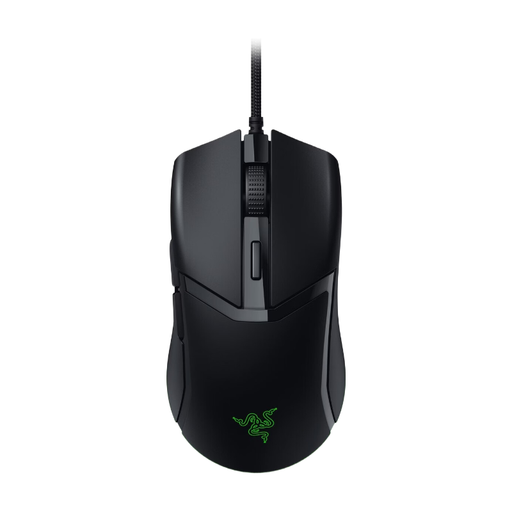
Why it suits this profile: This wired gaming mouse offers a simple USB connection, an adjustable sensor of up to 8,500 DPI and six buttons. This makes it suitable for PC gamers who do not want to manage a battery or wireless receiver.
The cable eliminates the need for charging, and the DPI can be adjusted in increments of 50. Do check that the 180 cm cable is long enough for your desk.
58 grams according to the product specifications, optical sensor, programmable buttons and RGB lighting.
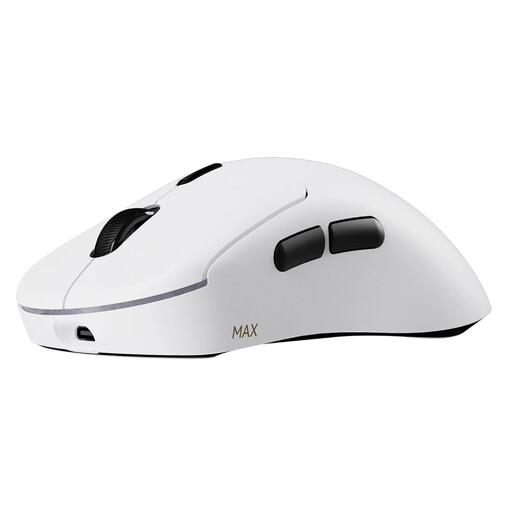
Why it suits this profile: For players who want to play wirelessly with plenty of adjustment options, the 8KHz polling rate, 53-gram weight, 30,000 DPI and ten programmable buttons are relevant specifications.
According to the product description, the wireless connection supports a native polling rate of 8,000 Hz. Rapoo states that the battery lasts up to 750 hours at 1,000 Hz; this may vary with other settings.
Optical switches rated for up to 120 million clicks, independent X/Y DPI and support for Windows and macOS via A HUB.
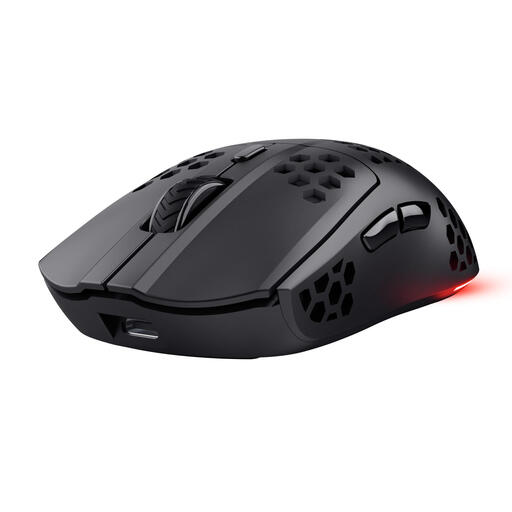
Why it suits this profile: This wireless gaming mouse is aimed at PC and laptop gamers who want a low weight, RGB lighting and a practical battery solution.
The product information states that the battery lasts up to 80 hours, supports USB-C charging and allows you to play while charging. The 1,000Hz polling rate is more straightforward for systems that do not need a higher frequency.
Approximately 73 grams, optical sensor of up to 4,800 DPI, six programmable buttons and a 2.4GHz receiver.
We have put together a complete, up-to-date list of products that fully meet these strict selection criteria and the applicable European safety regulations.
Yes, provided the mouse has a stable 2.4GHz connection and a suitable polling rate. Ideally, position the USB receiver close to the mouse and check the battery status. Bluetooth is useful for general use, but not every model supports all gaming features via Bluetooth.
This depends on your screen resolution, game and playing style. A range of a few hundred to several thousand DPI is sufficient for many users. A model with a higher maximum DPI gives you more choice, but you do not need to use the highest setting.
Its lifespan depends on the switches, cable or battery, intensity of use and maintenance. Manufacturers sometimes state a click rating, such as 10 million or 120 million clicks. According to brands’ own claims, these are technical ratings and not a guarantee of a specific service life. Keep the sensor dry, do not pull on the cable and store a wireless receiver carefully.
