
Vandaag of morgen in huis

Kwaliteit gegarandeerd

Welkomstaanbiedingen ontgrendelen: GRATIS bezorging | Tot 80% korting | Gratis 30 dagen JoyPlus-proefperiode
Download de app
You should not choose a gaming mouse based solely on DPI or RGB lighting. A high resolution may sound impressive, but it does not automatically mean the mouse will feel comfortable for your hand, your game or your desk. Wireless models can also differ considerably in connection type, battery life and software.
Pay particular attention to these common pitfalls:
DPI determines how far the cursor moves when you move the mouse. A high-DPI mouse offers plenty of adjustment options, but you do not necessarily need 20,000 or 40,000 DPI. Many people use a lower setting for office work, photo editing and gaming.
An optical mouse uses a sensor to track movement across a surface. As well as DPI, check whether the mouse has an adjustable DPI function and which software is supported. With some models, macros or personal profiles only work in Windows.
The polling rate indicates how often the mouse sends data to the computer. 1,000 Hz is more than sufficient for many users. Higher values, such as 4,000 or 8,000 Hz, can transmit movements more frequently, but according to the product information may place greater demands on the processor. With a less powerful PC, 1,000 Hz may therefore be more practical.
A USB mouse is ready to use straight away and does not need to be charged. The downside is a cable running across your desk. Check the cable length and connection type, particularly if you use a laptop or Mac with USB-C ports only.
A wireless gaming mouse usually works via a 2.4GHz receiver, Bluetooth or both. 2.4GHz is generally intended for fast connections while gaming. Bluetooth mice are convenient for laptops, tablets and multiple devices, but check whether the gaming features are also available via Bluetooth.
For a rechargeable model, check the stated battery life, charging cable and whether you can continue using the mouse while it is charging. Long battery life is useful, but actual usage time depends on lighting, polling rate and intensity of use.
A lightweight gaming mouse weighing around 60 to 70 grams can be comfortable for fast movements. A heavier model may feel more stable. Do not look only at the weight; also consider the length, width and hand position.
An ergonomic shape is often designed for either right- or left-handed use. A symmetrical model may be more versatile, but does not always provide the same level of support as a distinctly ergonomic mouse.
Also check the number of buttons. Programmable buttons are useful for MMO, MOBA and strategy games, as well as for shortcuts in software. More buttons do mean a larger body and sometimes more time spent configuring the mouse.
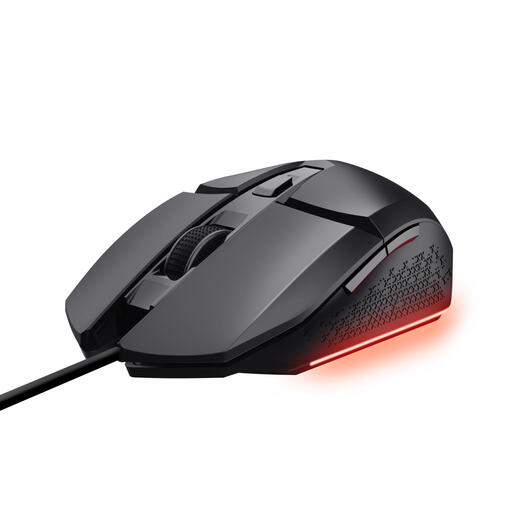
Why it suits this user profile: This wired gaming mouse offers adjustable DPI of up to 6,400, six buttons and RGB lighting, without the need to manage a battery. That makes it suitable for anyone getting started with gaming and keen to try different settings.
The specifications state both the DPI range and the software for buttons, macros and lighting. You can therefore see which settings are available before you buy.
Optical sensor, USB connection, 1.5-metre cable, six buttons and three RGB settings.
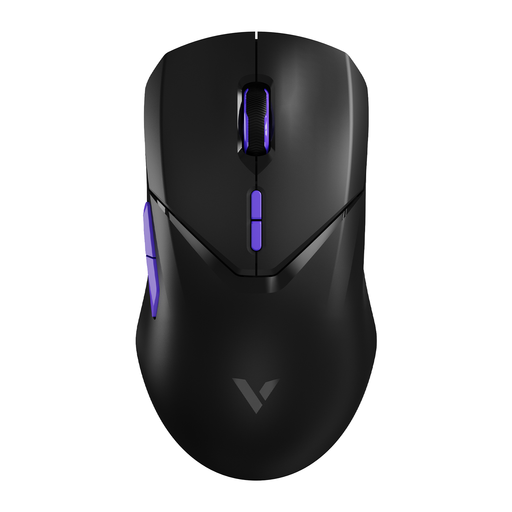
Why it suits this user profile: The product information lists a PAW 3398 sensor, up to 26,000 DPI, a weight of 68 grams and a wireless polling rate of 4,000 Hz. This mouse is aimed at users looking for extensive adjustment options and a wireless design.
The battery life, weight and warning about processor load at 4,000 Hz are clearly stated. This makes it easier to match the mouse to your PC.
Up to 180 hours of stated battery life, ten programmable buttons and onboard memory.
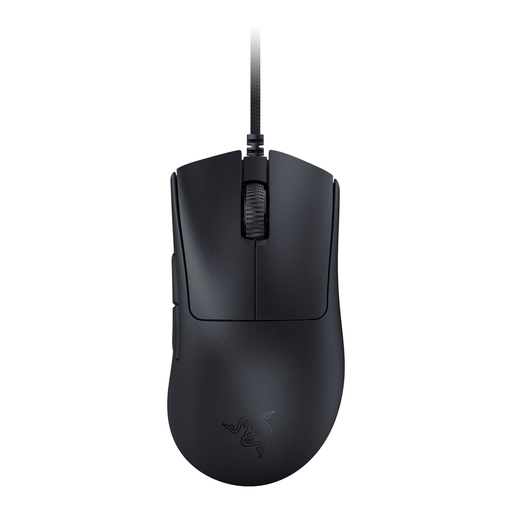
Why it suits this user profile: According to the product specifications, this right-handed wired model weighs 59 grams and features an optical sensor with up to 30,000 DPI. Its shape and connection method are particularly appealing to intensive PC gamers who do not want to charge a battery.
The weight, right-handed shape, DPI level and maximum polling rate of 8,000 Hz are clearly specified. Do check that your system can process high polling rates effectively.
59 grams, optical sensor, USB connection and programmable buttons.
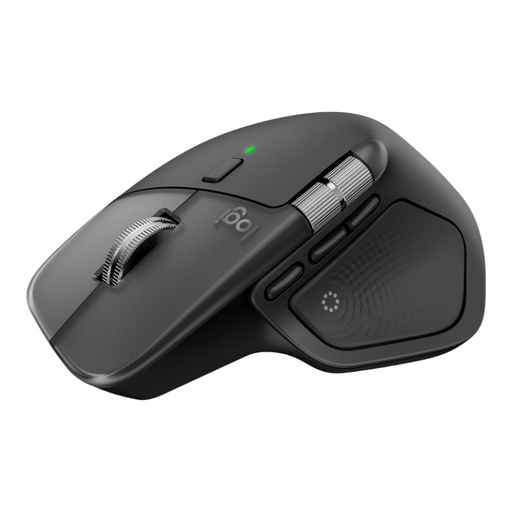
Why it suits this user profile: This model combines Bluetooth and a Logi Bolt receiver with eight programmable buttons, USB-C charging and quiet-click technology. It is not a dedicated gaming mouse, but suits users looking for one ergonomic model for work and light gaming.
The product information makes it clear that this model is focused on comfort, quiet operation and productivity. Do not therefore expect the same gaming-focused shape or polling rate as an esports model.
Up to three connected devices, Bluetooth, USB-C charging, quiet clicks and horizontal scrolling.
We have put together a complete, up-to-date list of products that fully meet these strict selection criteria and the applicable European safety regulations.
That depends on the connection. A model with a 2.4GHz receiver is generally designed for lower latency than Bluetooth. Also check the polling rate, battery life and whether the mouse can be used with a wired connection. Bluetooth may be sufficient for casual gaming, while more serious players often choose a dedicated wireless connection.
There is no single setting that suits everyone. Start with a moderate DPI and adjust it for each game, screen resolution and playing style. A high maximum DPI is mainly valuable if you want plenty of adjustment options; it does not automatically mean you will play more accurately.
The lifespan depends on the switches, cable, scroll wheel, cleaning and usage. A wired mouse avoids battery wear, while a rechargeable mouse may eventually provide less usage time per charge. Keep the sensor and mouse mat free from dust, do not pull on the cable and do not use liquid when cleaning. Always check the statutory guarantee and any additional manufacturer’s terms for the product.
