
Vandaag of morgen in huis

Kwaliteit gegarandeerd

Welkomstaanbiedingen ontgrendelen: GRATIS bezorging | Tot 80% korting | Gratis 30 dagen JoyPlus-proefperiode
Download de app
A split second can be the difference between victory and defeat. As a gamer, you know your gear is just as important as your skill. A stuttering or sluggish mouse is a source of frustration and can hinder your performance. Whether you need lightning-fast reflexes in an FPS or precise actions in a MOBA, the right gaming mouse is crucial.
This guide is designed to help you make an informed choice. We'll cut through the marketing jargon and focus on what really matters: the specs and features that can elevate your gameplay. Below, you'll find actionable tips and a selection of models that stand out for their performance.
The gaming mouse market is vast. To make the right choice, it's helpful to focus on a few key factors.
A lightweight gaming mouse is popular among competitive players, and for good reason. A lower weight results in less fatigue during long sessions and makes quick, sweeping movements easier. Mice under 70 grams are generally considered lightweight. Shape is a matter of personal preference: symmetrical mice are suitable for both left- and right-handed users, while ergonomic mice are designed for a specific hand and often provide more comfort.
The choice between a wired and a wireless gaming mouse is a classic dilemma.
Specifications can seem overwhelming, but a few are essential for a fast gaming mouse:
HyperX Pulsefire Haste 2, go up to 8000 Hz for an ultra-responsive experience.Based on the criteria above, we've rounded up some compelling options for you. These models stand out for their specifications and design.
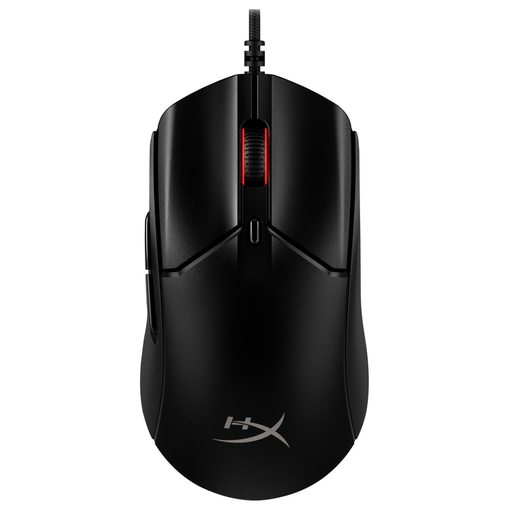
Why It Stands Out: This mouse is built for pure speed. Weighing just 52 grams with an impressive 8000 Hz polling rate, this model is aimed at gamers who demand the fastest possible input. According to HyperX, the mouse responds every 0.125 milliseconds.
Pros:
Who Is It For? For the competitive PC gamer for whom every millisecond counts and who prefers the stability of a wired connection. Ideal for fast-paced FPS games.
View the HyperX Pulsefire Haste 2 - Wired
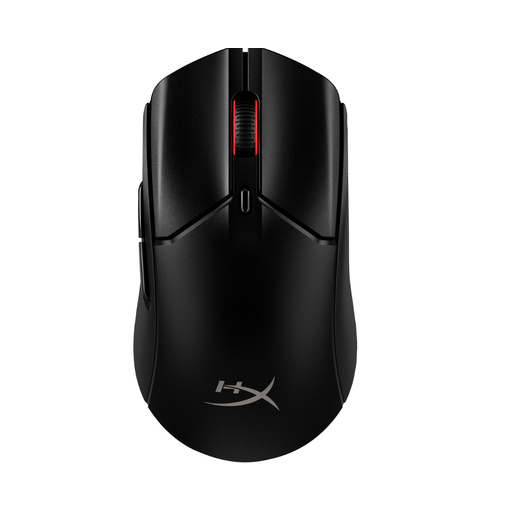
Why It Stands Out: This model offers the speed and light weight of the Haste 2, but with the freedom of a wireless connection. Weighing 60 grams and boasting a battery life of up to 100 hours (according to HyperX), it combines performance with convenience.
Pros:
Who Is It For? For gamers who want the performance of a lightweight gaming mouse without the restriction of a cable. Suitable for both PC and console (PS5/Xbox).
View the HyperX Pulsefire Haste 2 - Wireless
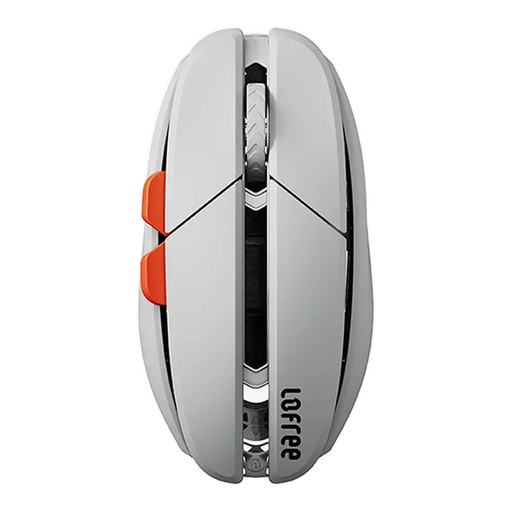
Why It Stands Out: The Lofree Hypace stands out for its materials and weight. With an internal magnesium alloy frame, this mouse weighs a mere 47 grams. It's equipped with a high-end PAW3950 sensor, which can reach up to 40,000 DPI via software.
Pros:
Who Is It For? For the user seeking an ultra-light, versatile mouse for both gaming and productivity, with a preference for a premium and minimalist aesthetic.
View the Lofree Hypace Bluetooth Mouse
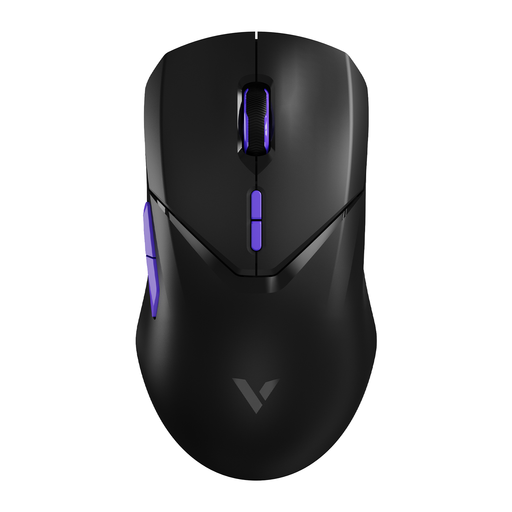
Why It Stands Out: The RAPOO VT9Pro focuses on wireless performance with a 4000Hz (4K) wireless polling rate. This is significantly higher than the standard 1000Hz and promises a near-instantaneous response. The battery life is very generous at 180 hours (according to Rapoo).
Pros:
Who Is It For? For the serious wireless gamer who seeks the highest possible polling rate and values long battery life and a symmetrical shape.
View the RAPOO VT9Pro 4K Wireless Mouse
The perfect gaming mouse for PC is a personal choice that depends on your grip, playstyle, and budget. If these models don't quite match your needs, or if you want to complete your setup with other accessories, there are more options available.
Explore more options for a PC mouse cable here.
There is no 'best' DPI; it's a matter of personal preference. Many professional gamers use a relatively low DPI (between 400 and 1600) for more control and precision, especially when aiming. A high DPI is useful for fast camera movements on high-resolution screens. It's advisable to experiment with the DPI presets on your mouse to see what works best for you.
A lightweight gaming mouse can offer advantages, such as faster reactions and less strain on your wrist during long gaming sessions. This is especially popular in FPS games where quick 'flicks' are necessary. Whether it's 'better' depends on your preference. Some players prefer a heavier mouse for a more stable feel.
Most USB gaming mice, including the models mentioned here, work on a plug-and-play basis with consoles like the PS5 and Xbox Series X|S for basic functionality in games that support mouse and keyboard input. However, features like customising the RGB gaming mouse lighting, programming buttons, or setting DPI levels often require specific software that only runs on a PC.
