
Players who use lots of shortcuts
You want to control commands from your mouse while playing. So, look beyond the number of extra buttons: consider where they are placed and whether you can identify them without looking.


First, choose a mouse with a shape and button layout that feel comfortable, and that you can use without looking. A few well-placed buttons may be enough; a 12-button side panel is worth considering mainly if you want to assign lots of commands and can easily tell the buttons apart. Also check that the scroll wheel, lighting and wired or wireless connection suit the way you play.
You want to control commands from your mouse while playing. So, look beyond the number of extra buttons: consider where they are placed and whether you can identify them without looking.
You want a shape and grip that suit your hand and make the buttons and scroll wheel comfortable to use. If you perform lots of repeated actions, consider your desk setup too.
You want to find the controls without being distracted by lighting. Check both the physical button layout and the lighting settings available on the exact mouse variant.
Start with the shape and buttons you’ll actually use while playing. Then compare the scroll wheel, lighting and how the mouse is powered.
| What to consider | What to look for | Who should consider this? |
|---|---|---|
| Shortcuts and map controls | Count the commands you want to assign and check whether you can reach the buttons with your usual grip. | If I want to control commands from my mouse, I need to be able to find the buttons without looking. Around 36% of consumers say accessible shortcuts are their main reason for buying. |
| Hand comfort during long sessions | Try the shape, grip and distance to the side and wheel buttons; consider your desk setup too. | If I play for a long time, I want the mouse to feel comfortable in my hand and the buttons to be easy to reach. Around 29% of consumers prioritise hand comfort. |
| Using the mouse in the dark | Check the lighting settings for the exact variant and whether you can find the buttons you need by touch. | If lighting distracts me, I want to find my controls by touch and adjust the lighting. Around 21% of consumers give using a mouse in low light the highest priority. |
| Connection and power | Check the connection type and whether the mouse uses a rechargeable battery or replaceable batteries. | If I don’t want a cable on my desk, I weigh the freedom of movement against charging or replacing batteries. Around 14% of consumers prioritise the connection and power requirements. |
A 12-button side panel is a different layout from extra buttons spread across the mouse. Corsair lists 16 programmable buttons for the Corsair SCIMITAR ELITE WIRELESS, while RTINGS counts 15 for the same model. So the total alone doesn’t provide a clear measure of how easy the mouse is to use.
Make a list of the commands you want to assign and consider whether you can tell the corresponding buttons apart without looking.
Adjustable RGB zones don’t prove that the labels or individual buttons will be visible in the dark.
Check the lighting settings for the exact variant and consider whether its physical layout helps you find important buttons by touch.
How long a wireless mouse lasts can vary depending on its connection mode and power source. Razer lists different maximum battery lives for Bluetooth and HyperSpeed Wireless on the Naga V2 HyperSpeed.
Compare the stated battery life for the connection mode you actually intend to use, and check whether the mouse has a rechargeable battery or uses replaceable batteries.
The wired G502 HERO is worth comparing if you’re looking for extra buttons spread across the mouse, saved profiles and adjustable RGB lighting.
The wired Basilisk V3 and wireless Naga V2 HyperSpeed are different options: the former offers extra controls and several scroll modes, while the latter has a 12-button thumb grid.
The SCIMITAR ELITE WIRELESS is designed for players who want to assign lots of commands and adjust the position of its 12-button side panel.
The Aerox 9 Wireless is a wireless option with a 12-button side panel and a stated weight of 89 gram from SteelSeries.
This selection includes wired and wireless gaming mice with extra assignable controls; some models also offer adjustable lighting or a scroll wheel with additional functions.
 No image available
A wired option if you want to use programmable buttons without having to manage batteries.
11 programmable buttons, adjustable RGB lighting and an adjustable weight system.
25,600 DPI; right-handed design.
 No image available
A wired option to compare if you’re looking for extra features and scroll-wheel controls.
7 buttons and 23 customisable functions with Easy-Shift[+].
4D scroll wheel with vertical scrolling and left-right tilt functionality.
 No image available
A wired option if you want to use programmable buttons without having to manage batteries.
13 programmable buttons and a USB Type-A connection.
Optical sensor; 25,600 DPI.
 No image available
A wireless option if you want to assign extra commands and are looking for a built-in rechargeable battery.
10 programmable buttons, PAW 3398 sensor and built-in memory.
4K; 26,000 DPI.
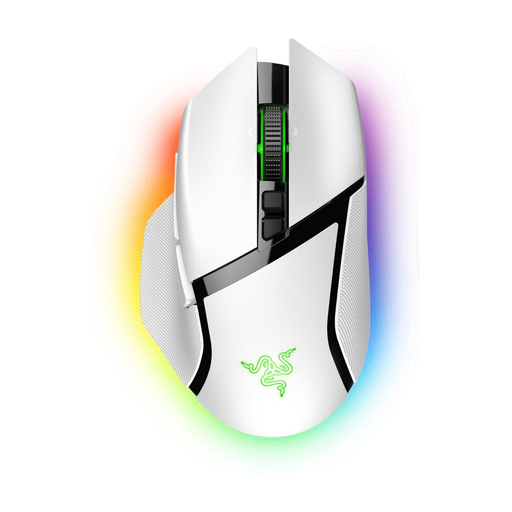 No image available
A wireless option if you want to assign extra commands and compare different scroll modes.
11 programmable buttons, a multi-mode HyperScroll Tilt Wheel and Chroma RGB lighting.
First, use the software for the exact model to assign a few commands you use, then check that they work in the game. Logitech lists G HUB for the G502 HERO; Corsair lists iCUE and profiles for the SCIMITAR ELITE WIRELESS. More buttons or a macro won’t automatically give you a useful in-game command.
No. RGB lighting alone doesn’t prove that individual button labels are illuminated. Logitech and Razer list adjustable RGB for the G502 HERO and Basilisk V3 respectively; also consider whether you can find the buttons you need by touch.
Check whether the version you’re choosing has a rechargeable battery or uses replaceable batteries, and bear in mind the relevant power requirements. Razer lists different maximum battery lives for each connection mode for the Naga V2 HyperSpeed; these manufacturer figures aren’t a guarantee of how long it will last for you.
According to the Dutch government, when you buy online from a business, you usually have 14 days to change your mind. There are exceptions, and a purchase from a private seller isn’t necessarily covered by the same rules. Check the seller’s applicable terms and conditions too.
Yes. Business.gov.nl lists safety and conformity requirements for electrical and electronic equipment. According to this government information, equipment with Bluetooth or a radio frequency module is also covered by the Radio Equipment Directive; these are product requirements, not a separate registration requirement for the buyer.