Who is this guide for?

Timeline navigator

You repeatedly jump between moments in your footage and want to tailor the scroll wheel and buttons to your video software. Adobe describes using the mouse wheel to navigate the timeline and customising keyboard shortcuts in Premiere; other programmes may work differently.

Long-session viewer

You use your mouse for extended periods and care more about its shape and how easily you can reach the buttons than its maximum DPI alone. The models listed vary in shape, weight and controls.

Dark-workspace user

You want to control how much attention the mouse lighting draws. Check whether you can adjust the lighting on the specific mouse using its companion software.

What should you look for?

Wired mouse with an advanced scroll wheel

A good fit if: you often navigate a timeline and don’t mind having a cable on your desk. Razer describes three scroll modes for the wired Basilisk V3 35K.

Bear in mind: the cable, and whether you can set the lighting to your preference.

Wireless mouse with several customisable buttons

A good fit if: you want more freedom of movement and to assign repeated actions to mouse buttons. Logitech lists 13 customisable controls for the G502 X LIGHTSPEED.

Bear in mind: charging or battery management, and how easily the buttons fall to hand.

Simpler wireless model

A good fit if: you want a wireless mouse without needing lots of separate mouse buttons. HP lists six programmable buttons, Bluetooth and 2.4 GHz for the wireless HyperX Pulsefire Haste 2.

Bear in mind: if you need to perform lots of separate actions, you may need to use your keyboard more often. Also check that the connection works with your computer.

What to consider What should you check? Who is this important for?
Navigating footage Try the different scroll modes and check whether your video software supports the commands or keyboard shortcuts you want to use. If I often jump between points on a timeline, I want to navigate without constantly reaching for the keyboard; around 36% of consumers prioritise timeline controls.
Controls for long sessions Assess the shape, grip, weight and reach of the side buttons on the exact model. If I’m reviewing footage for a long time, I want to reach the buttons without repeatedly changing my grip; around 29% of consumers prioritise comfort during extended use.
Lighting in a dark room Check whether you can adjust the lighting on the specific mouse using its companion software. If I work in a dark room, I want to tailor the mouse lighting to my workspace; around 21% of consumers prioritise adjustable or minimal lighting.
Wired or wireless Compare the connection, compatibility, any receiver and charging options for the model you’re considering. If I don’t want a mouse cable on my desk, I’d rather choose a suitable wireless connection and bear charging in mind; around 14% of consumers prioritise freedom of movement.

Common buying mistakes

  • Confusing maximum DPI with convenient timeline controls

    A high maximum DPI doesn’t tell you whether the scroll wheel or buttons will suit the actions you perform in your video software.

    First, check which controls you use most often and whether your software supports the commands you want.

  • Treating wired and wireless versions as the same model

    Models with similar names may have different connections and specifications. The wired Logitech G502 X, for example, is a different version from the G502 X LIGHTSPEED.

    Check the full model name, connection and specifications of the version you want to buy.

    A different connection may mean making changes to your workspace.

  • Assuming you need an extra warranty package

    The Dutch government explains that the Netherlands has no fixed statutory warranty period. What you can expect from a product depends, among other things, on the product and the circumstances. An additional package is separate from your statutory rights.

    Find out exactly what extra services a package offers and compare them with what’s relevant to your purchase.

    An optional warranty or service package may add costs without offering extra services that are useful in your situation.

Relevant brands to consider

Razer

The Basilisk V3 35K is a wired option; the Basilisk V3 Pro 35K is a separate wireless version.

  • Razer describes three scroll modes for the wired V3 35K.
  • Check that the mouse suits your hand and that you can set the lighting on your chosen version to your preference.

Logitech G

The wired G502 X and wireless G502 X LIGHTSPEED offer different connection options.

  • Logitech lists 13 customisable controls for the G502 X LIGHTSPEED.
  • Sensor and model specifications may vary; don’t assume details from another version apply without checking.

SteelSeries

The Aerox 5 Wireless is a wireless option with several side buttons.

  • SteelSeries lists nine programmable buttons, five of which are on the side panel.
  • Check that the side buttons are easy to reach and that your chosen mouse supports the lighting settings you want.

HyperX

The wireless Pulsefire Haste 2 is an option with a simpler button layout and two wireless connection options.

  • HP lists six programmable buttons, Bluetooth and 2.4 GHz for this wireless version.
  • The wired Pulsefire Haste 2 is a different version; check the full model name and connection.

Gaming mice at Joybuy

This selection includes wired and wireless gaming mice with different button layouts and controls. For each version, check which features work with your video software and suit your workspace.
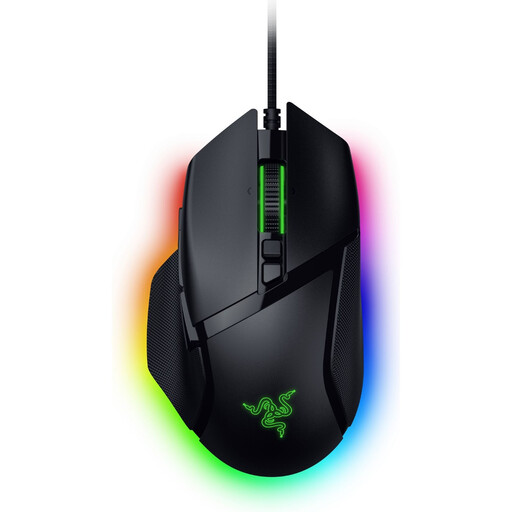
Razer Basilisk V3 35K wired gaming mouse, black

Razer Basilisk V3 35K, wired

A good fit if you want a wired mouse with scroll controls for repeated navigation.

Wired version; the product name lists 35,000 DPI and 11 buttons. The cable connects to your computer.

View at Joybuy
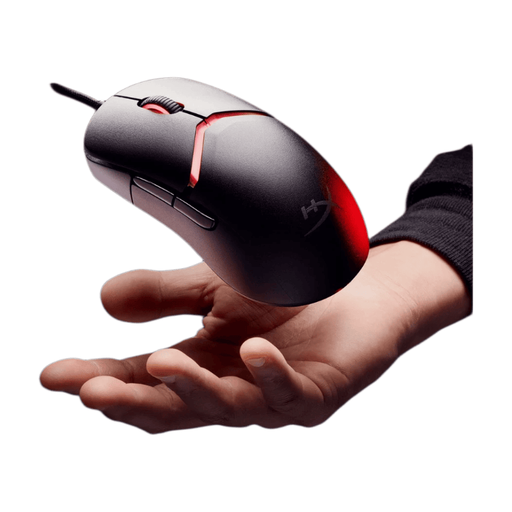
HyperX Pulsefire Saga wired gaming mouse with RGB lighting, black

HyperX Pulsefire Saga, wired

A good fit if you’re looking for a wired mouse and want to tailor its controls to repeated actions.

The product name lists RGB lighting and 26,000 DPI. The wired connection means a cable runs to your computer.

View at Joybuy

Logitech G G502 X right-handed gaming mouse with USB Type-A connection

Logitech G G502 X, right-handed

A good fit if you’re looking for a wired version and want to assign functions to the buttons and scroll wheel.

The product name lists a USB Type-A connection, optical controls and 25,600 DPI. Check that the connection is compatible with your computer.

View at Joybuy
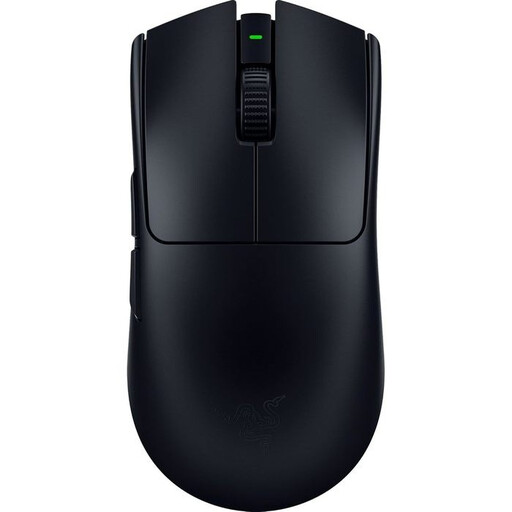
Viper V3 Pro, black

Viper V3 Pro, black

A good fit if you want a wireless mouse without lighting for a dark workspace.

The product description specifies a version without lighting. Check the connection and controls on the version you’ve chosen before buying.

View at Joybuy
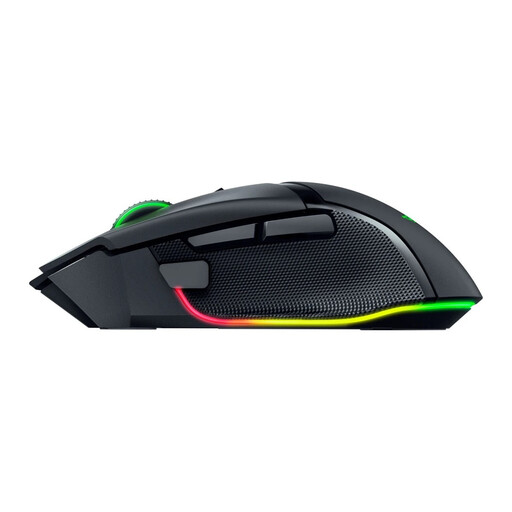
Razer Basilisk V3 Pro 35K ergonomic wireless gaming mouse, black

Razer Basilisk V3 Pro 35K, wireless

A good fit if you want a wireless mouse with scroll controls for repeated navigation.

The product name describes an ergonomic wireless gaming mouse. Check the fit and available lighting settings for this version.

View at Joybuy

Frequently asked questions

Do extra mouse buttons automatically work for frame-by-frame navigation?

No. Don’t assume a function is already set up. Check which commands your video software supports and, where possible, assign suitable keyboard shortcuts; Adobe describes customisable keyboard shortcuts for Premiere.

How do you use the scroll wheel to navigate a timeline?

According to Adobe, in Premiere you can use the mouse wheel when the pointer is over the timeline zoom slider. Try the scroll mode that suits the way you work; other video programmes may behave differently.

Can you adjust RGB lighting for a dark workspace?

For devices that support the feature, Razer and SteelSeries describe lighting settings. Check the software and the exact mouse version before assuming it offers the adjustment you want.

Are you only entitled to a standard two-year statutory warranty in the Netherlands?

No. The Dutch government says the Netherlands has no fixed statutory warranty period. What you can expect from a product depends, among other things, on the product and the information provided by the seller. If something is wrong with the product, contact the seller.

Which product rules apply to wireless gaming mice in the Netherlands?

Applicable European product requirements apply to electrical and electronic equipment. Dutch government guidance refers to the Radio Equipment Directive for devices with Bluetooth or a radio frequency module; a product listing alone doesn’t confirm that a specific version meets all requirements.
