
Players without a spare socket for charging
You don’t want to need a separate mouse charger or interrupt a long co-op session to recharge. Compare a wired USB mouse with a model that uses replaceable batteries.


Having few plug sockets doesn’t automatically mean you need to choose a wireless mouse: a wired USB mouse gets its power from your computer, while a wireless mouse with a replaceable battery doesn’t need to be charged. Next, check that your computer has the USB port or Bluetooth connection you need, that the shape and weight suit the way you aim, and that you can assign team actions to the buttons.
You don’t want to need a separate mouse charger or interrupt a long co-op session to recharge. Compare a wired USB mouse with a model that uses replaceable batteries.
You’re looking for freedom of movement and a shape that suits your grip. So, alongside the connection, consider the weight, dimensions and how the cable might affect your movements.
You might want ping or push-to-talk within easy reach, for example. In that case, the button layout and how configurable the buttons are matter, as do your game settings.
Start with the power supply and connection: having few spare plug sockets is not the same as having few spare USB ports on your computer.
| What to consider | What should you look for? | Who does this matter more to? |
|---|---|---|
| Power without interruption | Check whether the mouse is wired, uses replaceable batteries or needs to be charged. Find out whether you can keep playing in wired mode while it charges. | If I want to play a long session without having to plan a charging break, uninterrupted power comes first. Around 31% of consumers make power without charging interruptions their top priority. |
| Grip and aiming | Compare the dimensions and weight, including the battery if one is needed. Also check whether the shape suits your hand and preferred grip. | If I make lots of aiming movements in a shooter, I want to know how the mouse feels and moves in my hand. Around 25% of consumers put grip and aiming first. |
| Connection to your computer | Check which port you need, whether a receiver is used and which connection modes the exact model supports. | If I have few spare computer ports, I want to know in advance whether I need a USB port or can use Bluetooth. Around 19% of consumers put connectivity first. |
| Buttons for team actions | Check which buttons can be customised and whether the game and platform support the assignments you want. | If I want quick access to ping or push-to-talk, I look for buttons I can customise and reach easily. Around 13% of consumers make team actions their top priority. |
| Running costs | Check whether batteries are included and whether the mouse you choose needs a battery, charging cable or compatible USB connection. | If I want to keep track of the costs after purchase, I factor in replaceable batteries or the charging setup I’ll need. Around 12% of consumers put running costs at the top of their list. |
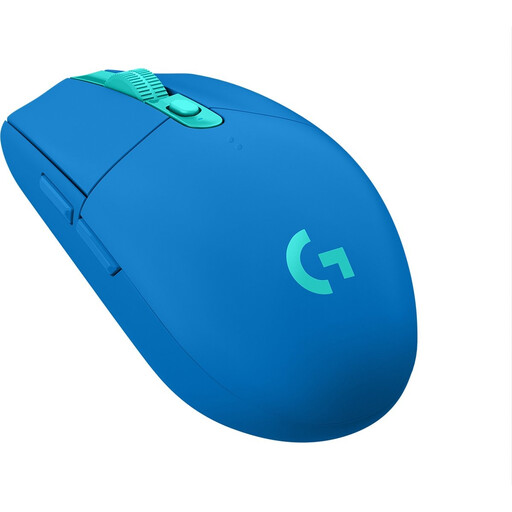
A wireless mouse may need a USB receiver. Logitech specifies a LIGHTSPEED USB receiver and a USB port for the G305, so don’t assume this model has Bluetooth.
Check the connection method for the complete model and the ports available on your computer.
Manufacturers quote battery life for specific models and modes; actual battery life can depend on use and settings.
Only compare figures when the model and connection mode match, and allow for charging or a spare battery.
A wired mouse doesn’t need a separate plug socket, but it does need a compatible USB connection. A wireless mouse with a receiver may also use up a computer port.
Count your spare mains sockets and compatible computer ports separately before choosing.
The Basilisk V3, Basilisk V3 X HyperSpeed and Basilisk V3 35K differ in connection and design, among other things. Features of one version don’t automatically apply to another.
Check the full model name before comparing the battery type, connection or buttons.
The G305 is a wireless option with a replaceable AA battery and USB receiver.
The Basilisk V3 X HyperSpeed is a wireless option; the Basilisk V3 is a separate wired model.
According to SteelSeries, the Rival 3 Wireless Gen 2 lets you choose between 2.4 GHz via USB and Bluetooth.
The Pulsefire Haste 2 Wireless is a rechargeable wireless option that, according to HyperX, can also be used in wired mode while charging.
The GXT 923 Ybar is a rechargeable wireless option with customisable buttons.
This selection of Joybuy products includes wired models and wireless gaming mice with replaceable batteries for co-op shooters.
 No image available
A wired option if you don’t want to manage a mouse battery and want to assign team actions to the mouse buttons.
The USB cable stays connected during use and takes up a USB port.
 No image available
A wireless option with a replaceable AA battery for anyone who doesn’t want a mouse cable while playing.
LIGHTSPEED uses the included USB receiver; Bluetooth is the other listed connection option.
 No image available
A wireless option with a replaceable AA battery if you don’t want to schedule time to charge your mouse.
The USB receiver needs a spare port. Logitech quotes up to 250 hours in Performance mode; actual battery life can vary.
 No image available
A wireless option with a replaceable AA or AAA battery for playing without a mouse cable.
You’ll need a battery; the mouse isn’t rechargeable. The listed connection options are Bluetooth and a HyperSpeed dongle.
 No image available
A wireless option with an AA battery and customisable buttons for anyone who wants to control team actions using the mouse.
HyperSpeed uses a USB dongle; Bluetooth is the other listed connection option.
No. If your computer has a suitable spare USB port, a wired USB mouse gets its power from the computer, so you don’t need a separate mouse charger. A wireless mouse with a USB receiver may also use a computer port, so having few plug sockets and few USB ports are different limitations.
It depends on the model. HyperX says the Pulsefire Haste 2 Wireless can be used in wired mode while charging. Check that your computer has the required connection available.
Logitech specifies a LIGHTSPEED USB receiver and a USB 2.0+ port for the G305. Don’t assume it has Bluetooth without checking: Logitech doesn’t list this connection mode in the technical specifications.
According to the Dutch government, you’re entitled to a product that works properly and can contact the seller if there’s a problem. Depending on the circumstances, a solution such as a repair, replacement or refund may be appropriate. The Netherlands doesn’t have a fixed statutory warranty period of exactly two years; normal wear and tear or damage caused by your own actions isn’t automatically covered.
According to the Dutch government, household batteries shouldn’t go in the bin and can be taken to shops that sell batteries, among other places. For an old mouse as an electrical device, the Dutch government lists options including your local council recycling centre and, when a private individual buys a similar new device, the one-for-one take-back scheme.