
Gamer without a charging spot
Wants to practise on a multiplayer map without having to free up a plug socket for the mouse, so is comparing replaceable batteries with USB power.


Start with the connection that’s in short supply. A mouse with replaceable batteries means you won’t need to stop and charge, while a wired mouse needs no battery management but does occupy a USB port. A rechargeable wireless mouse is only practical if you can charge it. Then check that its shape and button layout suit your grip and in-game actions.
Wants to practise on a multiplayer map without having to free up a plug socket for the mouse, so is comparing replaceable batteries with USB power.
Wants to know in advance whether the chosen connection uses a cable, wireless dongle or Bluetooth.
Is looking for buttons for custom in-game actions, but also wants to check that the shape, weight and button layout suit their grip.
A shortage of plug sockets isn’t the same as a shortage of USB ports, so consider the power source and connection separately.
| What to consider | What to look for | Who should pay extra attention? |
|---|---|---|
| Avoiding the need to stop and charge | Check the battery type and number, whether batteries are included, and whether a wireless dongle needs a USB port. | If I don’t want to reserve a plug socket for charging the mouse, replaceable batteries are a better fit for my setup. An estimated 36% of consumers in this situation want to avoid charging. |
| Finding the right connection | Count your available USB ports, check whether your device supports Bluetooth and find out which connections the exact model offers. | If my computer has few free ports, I want to know in advance whether I’ll need Bluetooth, a dongle or a cable. An estimated 28% of consumers in this situation put the connection first. |
| A comfortable grip for repeated map exploration | Compare the shape and weight, including any battery, and check that you can reach the buttons while holding the mouse as usual. | When making repeated movements, I want a mouse that suits my grip, not just one with a high DPI rating. An estimated 18% of consumers in this situation put comfort and fit first. |
| Assigning in-game actions to buttons | Check the number and position of the buttons, the software for the exact model and which key bindings the game supports. | If I perform the same actions often while practising on a map, I want to be able to set them up within easy reach without extra buttons getting in the way. An estimated 18% of consumers in this situation prioritise accessible buttons. |
A wireless mouse may still need a dongle, while a model with replaceable batteries will eventually need new ones.
Check separately how many plug sockets and USB ports are available, which battery type the mouse uses and which connection mode you plan to use.
Manufacturer claims can vary depending on the battery and connection. For example, Razer gives separate figures for the Orochi V2 using Bluetooth and HyperSpeed; these modes can’t be compared directly.
Only compare figures that use the same connection, battery and relevant settings, and treat them as manufacturer claims.
A high DPI rating or extra buttons don’t automatically mean the shape and controls will suit your grip.
Compare the shape, weight and button placement. If possible, check that you can reach the buttons you want without changing your grip.
The G305 is a wireless option that uses one AA battery; the wired G502 X has a different shape and controls.
The compact Orochi V2 offers two wireless connection modes, while the wired Basilisk V3 has more customisable buttons.
The Rival 3 Wireless Gen 2 uses replaceable AAA batteries and offers both 2.4GHz and Bluetooth modes.
The wired Pulsefire Haste 2 is an alternative if you have a free USB port and don’t want to manage batteries.
This selection focuses on wireless gaming mice with battery power and models with multiple connection options. Check whether the mode you choose uses a USB port for each model.
 Image unavailable
An option to consider when weighing wireless connections and a USB connection against the number of ports in your setup.
The product name lists RF Wireless, Bluetooth and USB Type-A.
 Image unavailable
Suited to anyone who wants to play wirelessly without having to set aside time to charge the mouse. Bear in mind that the AA battery will eventually need replacing.
The product name describes it as a wireless gaming mouse.
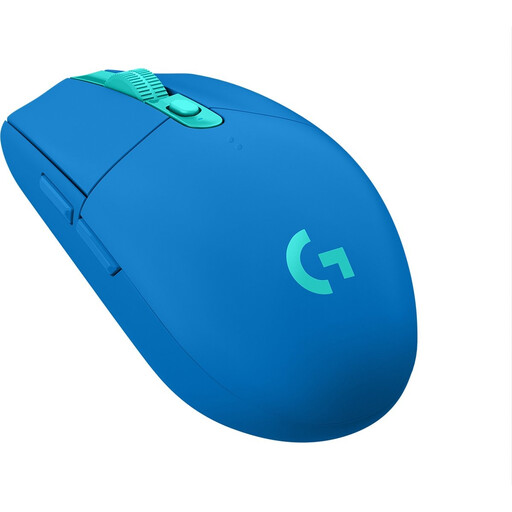 Image unavailable
A wireless option if you want to avoid charging. The battery will eventually need replacing, and the RF receiver uses a USB port.
The product name specifies the LIGHTSPEED connection and the blue version.
 Image unavailable
Suited to anyone who wants to play wirelessly without charging and choose between Bluetooth and a dongle. The battery will eventually need replacing.
The product name lists 18,000 DPI and an optical sensor.
 Image unavailable
A wireless option if you want to assign in-game actions. Check whether Bluetooth or the dongle is a better fit for the USB ports you have available.
The AA battery will eventually need replacing.
No. A wired gaming mouse uses a USB port on your device and doesn’t need charging separately. A wireless mouse with replaceable batteries also avoids charging, but you’ll eventually need new batteries.
First decide which in-game actions you want to assign, then check the game settings and the software for your exact mouse. Programmable buttons don’t mean that every game supports every assignment.
According to the Dutch government, used batteries must not go in general rubbish. Take them to a collection point, such as a shop that sells batteries. You can return an old electrical appliance to the retailer when buying a similar new appliance, subject to the conditions described.
When you buy online from a business, you generally have a statutory 14-day cooling-off period after delivery, with some exceptions. ACM ConsuWijzer explains this cooling-off period; you’re also entitled to a product that meets legal standards. According to the Dutch government, there is no fixed statutory warranty period in the Netherlands. Report a faulty product to the retailer.