
Player with limited charging options
You want to play without setting aside an extra power socket for your mouse, so you’re comparing an AA battery, USB charging and a wired connection.


If you have few power sockets, you could choose a wired USB mouse, a rechargeable mouse that charges via USB, or a wireless mouse with a replaceable AA battery. Choose based on the USB ports you have available and what you want to do when the battery runs out: replace it, recharge it, or keep playing with a cable plugged in. Stated battery life depends on the model and usage mode, and is not a guaranteed playing time.
You want to play without setting aside an extra power socket for your mouse, so you’re comparing an AA battery, USB charging and a wired connection.
You want to know what you can do if the battery runs out while you’re playing: replace it or carry on with a cable plugged in.
You may also use the mouse outside games, and are weighing up a USB receiver versus Bluetooth, if your computer supports it.
Start with the power supply and the USB ports available. Then check whether you can replace or recharge a flat mouse without interrupting your gaming session unnecessarily.
| What to consider | What to look for when buying | Who is this important to? |
|---|---|---|
| Power without an extra socket | Check whether the model uses an AA battery, charges via USB or connects to the computer with a cable. | If there isn’t a spare power socket, I want to know how the mouse is powered. Around 33% of consumers put powering it without an extra socket first. |
| Keep playing during long sessions | Check whether you can keep playing with the charging cable when the battery runs out; only compare battery life in hours when the connection mode and testing conditions are the same. | During a long gaming session, I want to be able to swap out a flat mouse quickly or carry on playing with a cable. Around 27% of consumers say avoiding interruptions is their main concern when buying. |
| Shape and controls | Consider the shape and how easy the buttons are to reach for your own hand; check which extra buttons you can actually customise. | For repeated actions, I want a mouse that feels comfortable in my hand and has buttons I can reach. Around 20% of consumers put shape and controls first. |
| Connection and switching devices | Check whether your computer has a suitable USB port available and whether the exact model supports Bluetooth. | If I want to use the mouse with another device too, I want to know whether Bluetooth works or if I need a USB receiver. Around 20% of consumers prioritise connectivity and use with more than one device. |
A USB receiver or charging cable uses a port on your computer, even if the mouse doesn’t need its own power socket.
Count your spare USB ports before buying and check the connection and power supply for the exact model.
Manufacturers may give different battery life figures for each connection mode and battery type. For example, Razer lists separate maximum figures for Bluetooth and HyperSpeed, measured using a lithium AA battery.
Only compare figures when the mode and testing conditions match, and decide in advance what you’ll do when the battery runs out.
A mouse that uses a USB receiver may take up a port you need for other equipment.
Check the connection options for the full model number with the manufacturer, rather than relying solely on a retailer’s description.
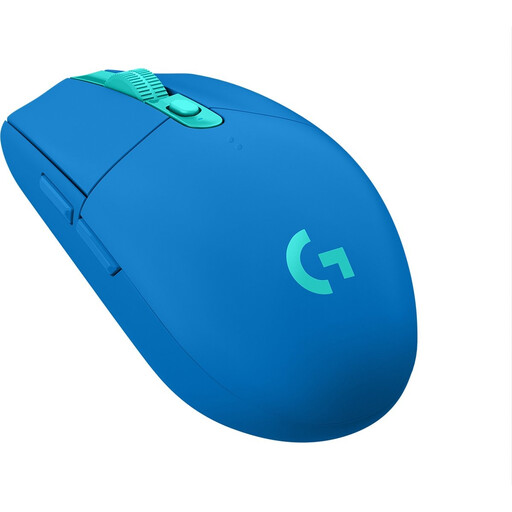
The G305 LIGHTSPEED is an example of a wireless mouse with a replaceable AA battery.
The Orochi V2 combines a compact shape with Bluetooth and a 2.4 GHz receiver.
The GXT 926 Redex II and GXT 110 Felox are rechargeable options that Trust says you can use while they’re charging.
The Aerox 3 Wireless offers Bluetooth and a 2.4 GHz connection.
The HARPOON RGB WIRELESS is an example that offers Bluetooth, a wireless receiver and wired USB use.
This selection includes wireless mice with a rechargeable battery or replaceable battery, as well as a wired USB mouse.
 No image available
A good fit if you want to play wirelessly but also have the option of a wired USB connection.
The description lists 2.4 GHz wireless and wired USB use, a rechargeable battery, up to 50 hours of use per charge and eight programmable buttons.
 No image available
A good fit if you want to choose between wireless connections and charging via USB-C or the magnetic base.
The product information lists 2.4G, USB-C and Bluetooth, a 400 mAh rechargeable battery and a weight of 56 g. The product warning advises keeping the magnetic base at least 15 cm away from pacemakers and medical implants.
 No image available
A good fit if you’re looking for a rechargeable mouse with multiple connection options and a charging dock.
The product information lists Bluetooth, 2.4G and USB-C, a PAW3311 sensor and six buttons with customisable functions. The ergonomic shape described is designed for medium to large hands.
 No image available
A good fit if you’d rather use a wired connection than rely on a mouse battery or charging breaks.
This model has a wired USB Type-A connection and is designed for right-handed use, according to the description. The product information lists 13 programmable buttons and up to 25,600 DPI.
 No image available
A good fit if you want to play wirelessly without having to plan charging breaks for your mouse.
The product description lists one AA battery, a nano receiver and up to 250 hours of battery life. The version described is right-handed and weighs 99 g; the receiver uses a USB port.
No, a wired USB mouse could work just as well. It uses a connection on your computer instead of a separate power socket for a mouse adapter, but make sure the USB port is free. With a rechargeable model, whether you can keep playing while it charges depends on the mouse.
It depends on the model: with the G305, you replace the AA battery, while Trust says you can keep playing with the GXT 926 Redex II using the cable supplied. If you have a model with a 2.4 GHz connection, keep its receiver safe too.
Not necessarily. SteelSeries Support lists up to 200 hours via Bluetooth and 80 hours via 2.4 GHz for the Aerox 3 Wireless. Razer also gives separate maximum figures for each mode for the Orochi V2, measured using a lithium AA battery.
For a typical online purchase by a consumer, you generally have a statutory cooling-off period of up to 14 days after delivery; check whether a legal exception applies. ACM ConsuWijzer also states that your statutory guarantee applies alongside any seller’s guarantee: when used normally, the product must meet the standard you were entitled to expect.
No. The Dutch government says that used batteries must not go in the bin; check the battery recycling facilities in your area.