
Player with limited mouse space
There’s not much room left beside your keyboard. Start by considering the shape, dimensions and space you need to move the mouse; extra buttons aren’t automatically an advantage.


Start by checking the free space next to your keyboard and finding a shape that suits your hand. Then decide how many buttons you actually need for your abilities: a simpler layout keeps controls to a minimum, while an MMO mouse puts more actions under your thumb. Going wireless means there’s no mouse cable on your desk, but you’ll need to manage the battery or find time to recharge it. Specs alone can’t tell you whether a model will feel comfortable in your hand.
There’s not much room left beside your keyboard. Start by considering the shape, dimensions and space you need to move the mouse; extra buttons aren’t automatically an advantage.
You use lots of separate actions in a fantasy MMO and want to work out whether thumb buttons would suit the way you play better than keyboard shortcuts.
You want to weigh up the cable, power supply and how the mouse sits in your hand. A low stated weight or compact shape doesn’t guarantee comfort on its own.
Measure the available space first and see how the mouse feels in your hand. Then consider which actions you want to control with it and which connection is right for your desk.
| What to consider | What should you check before buying? | Which shoppers pay particular attention to this? |
|---|---|---|
| Size and room to move | Measure the free space next to your keyboard and compare it with the mouse dimensions. Also consider its shape with your usual grip. | If there’s not much space next to my keyboard, I want to know how much room the mouse takes up and how far I can move it. Around 36% of shoppers put size and room to move first. |
| Buttons for abilities | Decide which actions you want under your thumb and check whether you can reach the buttons with your usual grip. | When I use lots of separate abilities, I only want to assign actions to buttons I can reach easily. Around 29% of shoppers put easy-to-reach ability buttons first. |
| Cable and power supply | Check where a cable or USB receiver will go, and whether you’ll need to replace a battery or recharge the mouse. | If my desk is already crowded, I want to know in advance where a cable or receiver will fit and how I’ll manage the power supply. Around 21% of shoppers put the cable and power supply first. |
| Comfort during longer sessions | Consider the shape, the weight when ready to use and how easy the buttons are to reach. If you use a computer for a long time, change position and take breaks. | During longer sessions, I want a shape that suits my hand and grip, not just a lightweight mouse. Around 14% of shoppers put comfort in the hand first. |
The maximum sensor resolution doesn’t tell you whether the shape is comfortable or how much space your hand and mouse movements need.
Measure the available space first, compare the dimensions and see how the mouse feels in your hand. Then check whether you can adjust the sensitivity; don’t use maximum DPI as your only comparison.
The stated number of buttons doesn’t tell you which ones you can easily distinguish and press with your thumb.
Decide in advance which abilities you want to assign, and try the layout with your usual grip where possible.
Logitech’s official G305 specifications list a USB receiver and an AA battery, not Bluetooth. So check the connection and power specifications for the exact model.
With the G305, you’ll need to replace the AA battery; if you choose a rechargeable model, you’ll need to plan when to charge it.
According to ACM ConsuWijzer, the seller remains responsible for providing a legal remedy if a product turns out to be faulty sooner than expected.
Compare the terms of any additional service plan with your statutory rights before paying for it.
An optional service plan costs extra and isn’t needed to benefit from your statutory warranty rights.
The G305 and G502 X have different connections and control layouts; they aren’t interchangeable versions.
The Pulsefire Haste 2 Mini Wireless is a compact wireless option with six programmable buttons.
The Naga V2 HyperSpeed is designed for players who want to assign several fantasy MMO actions to thumb buttons.
The Aerox 9 Wireless combines a wireless connection with a layout designed for MMO controls.
This selection includes gaming mice with wired and wireless connection options and different numbers of programmable buttons. Compare each model’s connection, the space it needs and how easy its controls are to reach.
 Image unavailable
An option if you want to switch between wired and wireless use and assign several gaming actions to buttons.
The product information lists wired, 2.4G and Bluetooth connectivity, 7 programmable macro buttons and 12800 DPI.
 Image unavailable
An option if you’re looking for a wireless mouse with several connection options; check whether the shape suits your hand.
The product information lists a weight of 56 g, 2.4G, USB-C and Bluetooth connectivity, a PAW3395 sensor, 26K DPI and a magnetic charging dock. The product description warns that the charging dock should be kept at least 15 cm away from pacemakers.
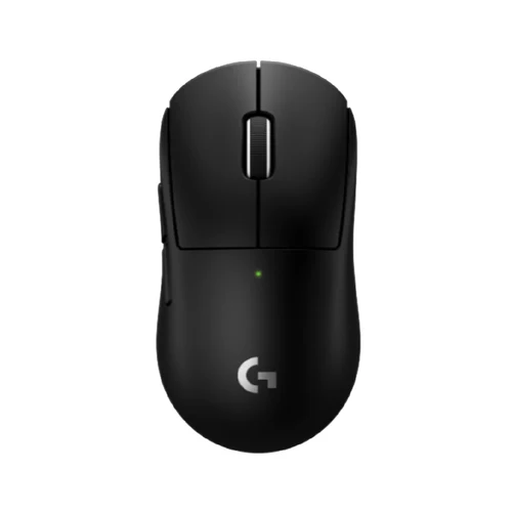 Image unavailable
An option if you’re looking for a compact wireless mouse with a limited number of buttons.
The product description lists a compact design, five buttons and a wireless LIGHTSPEED connection.
 Image unavailable
An option if you want to consider different connection options and a charging dock.
The product information lists Bluetooth, 2.4G and USB-C connectivity, six buttons, a PAW3311 sensor and a weight of 63 g.
 Image unavailable
An option if you’re looking for wireless connectivity and several customisable mouse actions.
The product information lists Bluetooth 5.0, 2.4G and USB-C connectivity, 7 programmable buttons, a PAW3311 sensor and a weight of 67 g.
Only if you actually want to control lots of separate abilities with your thumb. Razer lists 12 thumb buttons for the Naga V2 HyperSpeed; SteelSeries lists 12 for the Aerox 9 Wireless. If you need fewer mouse actions, a model with six programmable buttons may be enough. Check that you can reach the buttons you want to use with your grip.
It depends on the model. Logitech lists a 2,4 GHz USB receiver and one AA battery for the G305. For the Pulsefire Haste 2 Mini, HyperX lists 2,4 GHz and Bluetooth, as well as wired use while charging. Check the specifications for the exact model rather than assuming it has Bluetooth based on a general retailer listing.
Check how the model is powered: the G305 uses an AA battery, while the HyperX Pulsefire Haste 2 Mini can be recharged. Battery life stated by manufacturers depends on usage and connection mode.
For a standard online purchase by a consumer, ACM ConsuWijzer says you will generally have a statutory 14-day cooling-off period after delivery; applicable terms and exceptions may apply. If a product is faulty, that’s separate from the cooling-off period: the seller is responsible for providing a legal remedy.
Radio equipment is subject to EU product rules. The European Commission describes CE marking as the manufacturer’s declaration that a product complies with the relevant EU rules; it isn’t a quality mark for gaming performance. Check the product and conformity information for the model you’re considering.