First, choose a mouse that suits your hand and grip. Then decide whether you really want to assign frequently used actions in your game to extra mouse buttons. A wired mouse needs no battery management, but leaves a cable on your desk. A wireless mouse gets rid of the cable, but means you need to think about its connection and power. Using a headset doesn’t, by itself, mean you need a higher DPI or a specific mouse model.
Who is this choice relevant to?
Factory builder who uses lots of shortcuts
You want to assign repetitive in-game actions to mouse buttons you can reach easily. For example, the Factorio Wiki describes actions that use mouse buttons. Check whether your game and mouse software support the assignments you want.
Player who enjoys long building sessions
You prioritise a shape and button layout that suit your hand and grip. RTINGS highlights hand size and grip as factors to consider when choosing a mouse.
Player with a busy desk
You also use a headset and want to work out whether a mouse cable or wireless connection is a better fit for your setup. Check your headset connection and your computer’s available ports separately.
What should you consider when choosing a gaming mouse?
| Factor |
What to look for |
Who should pay extra attention? |
| Easy-to-reach buttons |
Compare the position of the side buttons and check that the software and your game support the assignments you want. |
If I perform the same actions often, I only want to assign them to buttons I can reach easily. Around 33% of consumers put easy-to-reach buttons and shortcuts at the top of their list. |
| Comfort during long sessions |
Consider the shape, size and position of the thumb buttons. If possible, try the mouse with your own grip. |
During long building sessions, I want a shape and button position that suit my hand, not just an impressive specification. Around 25% of consumers choose fit as their top priority. |
| Cable and connection |
Check the mouse connection and the available ports, and find out whether the wireless mode you choose uses a receiver or Bluetooth. |
With a headset on my desk, I want to know which connections suit my setup and whether I can avoid a mouse cable. Around 25% of consumers prioritise desk layout and connectivity. |
| Simple controls |
Decide how many extra mouse buttons you really want to set up, and check which features the accompanying software supports. |
If I’d rather use keyboard shortcuts, I don’t want to set up more mouse functions than I need. Around 17% of consumers cite simplicity and cost as their top priorities. |
Avoid common buying mistakes
-
Choosing a mouse based only on its highest DPI setting
DPI describes adjustable cursor sensitivity, but on its own it doesn’t tell you whether the shape, grip and button layout will suit your factory-building game.
Start by comparing the fit and the actions you want to perform. Then assess the sensitivity using your own settings.
-
Assuming all mice have the same number of buttons
The mice reviewed have different button layouts and configuration options. A button is only useful if you can reach it comfortably and set it up for the function you want.
Check the layout of the exact model and find out which software and in-game bindings you’ll need.
-
Assuming wireless means no connection or power choices
Wireless models can have different connection modes and power requirements. The connections available for your headset and computer also depend on your setup.
Check the mouse’s receiver, Bluetooth support and power requirements separately before choosing.
Brands to compare
Razer
The Basilisk models reviewed offer different ways to configure extra buttons and controls.
- Razer lists 10+1 programmable buttons and an adjustable scroll wheel for the Basilisk V3.
- The Basilisk V3 is wired, while the Basilisk V3 X HyperSpeed is wireless. They differ in button layout, connection and power, and specifications don’t tell you whether a mouse will suit your hand.
Logitech G
The G502 X reviewed is a wired mouse with customisable controls.
- Logitech lists a weight of 89 g and a reversible or removable DPI shift button for the G502 X.
- Check that the right-handed shape and thumb button position suit you. The stated sensor performance isn’t an independent gaming test.
SteelSeries
The Aerox 5 Wireless reviewed has its own layout for wireless controls.
- SteelSeries lists nine programmable buttons, including a five-button side panel.
- The stated battery life is a manufacturer’s figure, so bear in mind that it depends on your chosen settings and mode of use.
Trust
The GXT 923 Ybar Wireless reviewed is a wireless option with a simpler button layout.
- Trust lists six programmable buttons and customisable profiles.
- Fewer buttons mean fewer direct mouse assignments than on the more button-heavy models reviewed. The stated play time is a manufacturer’s figure and may vary in use.
Joybuy product picks
This selection features wireless gaming mice with programmable buttons. Check which controls, connection mode and power options suit your gaming setup for each model.
 Image unavailable
RAPOO VT9Pro 4K Wireless Gaming Mouse, Black and Purple
Suited to anyone who wants to assign several in-game actions to mouse buttons without having a mouse cable on their desk.
10 programmable buttons; stated weight 68 g; built-in battery with Type-C charging. The product name lists a battery life of 180 hours.
View at Joybuy
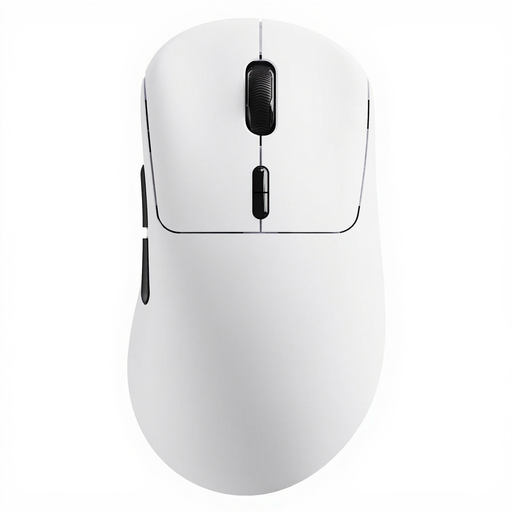 Image unavailable
Rapoo VT3 True 8K Wireless Gaming Mouse, White
Suited to anyone who wants to compare extra mouse buttons and macro support for repetitive in-game actions.
10 programmable buttons; stated weight 53 g. The description lists up to 750 hours of battery life at 1000 Hz.
View at Joybuy
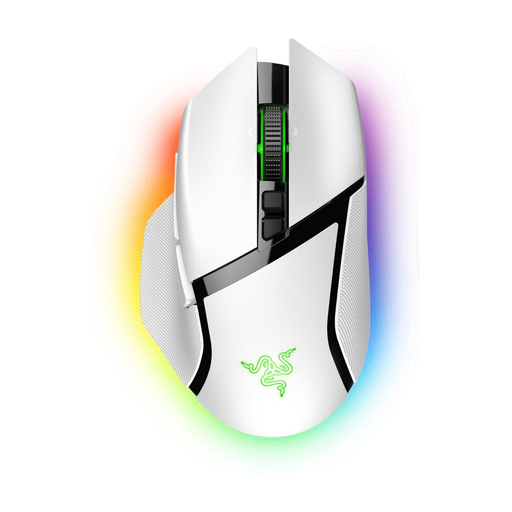 Image unavailable
Razer Basilisk V3 Pro White
Suited to anyone looking for plenty of programmable mouse buttons and a choice of wireless connections.
The product description lists 10+1 programmable buttons, HyperSpeed and Bluetooth, and an adjustable scroll wheel. Compatibility with a wireless charging dock is mentioned separately.
View at Joybuy
 Image unavailable
Razer Basilisk V3 X HyperSpeed
Suited to anyone who wants to configure extra buttons and choose between different wireless connection modes.
The product description lists nine programmable buttons, HyperSpeed Wireless and Bluetooth. The stated battery life varies by mode.
View at Joybuy
 Image unavailable
AULA SC620 Wireless Gaming Mouse, White
Suited to anyone who wants to compare a wireless mouse with a smaller number of programmable buttons.
Seven programmable buttons; stated weight 67 g and battery capacity 400 mAh. The product name lists Bluetooth 5.0, 2.4G and USB-C. The product description warns you to keep the magnetic charging base away from pacemakers and other medical implants.
View at Joybuy
Frequently asked questions
Do I need lots of mouse buttons for a factory-building game?
Not necessarily. Factorio also uses keyboard and mouse combinations, as described by the Factorio Wiki. Check your game’s controls and assign only the actions you use regularly.
What should I set up before playing with a new mouse?
First, check which shortcuts you use in the game and assign only supported actions in the mouse software. Make sure you don’t press extra buttons by accident. Logitech says the DPI shift button on the G502 X can be reversed or replaced with a cover.
What does wireless mean for charging or batteries?
It varies by model. Trust says the GXT 923 Ybar can be used while charging. For the Razer Basilisk V3 X HyperSpeed, the stated battery life varies by connection mode. Check the power options and mode for the exact version you’re considering.
What are my rights when buying online in the Netherlands?
According to the Dutch government, distance purchases usually come with a 14-day cooling-off period, although there are exceptions. Products are also covered by statutory protection against defects; the Netherlands has no fixed statutory warranty period. A manufacturer’s warranty does not replace these statutory rights.


