What matters when choosing a gaming mouse?
Start with fit and reach, then compare the connection and extra controls with the features you’ll actually use while playing.
Wired with extra controls
A good fit if: you play at a desk, don’t want to charge your mouse and often switch to assigned in-game actions.
Bear in mind: the cable needs room to move freely; also check that the buttons are comfortable to reach.
Wireless
A good fit if: a cable genuinely gets in the way of your seating position or freedom of movement.
Bear in mind: charging or batteries, and choosing the right connection and receiver for your computer.
Simple controls
A good fit if: you don’t want to assign many extra commands to the mouse and prefer a straightforward layout.
Bear in mind: you’ll have fewer commands close to hand than with a mouse that offers more extensive controls.
| What to consider |
What should you look for? |
Who is this important for? |
| Fit for long sessions |
Check the shape, handedness and grip style, and see whether you can reach the side buttons without changing your grip. |
For long exploration sessions, I want a mouse that suits my hand and grip; around 40% of consumers prioritise fit. |
| Accessible buttons and scroll controls |
Check the button positions, customisation options and scroll controls on the specific version. |
I want to control frequently used actions easily with my mouse, without choosing buttons I can’t reach comfortably; around 30% of consumers put accessible controls first. |
| Freedom from cables |
For wireless models, check the connection, receiver and stated battery life under the specified conditions. |
If a cable gets in the way of my setup, freedom of movement matters more to me than charging and managing a receiver; around 20% of consumers prioritise going cable-free. |
| Simplicity and sensitivity |
Check whether you can adjust the sensitivity, then try it out in your game and at the screen resolution you use. |
I use few extra mouse commands and want a simple layout with adjustable sensitivity; around 10% of consumers make simplicity their top priority. |
Brands to consider
These brands offer options with different combinations of connectivity and controls; the features mentioned apply to specific product ranges.
Logitech G
The wired G502 X and wireless G502 X LIGHTSPEED are separate versions for anyone looking for extra controls.
- Logitech G Netherlands lists a weight of 89 grams, a reversible or removable DPI button and two scroll modes for the wired G502 X.
- These specifications don’t tell you whether the shape will suit your hand. Also make sure you’re looking at the wired or wireless version you want.
Razer
The wired Basilisk V3 35K is worth considering if configurable scroll controls and extra mouse actions matter to you.
- Razer describes three scroll modes and secondary functions for 13 controls through its software.
- This is a wired, right-handed model. The manufacturer’s specifications aren’t an independent assessment of comfort or performance.
SteelSeries
The Aerox 5 Wireless combines wireless use with extra buttons.
- SteelSeries lists nine programmable buttons and a side panel with five controls.
- The layout is only practical if you can reach the buttons comfortably; consider how it suits your grip and how you use the mouse.
Trust
The GXT 923 Ybar is a simpler wireless option for anyone who needs fewer mouse commands.
- Trust lists six programmable buttons and adjustable DPI from 200 to 7200.
- The stated battery life of up to 50 hours is the manufacturer’s estimate; actual battery life depends on your settings and usage.
Gaming mice at Joybuy
This Joybuy selection includes wired and wireless gaming mice with different levels of control. Choose based on fit, the actions you want to assign and whether a cable gets in the way of your setup.
 No image available
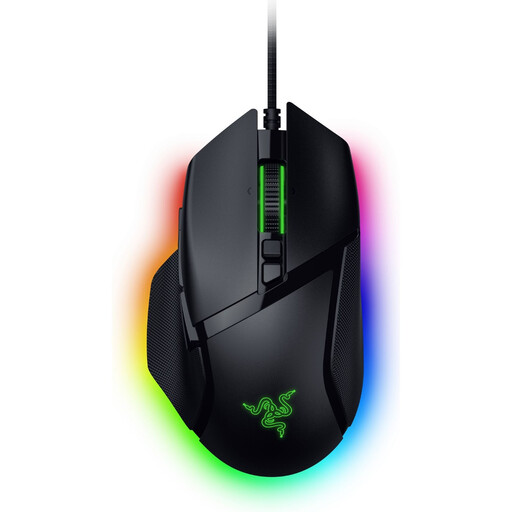
Razer Basilisk V3 35K wired gaming mouse, black
A good fit if you prefer a wired mouse and want extra controls for frequently used actions.
According to the product name: 35,000 DPI and 11 buttons.
The wired connection needs to suit your setup.
Joybuy
 No image available
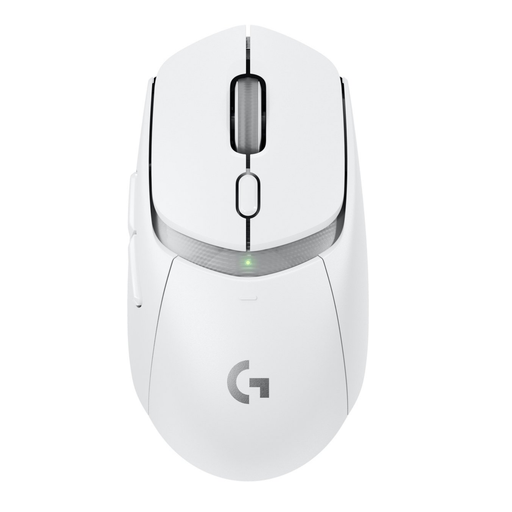
Logitech G G309 LIGHTSPEED Wireless Gaming Mouse
A good fit if you’re looking for a wireless model; check that its connection suits your computer and setup.
Joybuy
 No image available
Logitech G G502 X, right-handed
A good fit if you prefer a wired mouse and want to assign in-game commands to its buttons.
According to the product name: USB Type-A, optical and 25,600 DPI.
The cable and connection need to suit your setup and computer.
Joybuy
 No image available
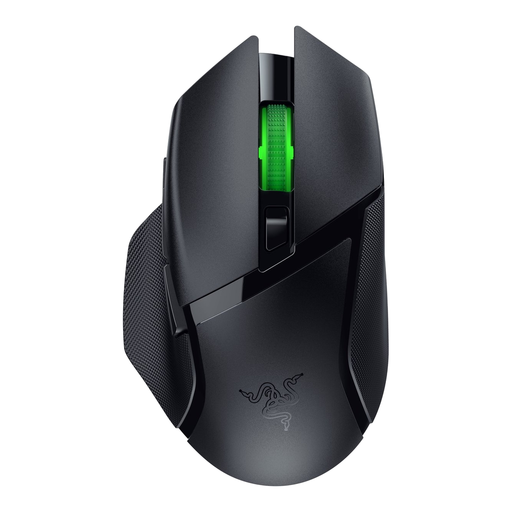
Razer Basilisk V3 X HyperSpeed
A good fit if you prefer wireless gaming and want to assign in-game actions to the mouse buttons.
Check which wireless connection and receiver you’ll need for your setup.
Joybuy
 No image available
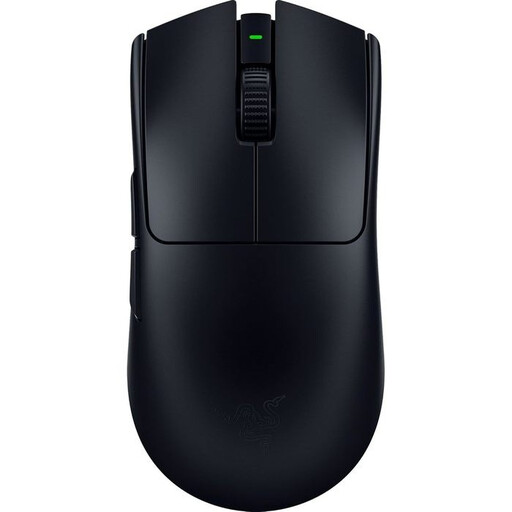
Viper V3 Pro – black
A good fit if you’re looking for a wireless gaming mouse and want to assign in-game actions to its buttons.
Check that the wireless connection suits your computer and setup.
Joybuy
Frequently asked questions
Should you automatically choose the highest DPI for a large screen?
No. Set the DPI to suit the game, your preference and the screen resolution. DPI affects how far the pointer moves when you move the mouse physically; screen size alone doesn’t determine the right setting. SteelSeries discusses this balance when explaining DPI settings.
How do you set up extra mouse buttons for your game?
First, check which actions you can assign in your game and whether you can reach the buttons comfortably. Razer recommends Synapse 4 for settings on the Basilisk V3 35K; Logitech G recommends G HUB for macros and profiles on the G502 X LIGHTSPEED. Available features vary by model.
How can you keep a wireless mouse ready to use during long sessions?
Check the battery charge beforehand and keep the receiver in a regular place. Trust says the GXT 923 Ybar can be used while charging; check separately whether this is possible with another model.
What can you do if a mouse stops working too soon during normal use?
In the Netherlands, statutory consumer guarantees apply alongside any commercial guarantee. According to ACM ConsuWijzer, if a product breaks during normal use sooner than you could reasonably expect, the seller must repair or replace it free of charge, or, where appropriate, refund the purchase price. There is no single fixed statutory guarantee period that applies to every mouse.
What should you look for in a gaming mouse’s CE marking?
The Dutch Authority for Digital Infrastructure states that electrical and electronic equipment must carry the correct CE marking. Radio equipment must also meet the applicable European requirements. Check the marking on the device and follow the instructions.


