
Gamers who share a room
If you play and study in a shared room, click noise may be a factor in your choice. Check whether the exact model is described as having quiet operation; this doesn’t automatically tell you how noisy the scroll wheel is.


Start with click noise and fit: if you share a room, a mouse described as quiet matters more than a higher DPI figure alone. Also, choose a wired mouse if you want a permanent set-up without having to manage batteries, or a wireless mouse if a cable gets in the way of your desk. Check the button positions and connection, and factor in the possible cost of batteries and delivery.
If you play and study in a shared room, click noise may be a factor in your choice. Check whether the exact model is described as having quiet operation; this doesn’t automatically tell you how noisy the scroll wheel is.
If you spend a long time making card and menu choices, you’ll benefit from a mouse shape and button layout that suit your hand and grip. A high DPI figure won’t answer that question.
If space is limited, weigh up a fixed cable against a wireless set-up or a connection to multiple devices. Remember to consider how the mouse is powered, too.
For deck-building games in a student room, the main things to weigh up are noise, fit, running costs and the space available on your desk.
| What to consider | What to check before buying | Who is this important for? |
|---|---|---|
| Click noise | Check whether the exact model is described as having quiet main switches; assess scroll noise separately. | If I share a room, I don’t want repeated clicking to disturb my housemates. That’s why around 31% of consumers put quiet operation first. |
| Comfort and buttons | Compare the shape, handedness and position of the side buttons; check that you can reach them comfortably. | During longer gaming sessions, I want a grip and button layout that suit my hand. That’s why around 25% of consumers prioritise fit and easy-to-reach buttons. |
| Total cost | Compare the price including delivery and check how the exact model is powered. | As a student, I want to consider more than just the purchase price, including power and delivery costs. Around 25% of consumers put total cost ahead of other considerations. |
| Space and connectivity | Check that your laptop has the required port and whether the model uses Bluetooth or a USB receiver. | At a small desk, I don’t want a cable getting in the way; the right connection also matters if I use a laptop and a second device. That’s why around 19% of consumers make space and device flexibility their top priority. |
Not all the gaming models mentioned are specifically described as having quiet clicks. A model with quiet switches won’t necessarily make the scroll wheel or mouse movement quiet, either.
Check the feature for the exact model and assess click and scroll noise separately.
DPI, fit, tracking and button usability are all different things. Lenovo Netherlands points out that a high maximum DPI figure alone doesn’t tell you everything about tracking quality.
Start with grip, adjustability and connectivity, then see whether the cursor speed feels comfortable at your desk.
SteelSeries quotes different maximum battery lives for the Aerox 3 Wireless over Bluetooth and 2.4 GHz; these figures aren’t directly comparable.
Compare the quoted battery life only for the connection mode you’ll actually use.
The G305 is a wireless gaming mouse for anyone who prefers a USB receiver and replaceable AA battery.
The GXT 109 Felox is a wired gaming option, while the GXT 122 Felox+ combines 2.4 GHz and Bluetooth, according to Trust.
The Pro Click Mini is a compact productivity mouse worth comparing if quiet clicks matter more to you than a distinctly gaming-focused design.
The Aerox 3 Wireless is an option if, alongside card games, you’re looking for a lightweight gaming mouse with Bluetooth and 2.4 GHz connectivity.
The M330 Silent Plus is a mouse outside the gaming range for anyone who prioritises quiet clicking while studying or playing a card game.
This selection includes quiet mice for a shared room, as well as wired and wireless models for use in a small student space.
 No image available
Worth comparing for a shared room and a compact desk; the product description says it operates quietly when clicking, scrolling and gliding. Check that the connection works with your laptop.
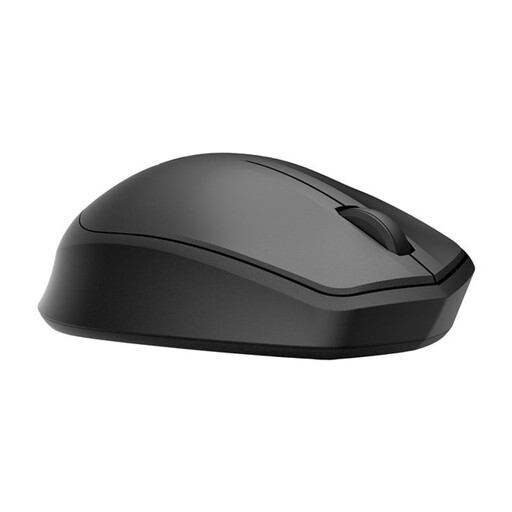 No image available
Worth comparing if you’re looking for a quiet wireless mouse. Before buying, check which connection the model uses and remember that the AA battery will need replacing from time to time.
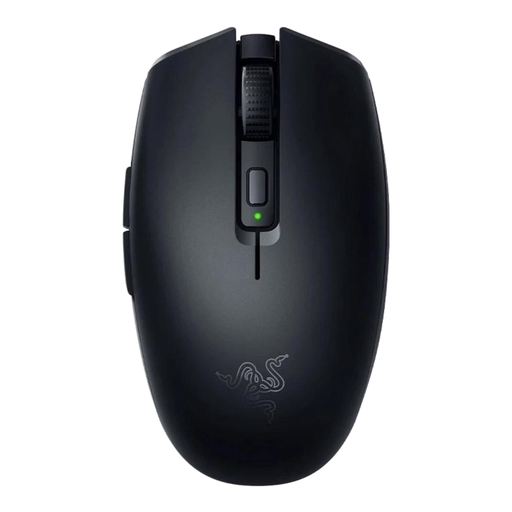 No image available
Worth comparing if you’re looking for a wireless gaming mouse. Remember to factor in battery replacement and check that the model’s connection works with your computer.
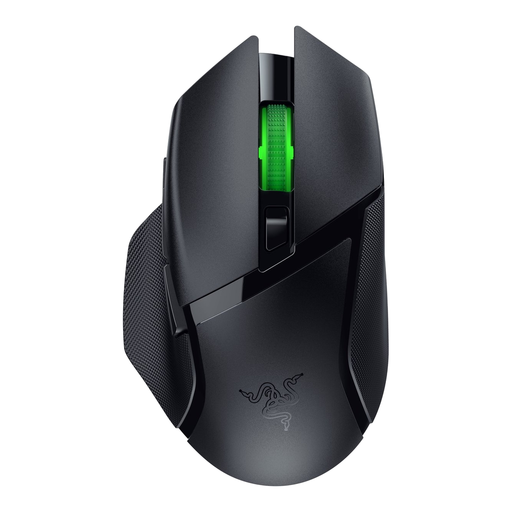 No image available
Worth comparing if you’re looking for a wireless gaming mouse with extra programmable controls. Check that the shape suits your hand and remember to factor in battery replacement.
 No image available
A wired option worth comparing for a fixed gaming set-up without having to manage batteries. The listed connection is USB Type-A; remember to factor in the space the cable takes up on your desk.
Start with a mouse shape and adjustable cursor speed that feel comfortable at your desk. Lenovo Netherlands notes that a high maximum DPI figure alone doesn’t prove that tracking will be better for your needs.
Check the connection for the exact model and the options available on your laptop. According to Logitech, the Logitech G305 uses a USB receiver; Trust lists both 2.4 GHz and Bluetooth for the GXT 122 Felox+.
Check which battery or rechargeable battery the exact model uses, and remember that it will need replacing or recharging. According to Logitech, the Logitech G305 uses one AA battery; Trust says the GXT 122 Felox+ has a rechargeable battery. Follow the instructions for your chosen model when maintaining it.
According to the Dutch government, online purchases from a business often come with a 14-day cooling-off period. You’re also entitled to a product that meets legal standards, but the Netherlands has no fixed statutory warranty period. Contact the seller if you have a problem.
According to Business.gov.nl, equipment with Bluetooth or a radio-frequency module is subject to rules for radio equipment. The seller must ensure that the product meets the applicable European requirements. A CE mark is the manufacturer’s declaration, not an independent quality assessment.