Who is this choice relevant to?

Player with few available ports

Wants to find out first whether the issue is power sockets, USB ports or both, then choose between Bluetooth, a receiver and a cable. Logitech G and Trust describe mouse models that offer both Bluetooth and a receiver mode.

Player who customises lots of controls

Wants buttons within easy reach and scrolling that suits the actions they use most in their games, and checks that their preferred assignments work. Razer and Trust describe models with customisable controls.

Player who enjoys long sessions

Prioritises a comfortable fit and a power option that won’t cause an inconvenient interruption during play.

What should you consider when choosing?

Bluetooth

A good choice if: your computer supports Bluetooth and you want to keep a USB port free.

The trade-off: the mouse still needs battery power. Check the connection modes available on the exact variant.

Wireless with a 2.4GHz receiver

A good choice if: you have a suitable USB port free and don’t want a mouse cable across your desk.

The trade-off: the receiver takes up a port, and the mouse still relies on a battery or rechargeable battery. Manufacturers position 2.4 GHz as the gaming mode, but don’t assume both connection modes offer the same features.

Wired via USB

A good choice if: you can free up a USB port and don’t want to manage a separate mouse battery.

The trade-off: the cable stays on your desk and occupies a USB port. Also check that the shape and controls suit your hand.

What to consider What should you look for? Who is this important for?
Connections Count your available USB ports and check that both your computer and the exact mouse variant support Bluetooth. If I have few available ports, I want to know whether my computer has Bluetooth and which port a receiver or cable will use. Around 36% of consumers prioritise connections over other mouse features.
Buttons and scrolling Check which buttons can be programmed and whether the scroll wheel suits the way you use your mouse. When I repeat actions often, I want to reach the buttons without changing my grip. Around 29% of consumers say customisable controls and scrolling are the deciding factors.
Hand fit Compare the dimensions, grip and button reach with your current mouse. Try the shape if possible. For long gaming sessions, I want a mouse that suits my hand and grip, not just a model with lots of features. Hand comfort matters most to around 21% of consumers.
Battery and charging Check the battery type, how it charges and whether you can play while it’s charging. I don’t want to have to change the batteries or charge my mouse in the middle of a session. Power maintenance is the top priority for around 14% of consumers.

Buying pitfalls

  • ‘Wireless’ doesn’t always mean you won’t need a USB port

    A mouse with a 2.4GHz receiver uses a port on your computer. Bluetooth can connect without a separate receiver if both your computer and mouse support that mode.

    Check the connections available on the exact variant and count the ports you’re already using.

  • Don’t compare battery life claims without checking the connection mode

    SteelSeries gives different usage time claims for the Aerox 5 Wireless, depending on the mode. A maximum claim for Bluetooth or power-saving mode doesn’t automatically apply to the standard 2.4GHz mode.

    Only compare manufacturer figures for the mode and settings you plan to use.

  • Don’t assume the Logitech G305 has Bluetooth

    Logitech G’s official product page describes the G305 as a LIGHTSPEED mouse powered by an AA battery, but doesn’t confirm Bluetooth support.

    Before buying, check the full model name and the manufacturer’s documentation.

  • Don’t confuse the manufacturer’s warranty with your statutory rights

    According to the Dutch government, there is no fixed statutory warranty period in the Netherlands. If a product is faulty, the retailer is your point of contact.

    Keep your proof of purchase and the product description, and report any fault to the retailer first.

Relevant brands to consider

Logitech G

According to Logitech G, the G309 combines Bluetooth and LIGHTSPEED and uses an AA battery. The G305 is a separate LIGHTSPEED model.

  • The manufacturer says you can choose between Bluetooth and LIGHTSPEED on the G309.
  • The G309 uses an AA battery, so check the power source for the model you choose.

Razer

According to Razer, the Basilisk V3 X HyperSpeed has two wireless connection modes and customisable controls. The wired Basilisk V3 is a different model with a different scroll wheel.

  • Razer lists nine programmable controls for the V3 X HyperSpeed and 10+1 programmable buttons for the Basilisk V3.
  • Connections, power and controls vary by model. Features on one model don’t automatically apply to another.

Trust

According to Trust, the GXT 931 Ybar combines Bluetooth and a 2.4GHz receiver with a rechargeable battery.

  • Trust lists six programmable buttons and says you can play while charging with the cable connected.
  • The stated usage time is a manufacturer claim, not a measure of how long your own sessions will last.

SteelSeries

According to SteelSeries, the Aerox 5 Wireless has nine programmable buttons. The manufacturer gives usage time claims for each wireless mode.

  • SteelSeries lists up to 180 hours via Bluetooth or High Efficiency Mode, and more than 80 hours in the standard 2.4GHz mode.
  • These are manufacturer figures for different modes. The maximum claim doesn’t necessarily apply to standard 2.4GHz use.

Joybuy products for this connection setup

The models below include wireless mice with Bluetooth or 2.4 GHz, as well as a wired USB mouse. This gives you the choice of keeping a USB port free or avoiding the need to manage a separate mouse battery.
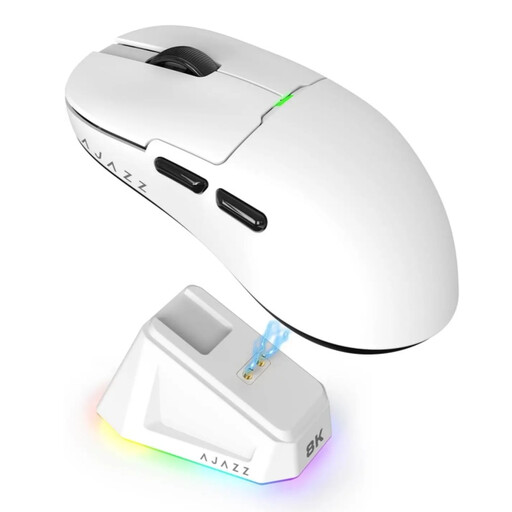
AJAZZ AJ159 PRO wireless gaming mouse, white

AJAZZ AJ159 PRO, white

An option if you want to use Bluetooth to keep a USB port free, provided your computer supports Bluetooth.

The product title lists Bluetooth, 2.4 GHz and USB-C, a PAW3395 sensor, 26K DPI, a 400 mAh battery and a weight of 56 g. The description mentions a magnetic charging dock.

View at Joybuy
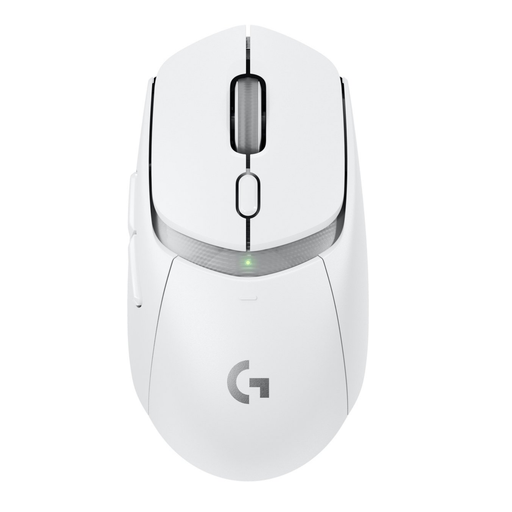
Logitech G G309 LIGHTSPEED wireless gaming mouse

Logitech G G309 LIGHTSPEED

Bluetooth can keep a USB port free if your computer supports it. LIGHTSPEED uses the included receiver.

The description lists up to six programmable buttons and a weight of 86 g with the supplied AA battery. The mouse uses an AA battery, which you’ll need to replace.

View at Joybuy
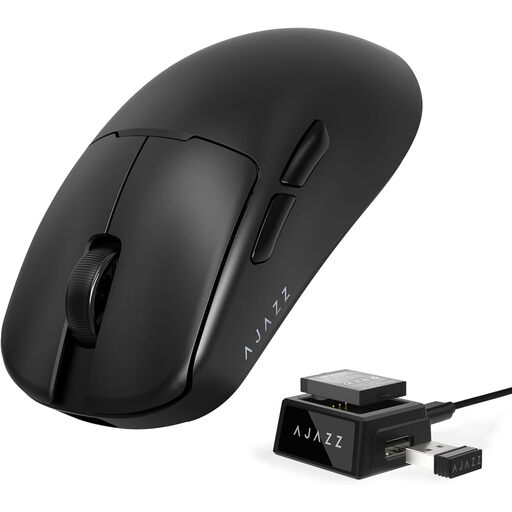
AJAZZ AJ159 V2 MC wireless gaming mouse

AJAZZ AJ159 V2 MC

A wireless option with Bluetooth and 2.4 GHz. Bluetooth can keep a USB port free if your computer supports the connection.

The product title lists USB-C, a 300mAh battery, a PAW3311 sensor, up to 24,000 DPI and a polling rate of up to 1 kHz. Check the power source and charging method for this variant before buying.

View at Joybuy

Logitech G G502 X wired gaming mouse for right-handed use

Logitech G G502 X, right-handed

A wired option if you can free up a USB-A port and don’t want to manage a separate mouse battery.

The description lists 13 programmable buttons, a scroll wheel and a wired USB-A connection. The cable stays on your desk and uses a USB port.

View at Joybuy
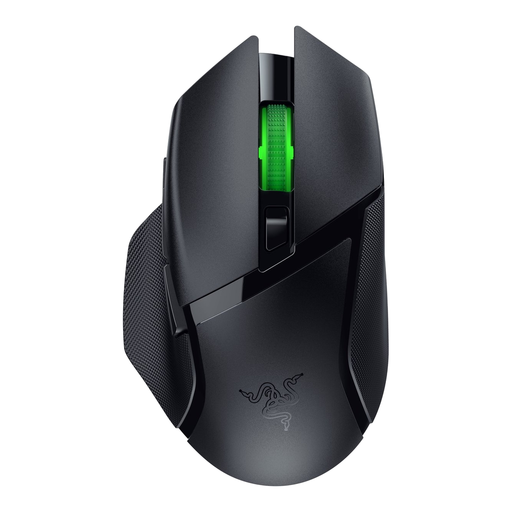
Razer Basilisk V3 X HyperSpeed wireless gaming mouse

Razer Basilisk V3 X HyperSpeed

Bluetooth can keep a USB port free on a computer that supports it. The other wireless mode uses a receiver.

The description lists nine programmable buttons and an AA battery. Check which connection mode and power source suit the way you use the mouse.

View at Joybuy

Frequently asked questions

Do I need a USB receiver for every wireless gaming mouse?

No, not if both the mouse and your computer support Bluetooth. For the 2.4GHz mode on a model with dual connectivity, you’ll need the corresponding receiver.

Can you keep playing while the mouse is charging?

It depends on the model. Trust says you can play with the GXT 931 while the charging cable is connected. According to Logitech G, the G309 uses an AA battery rather than a rechargeable battery that charges via USB.

Why do battery life claims vary between connection modes?

The mode and settings affect the stated usage time. For the Aerox 5 Wireless, SteelSeries gives separate figures for Bluetooth or High Efficiency Mode and the standard 2.4GHz mode. These figures come from the manufacturer and aren’t measurements of your own usage.

What warranty and cooling-off period apply when buying online in the Netherlands?

According to the Dutch government, consumers are entitled to a product that meets expectations, and there is no fixed statutory warranty period in the Netherlands. A manufacturer’s warranty is separate from this. When you buy online from a business, you generally have 14 days to change your mind, although exceptions apply.

Where can I take used mouse batteries or an old mouse?

According to the Dutch government, you can take used batteries to shops that sell batteries, among other collection points. You can take an old electric mouse to a collection point. When you buy a similar new appliance, the take-back scheme applies to appliances bought by private consumers.
