
Player who makes wide FPS movements
Practises quick movements repeatedly and often repositions the mouse. A suitable shape and enough room on the mouse mat are important. Razer and ZOWIE describe different shapes for you to compare.


First, choose a mouse shape that suits your hand and grip, and lets you sweep smoothly across your mouse mat and reposition the mouse with ease. Then decide between wired and wireless based on cable interference, charging and receiver use. Set your DPI in combination with your in-game sensitivity, rather than choosing it based on screen size alone. Manufacturer specifications describe features, but don’t prove that a mouse will improve your performance.
Practises quick movements repeatedly and often repositions the mouse. A suitable shape and enough room on the mouse mat are important. Razer and ZOWIE describe different shapes for you to compare.
Wants to move freely without a cable getting in the way during a swipe. It’s also worth considering charging and the wireless receiver, as the product information from Logitech G and Razer makes clear.
Wants to practise precise movements on a large screen and needs to assess DPI, in-game sensitivity and grip separately. ZOWIE explains how DPI and in-game sensitivity work together to determine effective sensitivity.
| Buying concern | What to look for | Who is this important to? |
|---|---|---|
| Grip and shape | Compare the shape and dimensions with your hand, grip and current mouse; check that you have enough room to move the mouse on your mat. | If I make wide movements and often lift the mouse, I want a shape that feels comfortable in my hand and is easy to move. Around 36% of consumers prioritise fit and control during swipes. |
| Freedom of movement | Check that you have the wireless connection and receiver you need, how the mouse charges and whether a cable can move freely. | If a cable could get in the way of my movements, I want to know in advance how wireless use and charging will work with my setup. Around 29% of consumers prioritise freedom of movement and connectivity. |
| Sensitivity | Check whether you can adjust the DPI, then test it alongside your in-game sensitivity, using the same amount of mouse space. | If I want to practise small aim corrections on a large screen, I want to be able to fine-tune my settings without treating maximum DPI as a goal in itself. Around 21% of consumers prioritise adjusting their aiming sensitivity. |
| Everyday use | Check which settings the exact model offers, how charging works and who to contact if it develops a fault. | If I’d rather spend less time charging and adjusting settings, and want clear information about help if something goes wrong, these practical details matter when I choose. Around 14% of consumers prioritise ease of use and support. |
In-game sensitivity affects how DPI feels in use. A high advertised DPI, on its own, doesn’t tell you how accurately you’ll be able to aim with your settings.
Compare adjustable DPI settings and test them in combination with your in-game sensitivity.
Weight doesn’t tell you how a mouse will feel in your hand. Symmetrical and ergonomic shapes suit different ways of holding a mouse.
Compare its shape and dimensions with your current mouse and grip before choosing.
According to the Government of the Netherlands, the seller remains your point of contact if a product is faulty; there is no fixed statutory warranty period in the Netherlands.
Check what any extra warranty offers before paying for it.
An extra warranty could be an unnecessary expense if it doesn’t provide any additional rights.
The PRO X SUPERLIGHT 2 is a wireless option to consider if you’re comparing lightweight esports mice with an adjustable sensor.
The wireless Viper V3 Pro and wired DeathAdder V3 offer different shapes and connection types.
The EC, FK and ZA series offer different profiles to compare if shape and grip are high priorities.
The Aerox 3 Wireless and Aerox 3 Wireless Gen 2 are models you can compare to explore wireless options and differences between generations.
The MM712 is an option to consider when comparing different connectivity choices.
This selection includes wired and wireless gaming mice to help you compare grip, freedom of movement and adjustable sensitivity for your practice setup.
 No image available
A wireless option to consider if you want to adjust the DPI and value having different connectivity options.
Listed weight: 56 g. The product name specifies a PAW3395 sensor, 26K DPI, and 2.4G, USB-C and Bluetooth connectivity. Also listed: a 400 mAh battery and magnetic charging dock.
 No image available
A wired option to compare if you’re weighing up interchangeable grip components against cable movement during wide swipes.
The product information lists a weight of 69 g, 16 grip combinations, a flexible cable and a sensor with adjustable DPI. The listed polling rate is up to 8,000 Hz.
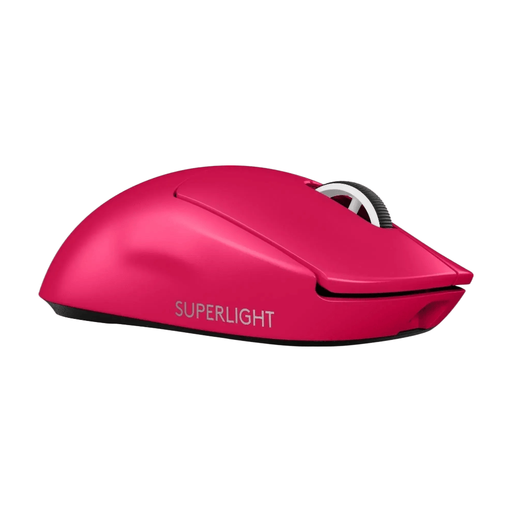 No image available
A wireless option to compare if you want to practise without a cable and adjust your DPI settings.
The product information lists a weight of 60 g, LIGHTSPEED, a HERO 2 sensor, adjustable DPI and USB-C charging.
 No image available
A wireless option to compare if you want to practise without a cable and are considering a shape for right-handed users.
The product information lists a weight of 54 g, a 35K sensor and an 8K polling rate.
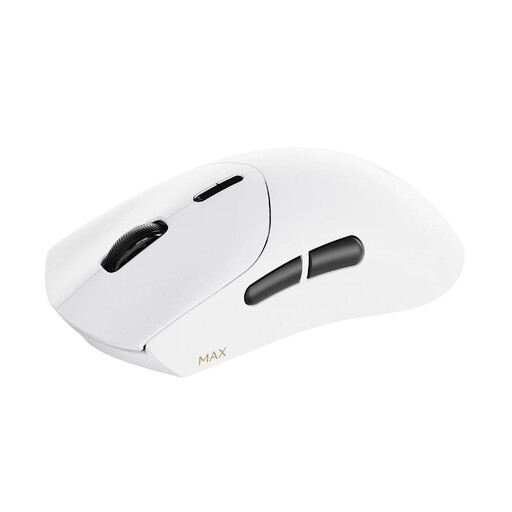 No image available
A wireless option to consider if you want to adjust horizontal and vertical DPI separately.
The product information lists a weight of 53 g, up to 30K DPI and a wireless polling rate of 8K. The stated battery life is up to 750 hours at 1,000 Hz.
No. Consider DPI alongside your in-game sensitivity and the space you have to move the mouse. ZOWIE explains that effective sensitivity is determined by both settings; the physical size of your screen doesn’t, on its own, determine the right DPI setting.
Choose a DPI setting you can reproduce, then adjust your in-game sensitivity. See whether you can aim within the space on your mouse mat and reposition the mouse easily. When comparing settings, don’t change everything at once.
Contact the seller. The Government of the Netherlands states that the seller is responsible for providing a solution under the legal guarantee, and that there is no fixed statutory warranty period in the Netherlands. Normal wear and tear or damage caused by you isn’t automatically covered.
In many cases, distance purchases come with a 14-day cooling-off period. Check the terms for your specific purchase: the Government of the Netherlands lists exceptions and distinguishes between buying from a business and buying online from a private seller.
For radio equipment that transmits or receives radio waves, Directive 2014/53/EU requires distributors to check that the required CE marking is present before making the equipment available on the market. This is a compliance requirement, not an assessment of a specific mouse’s gaming performance.