Start with a shape that suits your hand and grip, then decide whether you mainly need quick aiming movements, cable-free movement or extra buttons. A lighter weight may matter if you move the mouse around a lot, but it doesn’t prove that a particular model will feel comfortable in your hand. Extra controls are most useful when you’ll actually use them. If you spend long periods working at a screen, taking breaks and setting up your workspace appropriately remain important, whatever mouse you use.
Who this choice matters to
Someone who works from home and plays shooters
Uses the same workspace for work and gaming, and looks for a suitable grip and ways to vary their activity during long periods at a screen. Arboportaal describes repetitive hand movements and static strain associated with screen work.
A player who makes lots of aiming movements
Looks for a shape and weight that suit their aiming style. A stated maximum DPI, by itself, is no proof of better aim.
A player who shares a desk for work and gaming
Weighs up a cable against the freedom of wireless use, and considers whether extra buttons would be useful for work and play.
What to look for when buying
First, choose a shape and grip that suit your hand. Then compare wired and wireless options, and only after that consider which extra controls you’ll actually use.
If you’re looking for a mouse for co-op shooters at a desk where you also work from home, these are some of the factors that can help guide your choice. Arboportaal describes repetitive hand movements and static strain associated with screen work, so varying your activity remains important alongside your choice of mouse.
| What to consider |
What to look for |
Who it matters to |
| Grip and extended use |
Compare the hand orientation, dimensions and button reach; check whether you can keep your hand relaxed. |
If I use the same mouse for work and gaming for hours, I want a shape that suits my hand. Around 36% of consumers say grip and extended use are their top priority. |
| Aiming movements |
Compare the stated weight and shape of the exact version; set the sensitivity to suit your own preference rather than focusing only on the maximum DPI. |
If I move the mouse around a lot, I look for a manageable combination of shape and weight. Around 29% of consumers prioritise aiming and movement. |
| Connectivity and desk setup |
Check which connection or receiver you need and how the exact model is powered; wired and wireless use each have different requirements for your desk. |
At a shared desk, I want to know whether a cable will get in the way and how wireless connection and charging work. Around 21% of consumers place the most importance on their setup and connection. |
| Power and warranty |
Check whether the model needs charging or replacement batteries. The Dutch government explains that statutory rights apply to faulty products alongside any manufacturer’s or seller’s warranty. |
I want to know in advance what maintenance wireless use involves and what an extra warranty covers. Around 14% of consumers put power and warranty at the top of their list. |
Common mistakes
-
Assuming a high maximum DPI means better aim
A maximum DPI value describes a limit of the sensor in question, not the setting you need to use or how accurately you’ll aim. Manufacturer specifications aren’t an independent performance test.
Consider shape, weight and adjustability together, then work out which sensitivity feels right for your game.
-
Mixing up the specifications of wired and wireless mice
SteelSeries lists the wired Aerox 3 (2022) at 59 g with USB-C, and the wireless Aerox 3 at 68 g with 2.4 GHz and Bluetooth. These specifications relate to different versions.
Check the full model name, connection and power source before comparing versions.
Wireless use means managing the battery; with the wired version, a cable stays on your desk.
-
Assuming an ‘ergonomic’ mouse will prevent strain over long periods
A product description doesn’t prove that the shape will suit your hand. Arboportaal describes repetitive hand movements and static strain associated with screen work.
Think about your own grip, and break up long periods at a screen with other tasks or a break.
-
Confusing a manufacturer’s warranty with all your statutory rights
According to the Dutch government, statutory rights for faulty products apply alongside any manufacturer’s or seller’s warranty. The Netherlands has no fixed statutory warranty period.
Check what an additional warranty covers, and contact the seller if a product isn’t as it should be.
Brands to compare
Logitech G
The PRO X SUPERLIGHT 2 is a wireless option to compare if weight and aiming movements are important to you.
- Logitech G lists this model at 60 g, with a HERO 2 sensor and LIGHTSPEED.
- These are manufacturer specifications, not an independent comfort or performance test. Check the specifications for the exact colour version.
Razer
The Basilisk V3 X HyperSpeed is worth comparing if you’re looking for extra controls for work and play.
- According to Razer, this model has nine customisable controls and supports both 2.4 GHz and Bluetooth.
- These features are listed on Razer’s US product page and don’t tell you anything about personal fit or terms of purchase in the Netherlands.
SteelSeries
The wired and wireless Aerox 3 are separate versions for different setups.
- SteelSeries lists the wired Aerox 3 (2022) at 59 g with USB-C; for the wireless Aerox 3, the brand lists 68 g, 2.4 GHz and Bluetooth.
- Don’t mix up the specifications of different versions. Weight and shape alone won’t tell you which mouse will suit your hand.
Trust
The GXT 929 Helox is a wireless option to compare if you’re looking for rechargeable power and basic features.
- Trust lists a weight of 75 g, adjustable settings up to 4800 DPI and up to 80 hours of use after charging.
- The maximum battery life is a manufacturer’s estimate, not a guaranteed gaming time or proof of better aim.
Gaming mice at Joybuy
This Joybuy selection includes wired and wireless gaming mice for a shared work and gaming desk, with a range of weights, connections and control options.
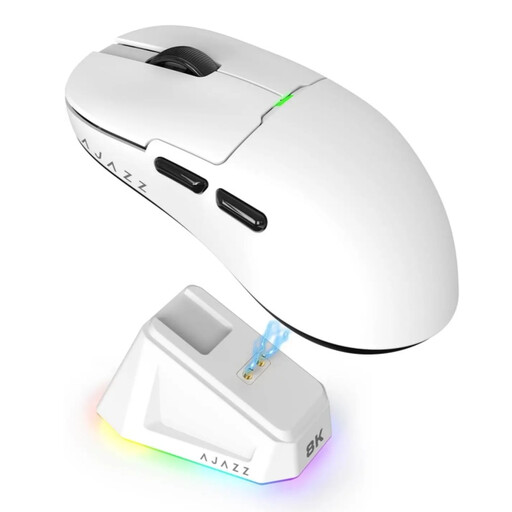 Image unavailable
AJAZZ AJ159 PRO, white
A wireless option to compare if you’re looking for a low stated weight and a choice of connection options.
The title lists a weight of 56 g, a PAW3395 sensor, 26K DPI and support for 2.4G, USB-C and Bluetooth. The magnetic charging dock contains magnets: keep it away from pacemakers and medical implants, and at least 15 cm away from pacemakers. Keep it away from credit cards and ID badges too.
View at Joybuy
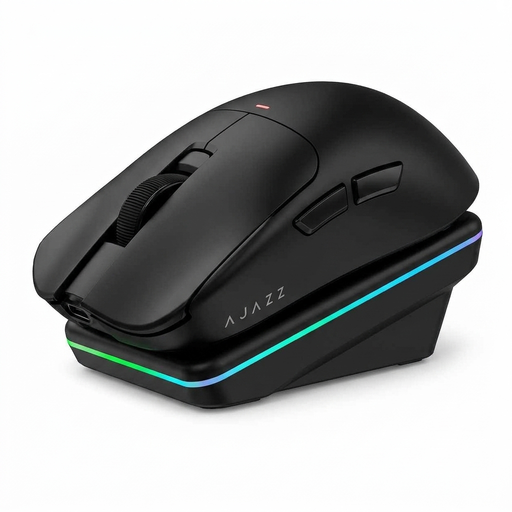 Image unavailable
AJAZZ AJ200 AI MC with charging dock
An option to compare if you want to choose between several connection options at a shared desk.
The title lists a weight of 63 g, 24,000 DPI, a PAW3311 sensor and tri-mode connectivity via Bluetooth, 2.4G or USB-C.
View at Joybuy
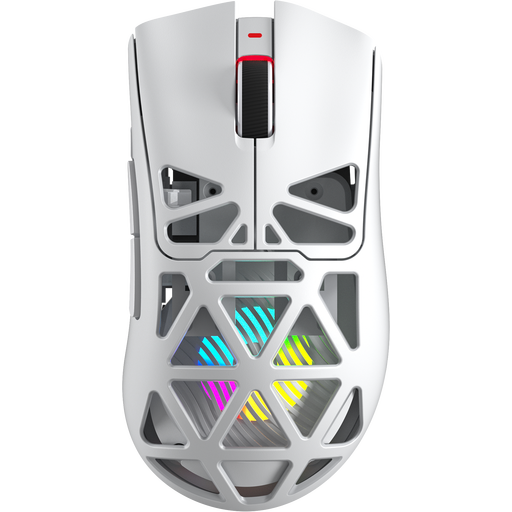 Image unavailable
AULA SC620, white
This version is worth comparing if wireless use and programmable buttons matter to you, alongside a low stated weight.
The title lists a weight of 67 g, a PAW3311 sensor, 12,000 DPI and seven programmable buttons. The listed connection options are Bluetooth 5.0, 2.4G and USB-C; the title also mentions a 400 mAh battery and 8KHz.
View at Joybuy
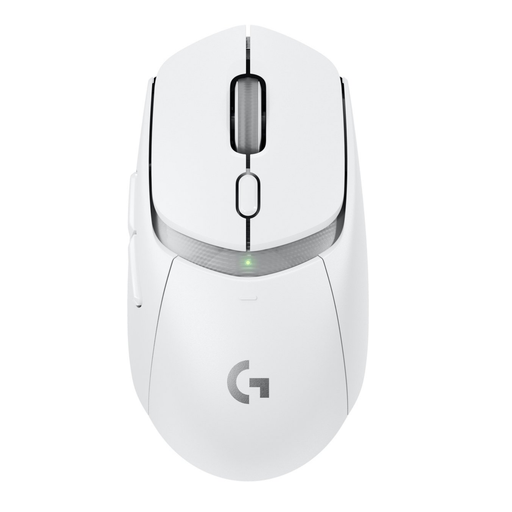 Image unavailable
Logitech G G309 LIGHTSPEED
A wireless option to compare if you’re looking for programmable controls and a choice of connections.
The product information lists LIGHTSPEED, Bluetooth and up to six programmable buttons. According to the information, the mouse weighs 86 g with the included AA battery; the 68 g figure applies with the optional POWERPLAY system.
View at Joybuy
 Image unavailable
Logitech G G502 X, right-handed
A wired option to compare if you don’t want to manage a battery and use a fixed PC setup.
The product name lists an optical sensor, 25,600 DPI and a USB Type-A connection. The USB cable stays on your desk.
View at Joybuy
Frequently asked questions
Do I need the highest possible DPI for co-op shooters?
No. The maximum DPI value isn’t a setting you have to use. First compare the shape and check whether you can adjust the sensitivity to suit your preference; a higher maximum doesn’t prove you’ll aim better.
How can I reduce strain if I game in the same place after work?
Break up long periods at a screen and set up your workspace appropriately. Arboportaal describes the risks of repetitive hand movements and static strain; the rules on screen work apply to employers and aren’t a legal limit for gaming at home.
What should I check before my first wireless game?
Check which receiver or connection mode the exact model needs, whether your computer has the required port, and how the mouse is powered. Trust describes the GXT 929 Helox as rechargeable; Razer lists both 2.4 GHz and Bluetooth for the Basilisk V3 X.
What are my rights when buying online in the Netherlands?
For online distance purchases from a business, you’ll often have a 14-day cooling-off period, according to the Dutch government. You also have statutory rights if a product isn’t as it should be, alongside any manufacturer’s warranty; the Netherlands has no fixed statutory warranty period of two years. Contact the seller if there’s a problem with the product.


