
Players who want to aim precisely
For quick aim adjustments, a suitable shape, manageable weight and reliable tracking are all important considerations. RTINGS highlights shape and grip as relevant factors when choosing an FPS mouse.


For co-op shooters, a mouse that suits your hand and grip is a more sensible starting point than a high maximum DPI. Then decide whether you need extra buttons for team actions, and whether a wired or wireless connection better suits your needs and desk setup. If you play on a glossy or reflective surface and experience tracking issues, use a flat, plain, non-reflective mouse mat. RGB lighting is no proof that a mouse will track better on that surface.
For quick aim adjustments, a suitable shape, manageable weight and reliable tracking are all important considerations. RTINGS highlights shape and grip as relevant factors when choosing an FPS mouse.
If you want to use shortcuts during co-op missions, consider the number of buttons and whether you can reach them comfortably with your grip without pressing them by accident.
If you play on a glossy desk or glass, the surface may be worth considering if you experience tracking issues. Logitech Support recommends using a flat, plain, non-reflective mouse mat.
Start with shape and grip. Then decide how many buttons you need for team actions, and whether a cable or wireless connection better suits your desk setup.
| What to consider | What should you check? | Who is this important for? |
|---|---|---|
| Aiming and weight | Compare the shape and weight of the exact model. If possible, try your usual grip and aiming movements. | I want a mouse that feels comfortable in my hand for quick aim adjustments. Consumers who prioritise aiming make up around 29% of the group for this gaming scenario. |
| Grip and button reach | Check the dimensions, shape and button placement. Try to see whether you can reach the buttons comfortably with your grip. | I want to play for longer sessions without the shape or button placement becoming uncomfortable. Consumers who prioritise grip make up around 22%. |
| Wired or wireless | Check the connection options for the exact model and whether a cable, receiver or charging routine will work with your desk setup. | I don't want a cable to get in the way of my movements, or I'd rather not have to manage a battery and receiver. Consumers who mainly want a convenient connection make up around 21%. |
| Buttons for team actions | Count the actions you want to assign, and check that the buttons are easy to distinguish and reach. | I want to control communications or other team actions without moving my hand from the keyboard. Consumers who prioritise buttons for team actions make up around 14%. |
| Surface and tracking | If you play on glass or a glossy surface, try using a flat, plain, non-reflective mouse mat if you experience tracking issues. | I want to resolve tracking issues with my bright or reflective gaming surface. Consumers who prioritise the playing surface make up around 14%. |
A stated sensor figure doesn't tell you whether the mouse suits your hand and grip, or how it will feel in use.
Compare the shape of the exact models and, if you can, try your usual grip before deciding based on the highest figure.
Logitech Support lists glass and reflective surfaces as possible causes of irregular tracking.
If you experience tracking issues, play on a flat, plain, non-reflective mouse mat. Don't assume that a bright room or RGB lighting will improve sensor performance.
A wired mouse and its wireless version may differ in connectivity and controls. A colour variant may also have a different stated specification.
Before buying, check the full model name, colour and connection type, and compare the corresponding manufacturer specifications.
ACM ConsuWijzer distinguishes between a manufacturer's warranty and your statutory guarantee rights. There is no fixed, general two-year period for statutory guarantees.
Keep your proof of purchase. If a product develops a fault during normal use, consider what you could reasonably expect from it and your statutory rights against the seller.
The Viper V3 Pro is a wireless option for players looking for a lightweight FPS mouse. Check the colour variant and whether wireless use suits you.
The PRO X SUPERLIGHT 2 and wired G502 X offer different options: a lightweight wireless setup or a model with more emphasis on controls.
The wired Pulsefire Haste 2 may suit players who don't want to manage a battery or wireless receiver, and who are happy to have a cable on their desk.
The Aerox 3 Wireless is worth considering if you like wireless connectivity and customisable lighting.
This selection at Joybuy includes gaming mice with a range of wired and wireless connection options and controls. Check the features and version of each model to see whether it suits your grip and play style.
 No image available
May suit you if you're looking for multiple connection options and programmable controls.
Wired, 2.4G wireless or Bluetooth; 12,800 DPI and seven programmable macro keys.
 No image available
Worth considering if you're looking for a wireless gaming mouse with multiple connection options.
PAW3395 sensor, 26K DPI, 2.4G, USB-C and Bluetooth; 400 mAh battery and stated weight of 56 g.
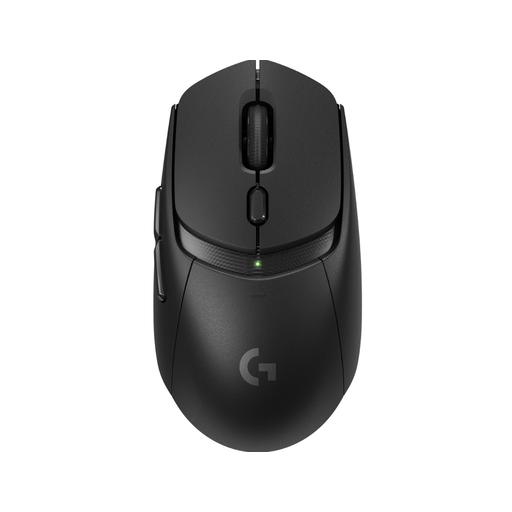 No image available
A wireless gaming mouse to compare if you don't want a mouse cable running across your desk.
 No image available
Worth comparing if you want to play wirelessly and are looking for a charging dock.
PAW3311 sensor, 24,000 DPI, BT, 2.4G and USB-C; stated weight of 63 g.
 No image available
May suit you if you want to compare wireless connection options and extra control buttons.
BT5.0, 2.4G and USB-C; PixArt PAW3311 sensor, 12,000 DPI, Fire Button and seven programmable buttons. Stated weight: 67 g.
The available product specifications don't indicate that they will. For erratic tracking, Logitech Support recommends using a flat, plain, non-reflective mouse mat and advises against using the mouse directly on glass or reflective surfaces. RGB lighting is not a proven solution for tracking issues.
First, check your setup and the power supply for the exact model. Logitech Support recommends checking the battery, cleaning the sensor and mouse feet with a soft, lint-free cloth, and plugging a wireless receiver directly into the computer, among other steps.
According to ACM ConsuWijzer, online product purchases generally come with a statutory cooling-off period of up to 14 days after delivery, subject to applicable exceptions. There is no fixed, general two-year period for statutory guarantee rights. With normal use, these depend on what you could reasonably expect from the product. A manufacturer's warranty is separate.
Electrical and electronic devices are subject to the applicable European rules. The Dutch Ondernemersplein notes that the Radio Equipment Directive is relevant to devices with Bluetooth or a radio-frequency module. These general rules do not prove that an individual product listing is compliant; check the information for the exact version to confirm.