Start by choosing a mouse whose shape and controls suit your hand and the way you play. Programmable buttons are most useful if you want to assign shortcuts to them. A wired mouse needs no battery management, while a wireless mouse gives you a tidier desk but requires you to keep an eye on its connection and power. A quiet office mouse may suit a shared workspace, but quiet clicks alone say nothing about its gaming controls.
Who is this choice relevant to?
Dedicated city builder
You play long sessions at the same desk, so a comfortable grip and easy-to-reach controls matter. Arboportaal explains that screen-based work can involve repetitive movements and static strain; there is no evidence that a particular mouse will prevent related complaints.
Player who uses lots of shortcuts
You want to assign frequently used commands to mouse buttons, so you compare their layout and customisation options. Razer and Corsair describe models with programmable controls, but check the exact version and software.
Player using a shared desk
You use the same space for work and gaming, and weigh up cable clutter, battery management and click noise against extra gaming controls. Trust describes the Nito as a quiet office mouse; that claim does not automatically apply to Trust gaming mice.
What should you look for?
Start with a shape and controls you’ll find comfortable during long sessions. Then consider whether a cable, wireless connection or quiet clicks are a better fit for your desk.
The percentages below relate to consumers looking for a mouse for city-building games at a home-working desk. They show which need takes priority when making that choice.
| What to consider |
What should you check? |
Who is this most important for? |
| Grip and controls |
Check that the shape suits your hand preference and that your thumb can reach the buttons comfortably. |
For long sessions, I want a comfortable shape and easy-to-reach controls. Around 31% of consumers put a good fit for extended use first. |
| Scrolling and shortcuts |
Decide which actions you want to assign to the wheel or buttons, then check the setup software for the exact model. |
If I use the same game commands often, I want to access them quickly without unused buttons getting in the way. Around 31% of consumers give scrolling and shortcuts top priority. |
| Cable and power |
Check that your computer supports the connection you want and find out how that version is powered. |
A cable can get in the way on a desk I also use for work; with a wireless mouse, I need to keep an eye on its power and connection. Around 23% of consumers put a cable-free desk first. |
| Click noise |
Look for an explicit quiet-click claim for the exact model, and check its gaming controls separately. |
When other people are close to my workspace, I want to reduce click noise without assuming that a quiet mouse has gaming features. Around 15% of consumers put quiet clicks first. |
Common buying pitfalls
-
Assuming a high DPI value means better gaming controls
A sensor specification doesn’t tell you whether the shape, wheel or buttons will be comfortable to use. The models reviewed also differ in their controls.
First compare the features you’ll actually use, then check the sensor settings for the exact model.
-
Mixing up G502 or Basilisk versions
Suffixes can indicate a different connection, power source or set of controls. For example, the wired Logitech G G502 X is not the same model as a wireless version.
Before buying, check the full model name, connection, power source and buttons on the product page.
Choosing the wrong version could leave you with a cable or battery requirements that don’t suit your desk.
-
Assuming a quiet office mouse is automatically a gaming mouse
Trust’s specific quiet-click claim applies to the Nito office mouse; it doesn’t mean the mouse delivers gaming performance or extensive customisable controls.
If quiet clicks matter to you, check both the noise claim and the gaming controls for the same model.
-
Confusing the manufacturer’s warranty with your statutory rights
A manufacturer’s warranty does not automatically replace your statutory rights. ACM ConsuWijzer and the Dutch government explain that the retailer remains responsible for providing a solution if a product does not meet your reasonable expectations.
Before buying, compare what an additional warranty offers on top of your existing rights.
Brands to compare
Logitech G
The wired G502 X is worth considering if you want a two-mode scroll wheel and customisable controls.
- Logitech G lists this version as weighing 89 grams; the DPI button can be customised or covered.
- These details don’t tell you whether the shape suits your hand, and they don’t automatically apply to other G502 versions.
Razer
The Basilisk V3 X HyperSpeed combines customisable controls with Bluetooth and a 2.4GHz connection.
- Razer says this model has nine customisable controls, and its stated battery life varies by connection mode.
- Check the full model name: the Basilisk V3 X HyperSpeed is not the same as the wired Basilisk V3 or the Basilisk V3 Pro.
SteelSeries
The Aerox 5 Wireless is worth a look if you’re considering a lightweight wireless mouse with several programmable buttons.
- SteelSeries lists this model as weighing 66 grams and having nine programmable buttons.
- Weight and button count alone don’t determine whether a mouse suits your hand or the way you play.
Corsair
The Scimitar Elite Wireless is designed for players who want to assign lots of commands to an adjustable side-button panel.
- Corsair lists sixteen programmable buttons, including twelve on the side panel.
- If you don’t use many shortcuts, these controls may be more than you need; check the exact version.
Trust
Trust offers the GXT 110 Felox as a wireless gaming mouse and the Nito as a separate quiet office mouse.
- Trust describes the Nito as having quiet buttons.
- The quiet-click claim applies to the Nito and not automatically to the GXT 110 Felox; don’t assume the Nito is a quiet gaming version.
Gaming mice for your desk
This selection includes wired and wireless gaming mice for use at a home-working desk. Focus on the connection, the controls you want and the specifications of the exact version.
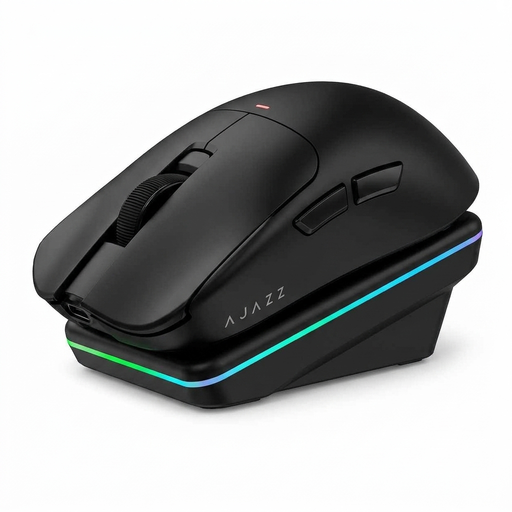 Image unavailable
AJAZZ AJ200 AI MC Wireless Gaming Mouse
An option to consider if you want to compare different connection types for your desk; check which buttons and software features suit the way you use it.
The product name lists a charging dock, BT, 2.4G and USB-C, a PAW3311 sensor, 24000 DPI and a weight of 63 g.
View at Joybuy
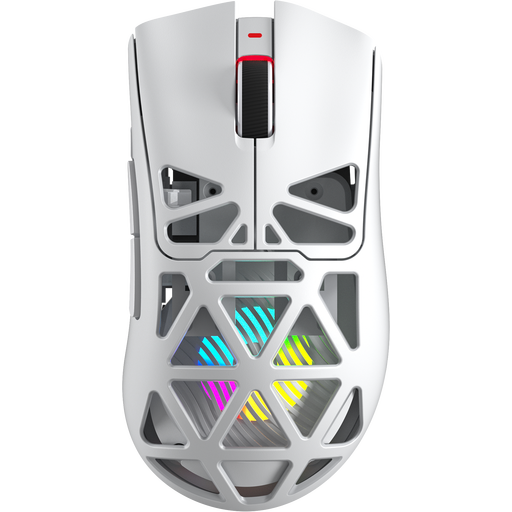 Image unavailable
AULA SC620 Wireless Gaming Mouse, White
Consider this version if you want programmable buttons and several connection options; check that your computer supports the connection you want.
The product name lists seven programmable buttons, BT5.0, 2.4G and USB-C, a PAW3311 sensor, 12000 DPI, 8KHz, 67 g and a 400 mAh battery.
View at Joybuy
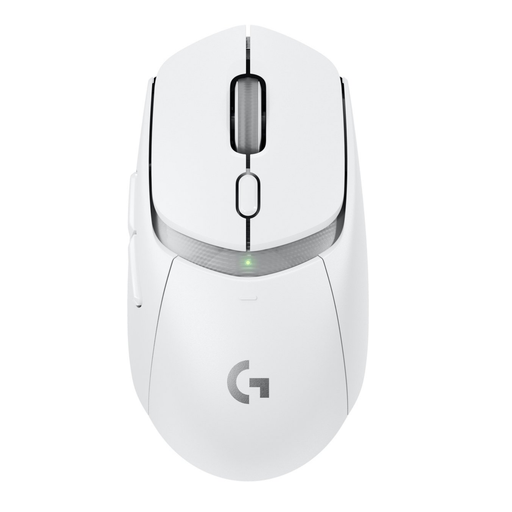 Image unavailable
Logitech G G309 LIGHTSPEED Wireless Gaming Mouse
A good fit if you’re looking for a wireless gaming mouse; check the connection, power source and button layout for this version before choosing.
View at Joybuy
 Image unavailable
Logitech G G502 X
A wired option for a fixed PC setup if you don’t want to manage a mouse battery; bear in mind that the cable will take up space on your desk.
The product name lists a right-handed mouse, USB Type-A, an optical sensor and 25600 DPI. Logitech G describes the G502 X as having a scroll wheel with free-spin and click-to-click modes.
View at Joybuy
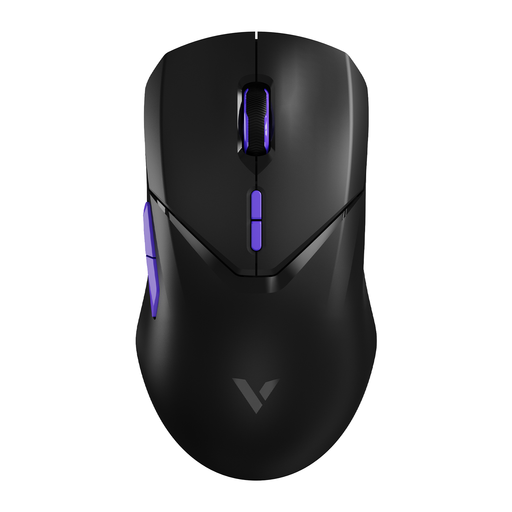 Image unavailable
RAPOO VT9Pro 4K Wireless Gaming Mouse, BlackPurple
A wireless option if you want to set up several game commands; check that the controls and power source suit the way you use it.
The product name lists ten programmable buttons, 26000 DPI, 4K polling, a PAW 3398 sensor and a battery life of 180 h.
View at Joybuy
Frequently asked questions
How do you set up mouse buttons for a city-building game?
First choose the commands you use most often, assign them using the software for your exact mouse model, then check that the game recognises those inputs. Razer describes assigning controls through Synapse for the Basilisk V3 X HyperSpeed. Corsair describes remapping keys through iCUE for the separate, wired Scimitar RGB Elite; don’t assume every version has the same software features.
What maintenance does a wired or wireless mouse need?
Keep the sensor surface clean and, for a wireless model, check its power and connection. The product information reviewed specifies an AA battery for the Razer Basilisk V3 X HyperSpeed; the wired Logitech G G502 X doesn’t need a mouse battery.
Is a two-year manufacturer’s warranty the same as the statutory guarantee in the Netherlands?
No. According to ACM ConsuWijzer, the statutory guarantee depends on what you could reasonably expect from the product under normal use. If a product is faulty, the retailer must offer a solution; a manufacturer’s warranty does not replace this right.
Can a wireless gaming mouse be sold in the Netherlands without a CE marking?
According to the Dutch Authority for Digital Infrastructure, radio equipment covered by the relevant European product rules must meet the applicable requirements and carry a CE marking before it is placed on the EU market. This general requirement does not confirm that a specific product on offer complies; check the information for the exact model.
Can you return a mouse bought online if you don’t like its shape?
For a standard online consumer purchase, you generally have a statutory 14-day cooling-off period from delivery. Check the applicable exceptions and returns policy; a retailer’s promise of a longer returns period is separate from this statutory cooling-off period.


