
City-builders who navigate a lot
You want to point comfortably and switch between precise and faster scrolling. Razer lists adjustable scroll modes for the Basilisk V3, but that doesn’t guarantee they’ll improve camera controls in every game.


Start with a mouse whose shape and connection suit your gaming setup, then decide how much you value an adjustable scroll wheel or extra buttons. A large screen alone doesn’t mean you need the highest possible DPI: focus on whether you can set the pointer speed to a comfortable level. With wireless models, the connection, receiver and charging method also matter.
You want to point comfortably and switch between precise and faster scrolling. Razer lists adjustable scroll modes for the Basilisk V3, but that doesn’t guarantee they’ll improve camera controls in every game.
You want to assign frequently used game commands to easy-to-reach mouse buttons, and decide whether a few extra buttons or an extensive side panel suits you best.
You want more freedom to position your mouse and are weighing up wireless control against the connection, receiver and charging. Trust lists a rechargeable battery for the GXT 110 Felox; Corsair describes a 2.4GHz receiver and Bluetooth for the Scimitar Elite Wireless.
| What to consider | What should you check? | Who should weigh this more heavily? |
|---|---|---|
| Pointing and scrolling | Try the pointer speed and scroll controls in your own game; a large screen alone doesn’t establish a minimum maximum DPI. | If I often navigate across a large play area, I want to adjust the pointer and scroll wheel to suit the way I play. Around 33% of consumers prioritise navigation. |
| Shortcuts | Check how many buttons you can reach comfortably, and whether the assignments work with your game and computer. | If I use the same game commands frequently, I want to assign them to buttons without ending up with a panel full of unused functions. Around 25% of consumers consider shortcuts the most important factor. |
| Shape and feel in the hand | Check the shape, your preferred hand and how easy the buttons are to reach; compare the weight if you think you’ll notice a difference. | For long gaming sessions, I want a shape and button layout that suit my hand. Around 25% of consumers give shape and feel in the hand top priority. |
| Wireless positioning | Check the supported connection, required port, included receiver and charging method. | If a cable gets in the way of my gaming setup, I want more freedom to position the mouse and to know how it connects and charges. Wireless positioning is the main concern for around 17% of consumers. |
The stated maximum doesn’t tell you which pointer speed will feel comfortable in your game.
Set the sensitivity to suit the way you play, rather than choosing solely on the maximum DPI.
A panel with twelve side buttons is only useful if you assign them to functions you actually use.
Make a short list in advance of the game commands you want to assign to the mouse.
Setting up the buttons and getting used to them can take time.
A wireless mouse may require a specific connection, receiver and charging equipment.
Before you buy, check how your chosen model connects, which ports are available and how it charges.
According to the Dutch Government, there is no fixed statutory guarantee period for all products in the Netherlands; if there’s a problem, the retailer is your point of contact.
Keep your proof of purchase and contact the retailer if a product is faulty.
The wired Basilisk V3 is an option if you’re looking for an adjustable scroll wheel and a custom button layout.
The wired G502 X is worth considering if you want to compare weight and the position of the DPI switch.
The wireless GXT 110 Felox is an option if you’re looking for straightforward control without a cable.
The Scimitar Elite Wireless is designed for players who want to customise a wide range of button functions.
The Aerox 9 Wireless is a wireless option with an extensive button panel to compare.
This selection includes wired and wireless gaming mice for a range of gaming setups. Focus on comparing the connection, button layout and stated DPI specifications.
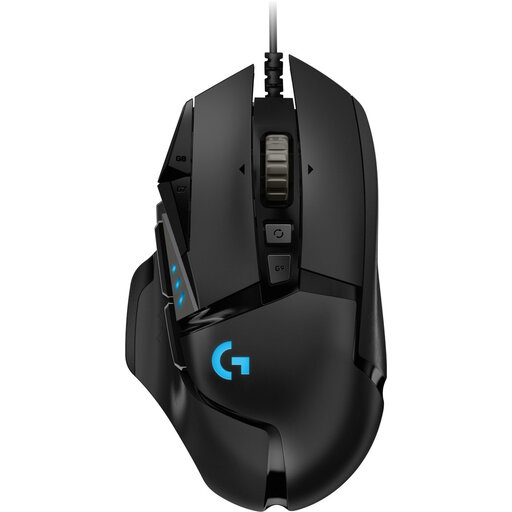 Image unavailable
Worth comparing if you’re looking for a wired mouse with a stated DPI value for a fixed gaming setup.
The product name lists 25,600 DPI, a right-handed design and a black finish.
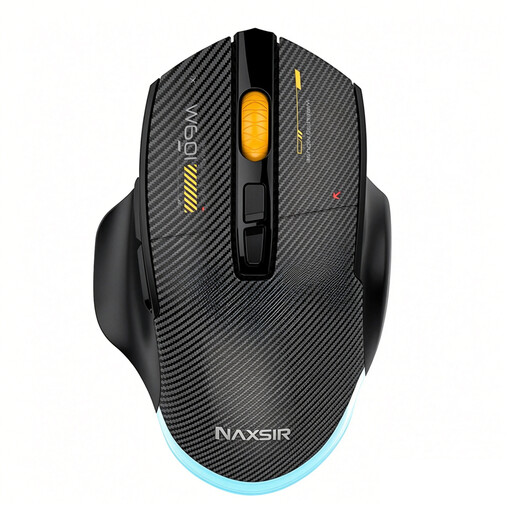 Image unavailable
Suited to anyone comparing wired and wireless connections and programmable macro keys.
The product name lists 12,800 DPI, seven programmable macro keys and connection via cable, 2.4G or Bluetooth.
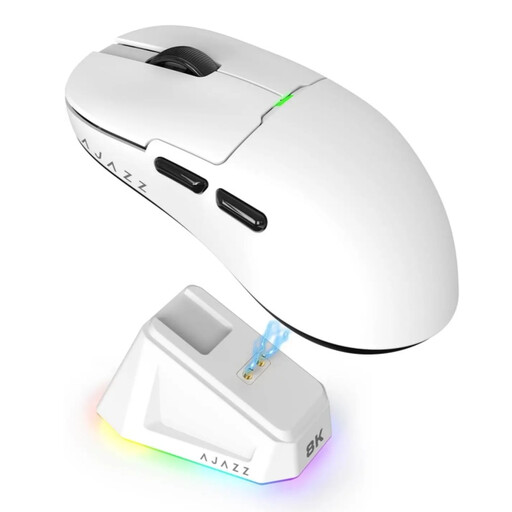 Image unavailable
Worth comparing if you’re looking for a wireless mouse with several listed connection options.
The product name lists 26K DPI, 2.4G, USB-C and Bluetooth, a 400 mAh capacity, a weight of 56 g and a magnetic base.
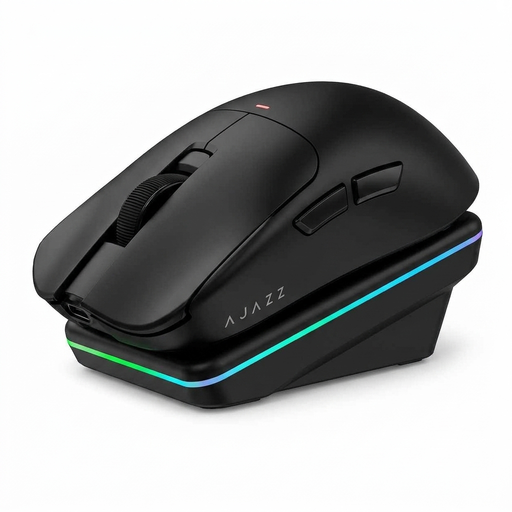 Image unavailable
Suited to anyone comparing wireless control and different connection options.
The product name lists 24,000 DPI, a PAW3311 sensor, Bluetooth, 2.4G and USB-C, and a weight of 63 g.
 Image unavailable
Worth comparing if you’re looking for a wired mouse with a USB Type-A connection for a fixed gaming setup.
The product name lists an optical mouse with 25,600 DPI and a right-handed design.
No, not just because of the screen size. Check that you can set the pointer speed comfortably for your gaming setup and game, rather than comparing only the stated DPI figure.
First, check that your computer has a suitable free USB port. Corsair describes model-specific steps for the Scimitar Elite Wireless: fully charge the mouse first, select 2.4GHz mode and connect the USB receiver.
It depends on the model and the function you want. Razer says you can enable the Basilisk V3’s Smart-Reel mode via Synapse; Corsair describes using iCUE for the wireless Scimitar. Check that the software works with your computer and game.
According to the Dutch Government, you’re entitled to a product that works as it should in the Netherlands, and you can contact the retailer if there’s a problem; there is no fixed statutory guarantee period for all products. For eligible distance purchases, a 14-day cooling-off period applies in many cases. Check the terms and any exceptions that apply to your purchase.