
Vandaag of morgen in huis

Kwaliteit gegarandeerd

Welkomstaanbiedingen ontgrendelen: GRATIS bezorging | Tot 80% korting | Gratis 30 dagen JoyPlus-proefperiode
Download de app
Buying a gaming mouse sounds simple until you have to choose between wireless, wired, ultra-light, RGB, lots of buttons and a high DPI. Marketing copy often focuses on impressive figures. However, no single specification determines whether a mouse is right for you. Your hand size, grip, games and desk setup are just as important.
Pay particular attention to these common pitfalls:
A wired gaming mouse uses USB and does not need a rechargeable or replaceable battery. This makes it practical for a fixed PC setup. You do not have to plan charging times, but the cable can catch on the edge of your desk when using low sensitivity or making large mouse movements.
A wireless gaming mouse usually works via a 2.4GHz USB receiver. Some models also support Bluetooth, which is useful for a laptop or second device. Pay attention to the difference between the connection modes: Bluetooth is energy-efficient, while 2.4GHz is generally intended for responsive gaming. A model with USB-C can also be used as a wired mouse while charging.
DPI indicates how far the cursor moves when you move the mouse. A gaming mouse with a high DPI may support 24,000 or 32,000 DPI, for example, but that does not mean you should use that setting in every game. For FPS players, a lower setting can provide greater control.
The polling rate indicates how often the mouse sends data to the computer per second:
According to some manufacturers’ product information, a high polling rate can result in additional CPU usage. Rapoo, for example, states that you can switch back to 1,000 Hz if you experience possible frame drops.
An ultra-light gaming mouse often weighs less than 70 grams. This can be comfortable for fast movements and low sensitivity. However, also look at the dimensions and shape. A mouse designed for right-handed use will not automatically fit a left-handed user well.
First, identify your grip:
An ergonomic gaming mouse with a thumb rest can be comfortable for some right-handed users. A symmetrical mouse generally offers greater flexibility, but does not always provide the same level of support for your hand and thumb.
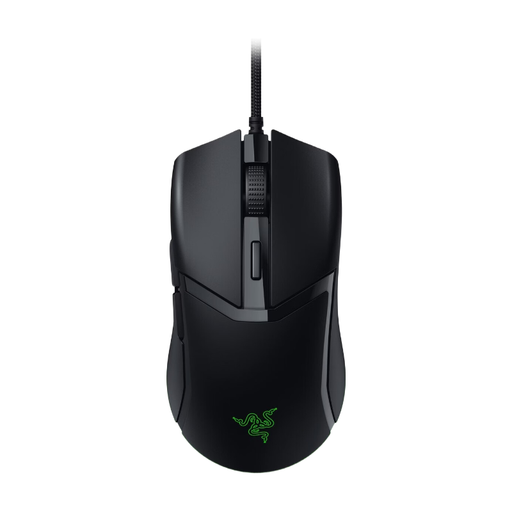
Why it suits this profile: This wired gaming mouse is a straightforward choice for PC and Mac users who do not want to charge a battery but are looking for adjustable buttons and lighting.
The USB connection prevents interruptions caused by charging. The DPI can be adjusted up to 8,500 rather than being limited to a single fixed value.
58 grams according to the product specification, six buttons, adjustable DPI and Razer Chroma RGB lighting.
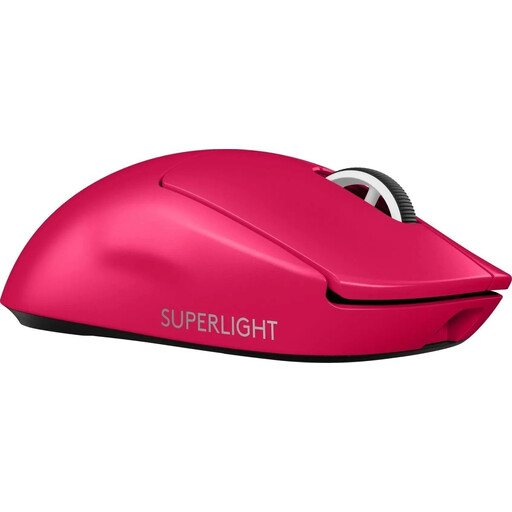
Why it suits this profile: According to the product listing, this model is aimed at players looking for a lightweight wireless mouse with USB-C and a high-resolution sensor.
The battery can be recharged via USB-C, so you do not need loose batteries. The mouse can be connected via the cable.
60 grams, LIGHTSPEED wireless connection, HERO 2 sensor and a long battery life according to the listing.
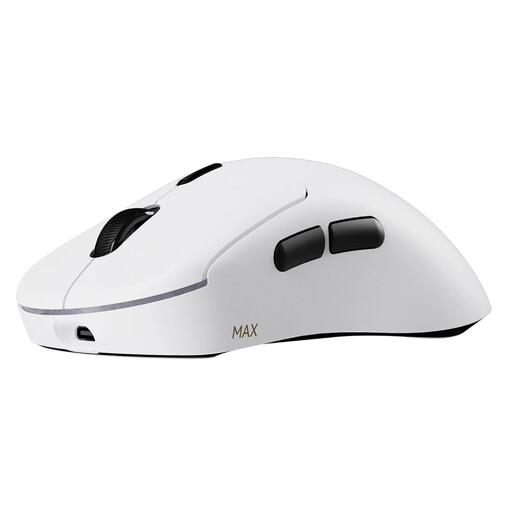
Why it suits this profile: According to Rapoo, this model is aimed at intensive players who want to combine very low weight, plenty of buttons and long battery life.
The stated battery life of up to 750 hours at 1,000 Hz reduces the need for charging. At 8,000 Hz, CPU usage may increase, so check your system.
53 grams, up to 8,000 Hz wireless, ten programmable buttons and up to 30,000 DPI according to the product information.
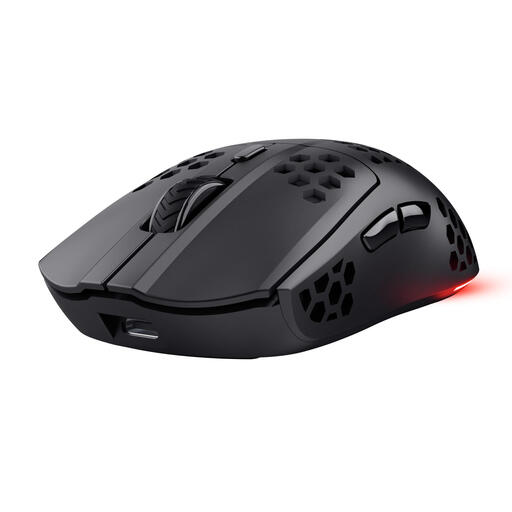
Why it suits this profile: A practical option for players who want to game wirelessly, appreciate RGB lighting and also use the mouse with a laptop.
According to Trust, the battery can last up to 80 hours, and you can continue playing via USB-C while it charges.
75 grams, 2.4GHz connection, six programmable buttons, 1,000 Hz polling rate and RGB lighting.
We have put together a complete, up-to-date list of products that fully meet these strict selection criteria and the applicable European safety regulations.
Yes, a 2.4GHz connection can be suitable for FPS games. However, check the stated polling rate, receiver type and battery life. Bluetooth is particularly useful for energy-efficient use and multiple devices, but not every player chooses it for competitive gaming.
That depends on your screen, game and personal preference. A sensor with adjustable DPI gives you room to experiment. A high maximum DPI is mainly a technical capability; many players use a lower setting for precise aiming.
Its lifespan depends on the switches, cable, battery, usage and maintenance. Manufacturers sometimes state a click rating or battery life based on their own specifications or research. Treat these figures as product information rather than a guarantee for every user. Keep the sensor clean, avoid moisture and charge a built-in battery with a suitable cable.
