
Vandaag of morgen in huis

Kwaliteit gegarandeerd

Welkomstaanbiedingen ontgrendelen: GRATIS bezorging | Tot 80% korting | Gratis 30 dagen JoyPlus-proefperiode
Download de app
A gaming mouse should suit your playing style, hand and computer. Yet many buyers focus mainly on a high DPI figure or eye-catching RGB lighting. This can result in a mouse that looks impressive on paper but is too heavy, awkward or expensive to run in practice.
Pay particular attention to these three common pitfalls:
For fast-paced FPS games, many players choose a mouse weighing around 55 to 75 grams. A lower weight can make it easier to move the mouse, but it does not guarantee better control. A heavier mouse may feel more stable when aiming slowly or during long productivity sessions.
Check:
A symmetrical mouse is not always fully suitable for left-handed users. Sometimes only the exterior and buttons are symmetrical, while the software or main buttons are configured differently.
DPI determines how far the cursor moves for a particular physical mouse movement. A gaming mouse with a high DPI can be useful for multiple screens or high resolutions, but players often use lower sensitivity in competitive FPS games.
The polling rate indicates how often the mouse position is reported to the computer:
Your computer must also be able to process a polling rate of 4,000 or 8,000 Hz. According to the Rapoo VT9Pro product information, using 4K can increase CPU usage. If games stutter, switching back to 1,000 Hz can be a practical solution.
So do not look only at the highest figure. Also check whether the mouse offers multiple DPI levels, separate X/Y settings and an easy-to-reach switch button.
A wired gaming mouse works via USB and does not have a battery. This means less maintenance and no interruptions for charging. However, pay attention to the length and flexibility of the cable. A stiff cable can be inconvenient when making low-sensitivity movements.
A wireless gaming mouse usually works via 2.4 GHz with a USB receiver. Bluetooth is useful for laptops and multiple devices, but check whether gaming mode works via the receiver or cable. Some features, such as macros or RGB settings, may work only with software or only in wired mode.
A mouse for PC and laptop is particularly practical when it supports multiple connections. Also check whether your laptop has a USB-A port or requires an adapter.
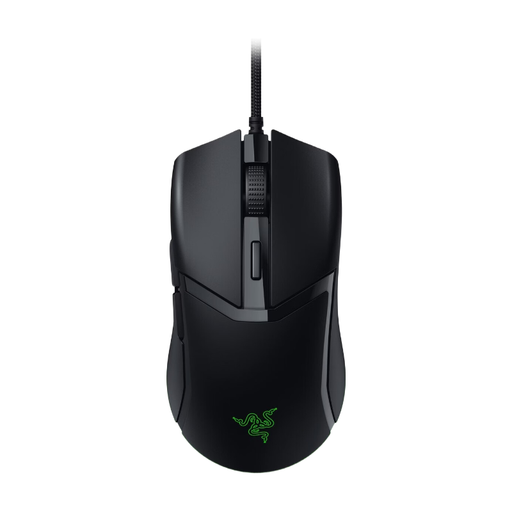
Why it suits this profile: This wired gaming mouse keeps the purchase simple: there is no battery or wireless receiver, while you still get DPI settings and programmable buttons.
The USB connection prevents charging interruptions. Sensitivity can be adjusted in 50 DPI increments, so you are not limited to using only the maximum figure.
58 grams according to the specifications, 8,500 DPI, six buttons and a Razer Speedflex cable with PTFE feet.
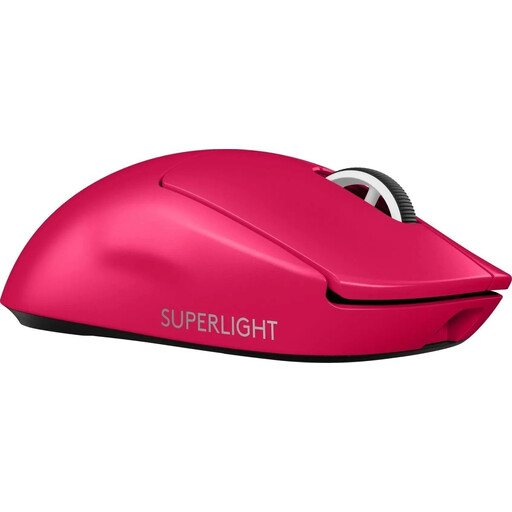
Why it suits this profile: A lightweight wireless gaming mouse for players who value low weight, USB-C charging and a fast connection.
The specifications list a weight of 60 grams, LIGHTSPEED radio and USB-C. However, check the current sensor details when buying: the product information lists different maximum DPI values.
60 grams, optical HERO 2 sensor according to the product description, a maximum polling rate of 4,000 Hz and five buttons.
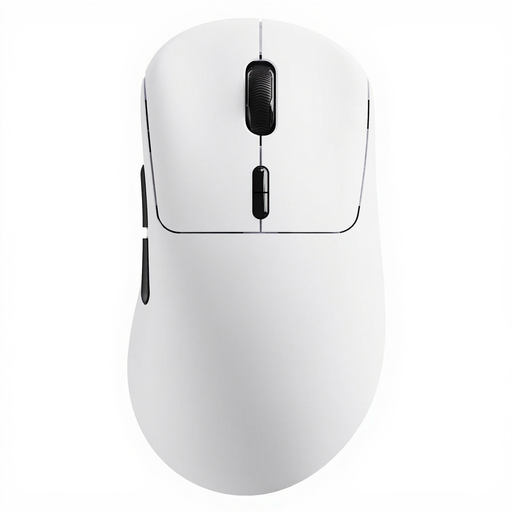
Why it suits this profile: Designed for esports mouse users who want to combine very low weight, plenty of buttons and a high polling rate.
The stated battery life is linked to 1,000 Hz; consumption may differ at 8,000 Hz. This makes the usage conditions more important than a single battery-life figure.
53 grams, up to 8,000 Hz, up to 26,000 DPI, ten programmable buttons and software for Windows and Mac.
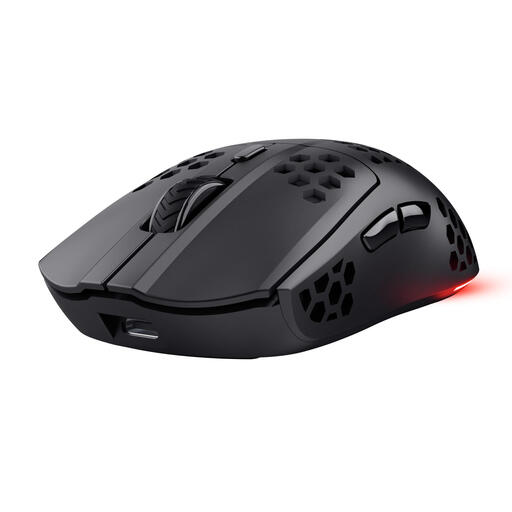
Why it suits this profile: For PC and laptop gamers who want to play wirelessly while also appreciating RGB lighting and programmable buttons.
You can also play while charging via USB-C, as well as using it wirelessly. The stated battery life of up to 80 hours still depends on lighting and usage.
Approximately 73 grams, 4,800 DPI, 1,000 Hz polling rate, six programmable buttons and RGB lighting.
We have put together a complete, up-to-date list of products that fully meet these strict selection criteria and the applicable European safety regulations.
Use these points before adding a model to your basket:
RGB is mainly a matter of personal preference. With an RGB gaming mouse, check whether the lighting can be switched off and whether you can adjust the effects via software. For competitive gaming, RGB generally has no direct effect on tracking.
It can be, provided the mouse offers a stable 2.4GHz connection with a receiver and the battery is sufficiently charged. For tournaments or long sessions, it is sensible to check whether you can also play while charging. Bluetooth is mainly practical for devices where low energy consumption matters more than maximum response speed.
There is no fixed value that suits every player. An adjustable range of a few thousand DPI is sufficient for most games. Players who switch between a large screen, desktop use and FPS settings can benefit from multiple DPI profiles. A high maximum DPI is mainly useful if you actually use that setting.
Its lifespan depends on the switches, cable, battery, mouse feet and usage. Manufacturers sometimes provide a click rating, but according to the brand’s own research, this is a stated test value rather than a guarantee for every usage scenario. Keep the sensor and PTFE feet clean, do not pull on the cable and charge built-in batteries with a suitable cable. With a wireless model, replacing the internal battery is usually not a user-serviceable task.
