
Player without a charging socket
You play card games somewhere that makes it difficult to charge between sessions, and want to keep playing with a replaceable battery. Logitech lists one AA battery for the G305.


For card games when power sockets are scarce, choose a mouse with a replaceable battery if you don’t want to plan a charging break. Go for a rechargeable or wired model if you have a suitable USB power source or a spare port. If USB ports are in short supply too, look for Bluetooth and check that it’s compatible with your device, as a receiver uses a USB port. Then choose a shape and button layout that suit your hand and game; a high maximum DPI isn’t a deciding factor on its own.
You play card games somewhere that makes it difficult to charge between sessions, and want to keep playing with a replaceable battery. Logitech lists one AA battery for the G305.
You have few spare ports and, if your device supports Bluetooth, would rather not use a mouse receiver. According to Logitech, the G309 offers both LIGHTSPEED and Bluetooth.
Focus on a shape that feels comfortable in your hand and controls that are easy to reach during longer sessions. RTINGS.com recommends choosing a fit that suits your hand size and grip.
First decide how the mouse gets its power and connects; then consider its fit, buttons and how easy it is to replace or charge the battery.
| What to consider | What to look for | Who is this important for? |
|---|---|---|
| Keep playing without a charging break | Check the battery type, whether a battery is included and the conditions behind any quoted battery life. | If I don’t want to plan a charging break during a card game, I need a suitable power option. Around 36% of consumers in this situation prioritise being able to keep playing without a charging socket. |
| Connect without a receiver | Check that your device supports Bluetooth and that the mouse offers it; a USB receiver needs a spare port. | If I have few spare ports, I don’t want to use one for a receiver, so I check compatibility. Around 29% of consumers prioritise having a spare USB port as their main requirement. |
| A comfortable fit for longer sessions | Consider the shape in relation to your hand and grip, the position of the side buttons and the stated weight; check whether the weight includes the battery. | For long gaming sessions, I want a mouse that feels comfortable in my hand, not just one that looks light on paper. Around 21% of consumers prioritise fit. |
| Buttons and ease of use | Consider whether the extra buttons are useful for your game, and check any software requirements, the battery type and charging options. | If I want to use shortcuts, the buttons and any software need to suit my game and device. Around 14% of consumers focus mainly on controls and the recurring hassle of replacing or charging the battery. |
RTINGS.com says the Logitech G305 connects wirelessly via a USB receiver and doesn’t use Bluetooth. If ports are in short supply, this could affect your setup.
Check the connection modes for the exact model with the manufacturer, and make sure your device is Bluetooth-compatible if you want to connect without a receiver.
A mouse that only connects via a receiver will use a USB port while you play.
HyperX lists different battery life figures for the Pulsefire Haste 2 Core Wireless on 2.4 GHz and Bluetooth, with a lower polling rate in Bluetooth mode. The manufacturer’s figures therefore depend on the mode you choose.
Compare battery life claims using the same connection mode and usage conditions; don’t treat them as guaranteed playing time.
Razer lists the Orochi V2 as weighing less than 60 g without a battery, while Logitech lists the G309 at 86 g with one AA battery. These figures aren’t directly comparable.
Check which components are included in the stated weight, and consider whether the shape suits your hand too.
According to the Dutch government, the Netherlands has no fixed statutory warranty period. What you can expect from a product depends on factors including the product and the circumstances; a manufacturer’s warranty is in addition to your statutory rights.
If something goes wrong, contact the seller and check exactly what any additional warranty covers.
The G305 uses an AA battery and a USB receiver, while the G309 also offers Bluetooth. This difference matters most if you have few spare USB ports.
The Orochi V2 offers Bluetooth and a receiver connection, and works with one AA or AAA battery. With its extra controls, the Basilisk V3 X HyperSpeed is aimed at players who want more buttons to customise.
According to SteelSeries, the Aerox 3 Wireless combines a rechargeable design and USB-C with a 2.4 GHz connection and Bluetooth.
The Pulsefire Haste 2 Core Wireless uses one AAA battery and, according to HyperX, offers both 2.4 GHz and Bluetooth connections.
According to Cooler Master, the MM712 offers 2.4 GHz, Bluetooth 5.1 and a wired option, giving you different connection types to consider.
This selection includes wireless models with replaceable batteries or charging options, as well as a wired USB mouse for different card-game setups.
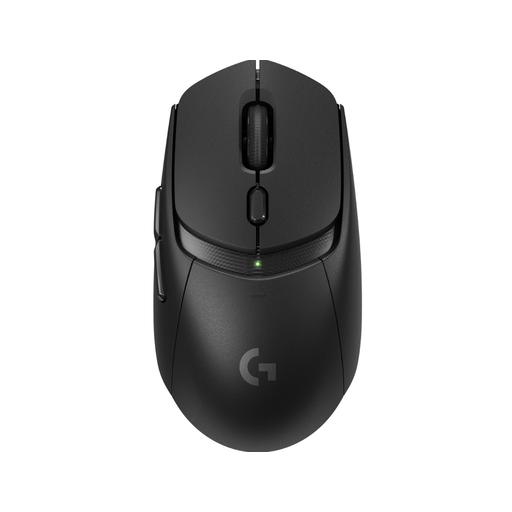 No image available
A good option if you want a replaceable battery and the choice of a receiver or Bluetooth connection.
Works with one AA battery and, according to Logitech, offers LIGHTSPEED and Bluetooth.
 No image available
Worth considering if you’re looking for a wireless gaming mouse with a charging dock and can fit charging into your setup.
The product name mentions a charging dock; check that the charging setup and connections suit the ports you have available.
 No image available
Worth considering if you’re weighing up different connection options and want a replaceable battery.
Before buying, check the battery and charging setup for the exact version, and which connections you’ll need.
 No image available
A good fit if you want a wired mouse and have a spare USB Type-A port while you play.
The product name specifies a right-handed version and USB Type-A. The cable uses a port while you play.
 No image available
Worth considering if you want to play wirelessly with a replaceable battery and the option of Bluetooth.
According to Razer, this model works with one AA or AAA battery and offers Bluetooth as well as a receiver connection. The battery needs replacing.
Not if the mouse uses a replaceable battery. You’ll need to charge a rechargeable model, so check the battery type and whether your computer or another suitable power source is available.
According to SteelSeries, switch the mouse to Bluetooth and pair it with a device that supports Bluetooth 5.0 or later. SteelSeries lists a default polling rate of 125 Hz in this mode.
Contact the seller. According to the Dutch government, there’s no fixed statutory warranty period in the Netherlands: what you can expect from the product depends on the circumstances. A manufacturer’s warranty is in addition to your statutory rights.
When you buy from a business remotely, you’ll often have a 14-day cooling-off period. According to the Dutch government, there are exceptions; the same rules don’t apply when buying from a private individual.
Don’t put used batteries in your general waste. Take them to a collection point, such as a shop that sells batteries. The Dutch government provides information about battery collection points.