
Vandaag of morgen in huis

Kwaliteit gegarandeerd

Welkomstaanbiedingen ontgrendelen: GRATIS bezorging | Tot 80% korting | Gratis 30 dagen JoyPlus-proefperiode
Download de app
A gaming mouse may seem simple at first: plug it in, set the DPI and start playing. Yet many people buy a model that isn’t right for their hand, desk or games. A high DPI sounds impressive, but it says little about comfort. A wireless gaming mouse gets rid of cables, but you’ll need to consider battery life and connectivity. And an ergonomic mouse may be comfortable for office work, but less suited to fast movements in a game.
As Joybuy’s Product Recommendation Officer, I’ve filtered out the key specifications and common buying pitfalls for you. That way, you can compare models based on practical features rather than marketing claims alone.
DPI indicates how sensitively the cursor responds to movement. A mouse with a high DPI can be useful for specific settings, large screens or fast control. For most people, a DPI range that’s easy to access and adjust matters more than the maximum figure.
Also consider the sensor, tracking and software. An optical mouse with adjustable DPI is often better suited to everyday use than a model that simply emphasises a high maximum.
A lightweight gaming mouse weighing around 50 to 70 grams can feel comfortable during fast movements. A heavier model may feel more stable for office work or long scrolling sessions. The right choice depends on your grip: palm, claw or fingertip.
Also check that the mouse suits your hand. A compact mouse can become uncomfortable if you have large hands. A vertical mouse takes some getting used to, too, as your hand rests in a different position.
A wireless gaming mouse may connect via 2.4 GHz, Bluetooth or both. A 2.4GHz receiver is generally designed to provide a direct connection to a computer. Bluetooth is handy for laptops, tablets and devices with few USB ports available, but always check compatibility.
A wired gaming mouse doesn’t need a battery or recharging. However, the cable may pull across your desk, so check its length and flexibility.
A high polling rate can put extra demands on your system and software. So check that your computer and the game you play support the setting.
A simple three-button mouse is enough for basic use. For MMO games, productivity or shortcuts, a programmable mouse with extra buttons may be more practical. Check how many buttons can actually be programmed; the total number of buttons isn’t always the same.
RGB lighting doesn’t affect how the mouse works, but it can suit a gaming setup with illuminated accessories. Check whether you can switch the lighting off or adjust it using software.
For extended periods of work, an ergonomic mouse with a thumb rest or vertical shape may be worth considering. The product descriptions for vertical models such as the Trust Bayo II and Logitech Lift say that their angle is designed to support the hand in a different position. This doesn’t guarantee relief from discomfort. If you experience persistent discomfort, take breaks and adjust your workstation.
For wireless models, check the battery type, charging method and whether you can keep using the mouse via a cable. With a quiet mouse, it’s worth checking whether the quiet operation applies to all the buttons or just the main clicks.
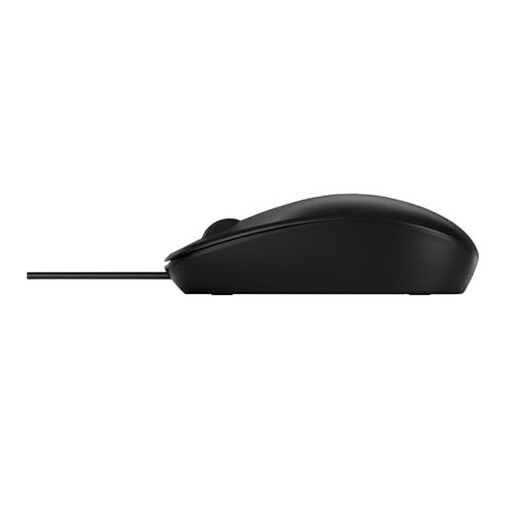
Why it suits this user: This wired mouse is designed for straightforward everyday use and has a symmetrical shape for left- and right-handed users.
The specifications focus on an optical sensor, USB connection and plug-and-play use rather than making an exaggerated DPI claim.
1,200 DPI, a 1.8-metre cable, three buttons and an ambidextrous shape.
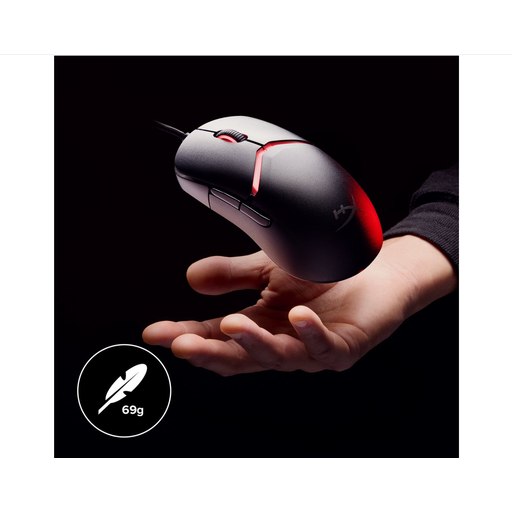
Why it suits this user: A good fit for gamers looking for plenty of adjustment options, a low weight and a wired connection.
At 69 grams, with a flexible USB cable and adjustable polling rate, it offers more to consider than just a high DPI figure.
Up to 26,000 DPI, a maximum polling rate of 8,000 Hz, RGB lighting and customisable buttons via HyperX NGENUITY.
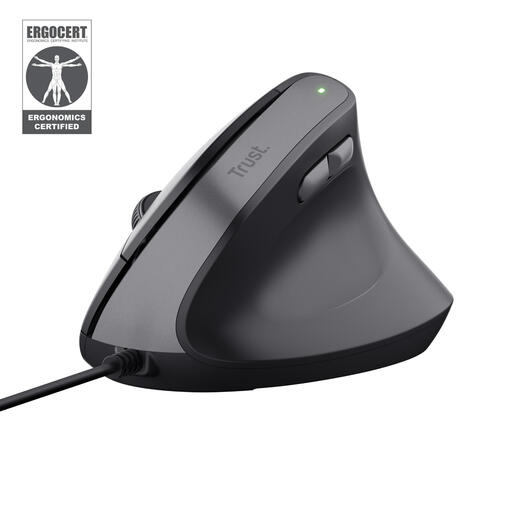
Why it suits this user: An option for office professionals and home workers who specifically want a vertical mouse with a cable.
The 57-degree angle and right-handed shape are clearly specified upfront, so you know this isn’t a neutral gaming design.
USB plug-and-play, five buttons and adjustable DPI from 800 to 2,400.
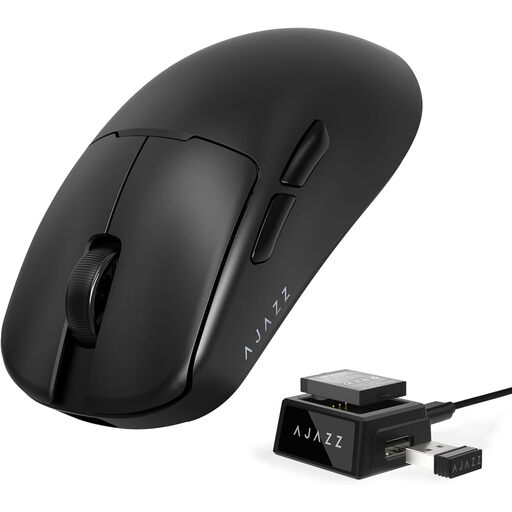
Why it suits this user: For people who want Bluetooth, 2.4GHz and USB connectivity in one lightweight gaming mouse.
The three connection options and replaceable battery system make power and compatibility choices clear before you buy.
Approx. 54 grams, up to 24,000 DPI, a 1,000 Hz polling rate and an optical PAW3311 sensor, according to the product specifications.
We’ve put together a full, up-to-date list of products that meet these strict selection criteria and the applicable European safety regulations.
It depends on what matters most to you. A wired gaming mouse doesn’t have a battery and connects directly via USB. A wireless gaming mouse gives you more freedom of movement, but needs recharging or fresh batteries. For wireless models, also check whether you get 2.4GHz, Bluetooth or both connection types.
For office work and general gaming, an adjustable DPI of up to a few thousand is often enough. Higher settings are mainly useful if you actually use them. So also consider sensor tracking, polling rate and the option to save profiles.
Its lifespan depends on how you use it, the switches, the cable or battery, and how well you maintain it. Keep the sensor clean, avoid pulling on the cable and don’t leave a wireless mouse with a flat battery for long periods. For intensive use, click lifespan, warranty terms and replaceable parts are all worth checking.
