
Map explorer who looks around a lot
You make repeated turns and swipes, so you want a mouse that moves comfortably and suits your grip. A lightweight wired mouse could work well if its cable doesn’t get in the way on your desk.


First, choose a mouse shape that suits your hand and grip. Then decide whether you need plenty of room to move, a cable-free desk or extra buttons. A wired mouse means you won’t need to manage a battery, while a wireless model gives you more freedom of movement but requires a suitable receiver and power source. A high maximum DPI rating alone doesn’t prove that you’ll learn a map better or play more accurately.
You make repeated turns and swipes, so you want a mouse that moves comfortably and suits your grip. A lightweight wired mouse could work well if its cable doesn’t get in the way on your desk.
You switch between work and gaming at the same desk and want a comfortable shape and practical connection. With a wireless mouse, you’ll also need to consider the USB receiver and battery.
You want frequently used in-game actions close to your mouse hand. Check that you can reach the extra buttons comfortably and will actually use them.
Start with the fit and weight for the way you move the mouse. Then choose between a cable and a wireless receiver, and decide whether extra buttons would genuinely be useful.
| Buying concern | What should you check? | Who is this important for? |
|---|---|---|
| Control during repeated movements | Compare the weight of the specific version and check that the shape and cable suit the way you move. | When I’m exploring, I make frequent turns and want to move consistently without the shape or cable getting in the way. Around 36% of consumers say control during repeated movements is their main concern. |
| Fit at a shared desk | Consider the shape, dimensions, grip and how easy any side buttons are to reach. | I use the same mouse for work and gaming, so I want it to feel comfortable in my hand. For around 29% of consumers, a fit that suits their hand and grip comes first. |
| Connection and desk setup | Check the available USB ports, cable routing or receiver and, for wireless use, the battery type. | I want to avoid an awkward cable on my desk—or, alternatively, managing a battery. Around 21% of consumers give top priority to choosing between a cable and a wireless receiver. |
| Buttons for frequently used actions | Decide which actions you want to assign, then check the button positions and any software needed to set them up. | I only want to assign in-game actions to the mouse if I can reach the buttons easily. For around 14% of consumers, these controls are their main buying concern. |
A high maximum doesn’t, by itself, mean you’ll learn a map better or play more accurately. The shape, weight and controls also matter when choosing a mouse.
Consider how you can adjust the sensitivity and whether the mouse suits your movements and grip, rather than focusing only on the maximum.
The Logitech G305 uses a replaceable AA battery. Logitech says battery life depends on usage conditions.
Check the battery type and USB receiver for the exact model, and make sure your PC has a suitable USB port.
The AA battery in the G305 will eventually need replacing.
Extra assignable buttons are only useful if you use the actions assigned to them and can reach the buttons comfortably.
Decide which actions you want to assign, then check the button positions and setup requirements.
The Government of the Netherlands explains that a manufacturer’s warranty is in addition to the statutory guarantee. If a product is faulty, the retailer is your point of contact for a solution.
Keep your proof of purchase and don’t treat a manufacturer’s warranty as a replacement for your statutory rights.
The wired Aerox 3 Onyx is worth comparing if you’re looking for a lightweight mouse for frequent movements.
The wireless G305 LIGHTSPEED is an option for a desk where you’d rather not use a mouse cable.
The Basilisk V3 Pro is worth considering if you’re looking at a contoured wireless mouse with more assignable controls.
The wired KATAR PRO XT EU has a compact, symmetrical shape that Corsair describes as suitable for claw or fingertip grip.
This selection includes wired and wireless gaming mice for frequent mouse movements, different connection types and customisable controls.
 No image available
A wired option if you move the mouse frequently while exploring and don’t want to manage a wireless battery.
The product name lists 26,000 DPI and RGB lighting.
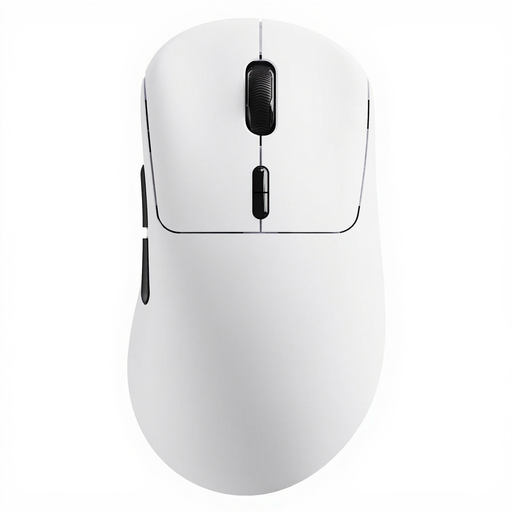 No image available
A wireless option if freedom of movement at your desk matters and you want programmable buttons.
The product name lists 53 g, 10 programmable buttons and battery life of up to 750 hours.
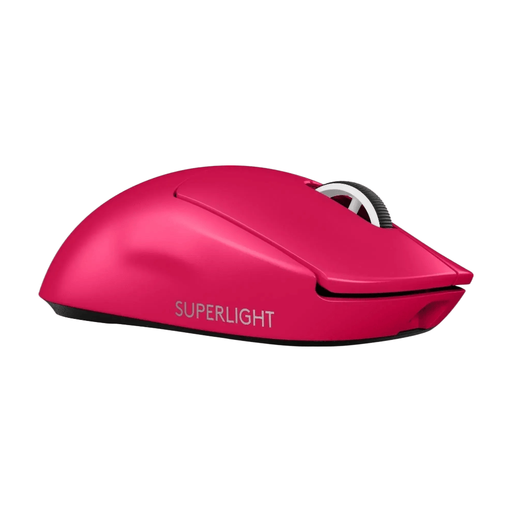 No image available
A wireless LIGHTSPEED gaming mouse for anyone who wants to move without a mouse cable.
Pink version.
 No image available
Worth a look if you’re after a wireless gaming mouse with an ergonomic right-handed shape.
Black version.
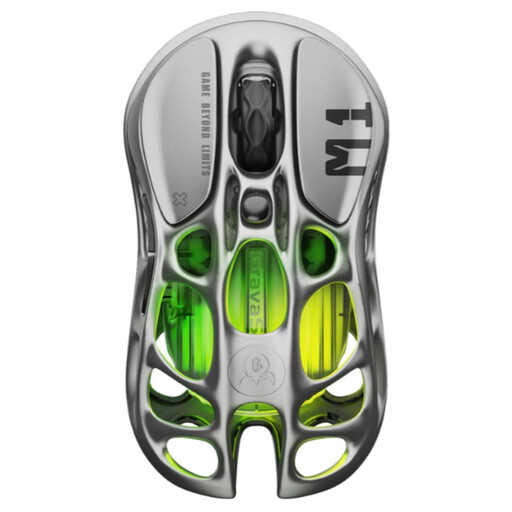 No image available
A wireless option if you want programmable buttons and the listed fit suits your hand.
The product name lists 56 g, a magnesium alloy, a PAW3395 sensor and five programmable buttons. The product information warns you to keep the magnetic base away from pacemakers, medical implants and credit cards.
Choose a sensitivity that lets you make movements consistently, and check that it suits the space available on your desk. Logitech lists adjustable DPI and an onboard profile for the G305; for advanced button settings, Logitech recommends G HUB. The maximum DPI isn’t automatically the recommended setting for gaming.
For a wireless G305, check that you have a USB port for the receiver and remember that its AA battery is replaceable. For a wired mouse, make sure the cable has a clear route. Keep the surface you use and the sensor free from dirt, and don’t assume the mouse is water-resistant unless this is stated for the exact version.
According to the Government of the Netherlands, distance purchases usually come with a 14-day cooling-off period, although exceptions and return conditions may apply. The Government of the Netherlands also states that there is no fixed statutory guarantee period in the Netherlands, and that the retailer is your point of contact if a product is faulty. A manufacturer’s warranty doesn’t replace these statutory rights.
That depends on the model and the features you want to use. Logitech lists a USB receiver and AA battery for the G305; G HUB is needed for advanced button settings. For other models, check what’s included and which adjustments require software.